You have your World Anvil account and you're ready to get creating... but how do you use World Anvil? You've come to the right place! This page is designed to teach you how to find help depending on your needs.
1. Beginner Resources and Guides
For beginners, go through our Beginner Tutorials series! Each tutorial (video & written text) walks you through part of the software—articles, timelines, maps and more! Follow the tasks, and you'll be worldbuilding on World Anvil in no time!
A course for first-time worldbuilders
If you're new to worldbuilding, we also have a Worldbuilding 101 course! This guides you through the creative side of setting creation, helping you know where to start worldbuilding. You can use it alongside the software-focused Beginners Tutorials to help you with your first steps in worldbuilding AND World Anvil!
2. Choose your path!
Once you've got the basics of the software down, it's time to choose your path!
World Anvil supports you in different ways, depending on what you're trying to create. Our workflows below guide you along an easy path to what you want to achieve!
If you're both a Game Master and a Writer, choose the one you want to start with first. And remember, you can activate and deactivate RPG and Novel Writing tools in Features.
I'm a Game Master
I want to run an RPG campaign and plan a campaign setting.
World Anvil for Game Masters
Follow the Workflow for Game Masters to set up, manage and run your campaigns on World Anvil! This guides you through World Anvil's fully-featured campaign manager (supporting over a hundred RPG systems!). It contains an overview of statblocks, sessions reports and player management. If you've already set up the basics of your world, start here.
But you might also want to dive deep into a specific feature. Here are the most relevant features for Game Masters:
- Worldbuilding articles: Organize the information about your campaign setting, your factions and NPCs, and even your campaign plots.
- Campaign Manager: The full solution to manage the campaign-specific information, including player characters, NPCs, session reports, and more.
- Maps: Show your world to your players with interactive map markers and layers.
- Statblocks: Craft your own stat blocks, or copy them from the community library. Then add them to articles or your campaign manager for quick reference.
- Session reports: Keep track of everything you planned and what your players actually did!
You can find guides for all other features in the Learn homepage. Most features also have several adjacent how-tos with more focused tips and guides.
I'm a Writer
I want to write my novels or stories, and organize my world's lore and characters.
World Anvil for Writers
Follow the Workflow for Writers to plan and write your novels on World Anvil! Or, if you're specifically a serial fiction writer, follow the workflow for serial fiction. This guides you through World Anvil's fully-featured novel writing software, from outlining your story to publishing it online. If you've already set up the basics of your world, start here.
But you might also want to dive deep into a specific feature. Here are the most relevant features for Writers:
- Worldbuilding articles: Organize the information about your fictional setting, your characters, and even your plot information.
- Manuscripts: Our novel writing software, which you can also use for plotting and outlining.
- Timelines: Plan your story progression and structure in a visual and interactive interface.
- Prose template: Perfect for short stories that are published as articles within your world.
You can find guides for all other features in the Learn homepage. Most features also have several adjacent how-tos with more focused tips and guides.
I'm Not Sure Yet
I just want to build a cool world! I'll figure out what I want to do with it later.
World Anvil for General Worldbuilding
Follow the Workflow for Worldbuilders to plan and create your fictional world! This guides you through World Anvil's fully-featured worldbuilding suite, from writing lore articles to keep track of your world's history and geography. If you've already set up the basics of your world, start here.
But you might also want to dive deep into a specific feature. Here are the most relevant features for general worldbuilders:
- Worldbuilding articles: Organize the information about your fictional setting, including characters, locations, factions, species, and more.
- Maps: Have an interactive representation of your world's geography your world with interactive map markers and layers.
- Timelines: See your world history at a glance and present it beautifully with timelines and historical events.
You can find guides for all other features in the Learn homepage. Most features also have several adjacent how-tos with more focused tips and guides.
I'm a Player
I want to play in a game that my Game Master is hosting on World Anvil.
World Anvil for Players
Follow the Workflow for Players to set up your character, craft their backstory and character sheet, and start playing in your Game Master's campaign.
For a deep-dive into the Character Manager, check the guide to the character manager.
You can find guides for all other features in the Learn homepage. If you want to worldbuild your own setting, make sure you have worldbuilding features enabled in Features. If later on you want to write a novel or prepare an RPG campaign, you can enable Writer and RPG features too.
I'm a Professional
I want to monetise my content, advertise my work, or build my own community.
World Anvil for Players
Explore the Workflow for Professional Worldbuilders, which helps you set up your user journeys, advertise your work, and use advanced privacy to sell your content (either via Patreon/Kofi or your own store!). There are also tips for growing a community around your work.
But you might also want to dive deep into a specific feature. Here are the most relevant features for professional worldbuilders:
- Advanced privacy: Control who sees what, and how they can gain access! Set up Kickstarter reward tiers, patreon groups, or hide spoilers behind "book 1" and "book 2" groups.
- Import subscribers from Patreon: Create subscriber groups for your supported from Patreon or other platforms to give them exclusive content.
- Global announcements: share your latest work, or guide people to your store!
- Discussion boards: build a community, chat with your fans, and ask them what you should create next!
Note: The features above build on the content features of World Anvil. If you're just starting out, we recommend starting with the Writer or Game Master path first to learn the content features, then following the Professional Workflow to learn how to monetise your work.
You can find guides for all other features in the Learn homepage. Most features also have several adjacent how-tos with more focused tips and guides.
3. How to Use World Anvil Features
Looking for help with a specific World Anvil feature? The Learn homepage has categories for all of them!
Press Ctrl+K or use the search bar at the top to find what you need. Here are some of our most popular guides:
- Maps: Upload a map and make it interactive with map pins, layers, and more.
- Timelines: Visually represent your world's history with an interactive timeline. And you can combine timelines with maps by using Chronicles.
- Keeping secrets: Learn how to keep your secret lore private and how to reveal information to some people only.
- Article relationships: Use diplomacy webs to manage relationships between factions, family trees and bloodlines to keep track of relatives, and content trees to display hierarchical relations.
4. Get More Help with World Anvil
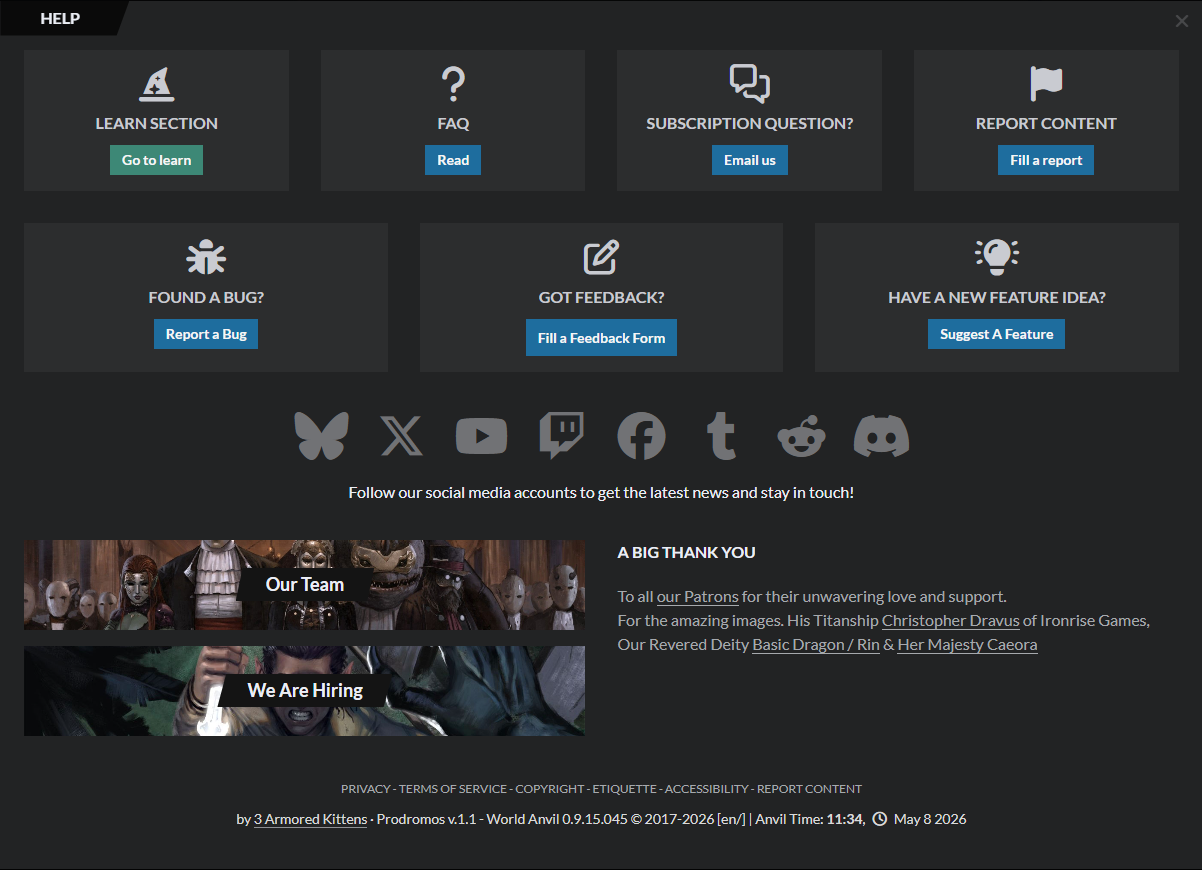
On World Anvil, click the Help icon at the top right. From there you can get help, request features, and send us feedback!
- Join our Discord server to ask questions in the community #help channel, or ask in our subreddit.
- Or email us at [email protected] and we'll get back to you as soon as we can.