Available to the Sage subscription tier and above. Upgrade here.
If you have supporters in a platform like Patreon or Ko-Fi, you can import all of them at once into a subscriber group using their email addresses:
- Get the list of emails. The way you get this list will depend on the platform you use—check their support channels if you're not sure!
- Go to the Subscribers & Authors page and find the "add subscribers to group (multi email)" panel on the right.
- Paste the emails in the text field, one per line.
- Select a subscriber group and click "Add Subscribers to Group".
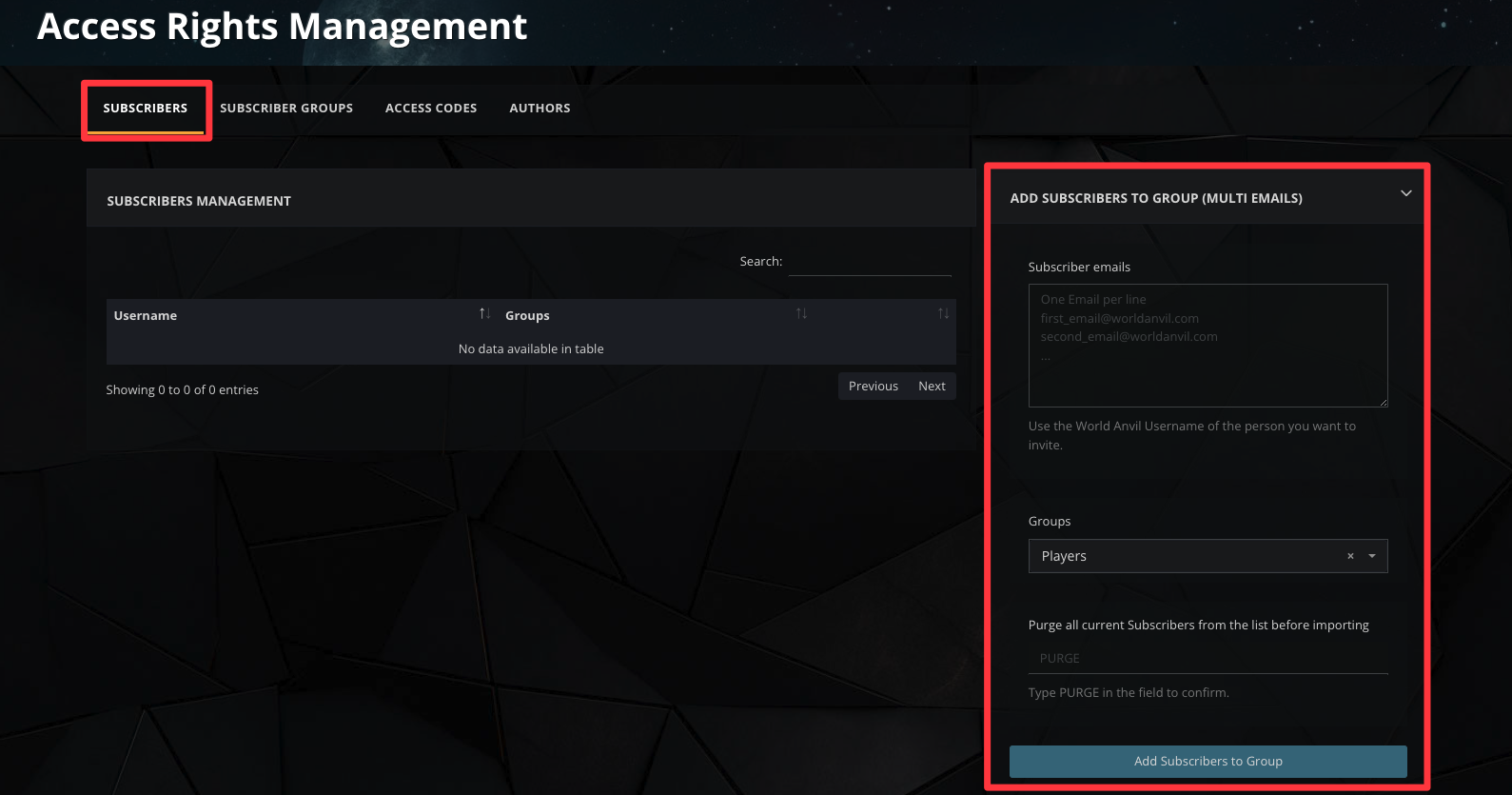
By default, subscribers are added to the list without removing the ones that were already there. However, if you type the word "PURGE" in the Purge text field, the new subscribers you import will replace the previous one (i.e. it will first delete the subscribers that were already there, then add the new ones).
For more information and help with subscribers, check the Guide to subscribers.



