
Combat Guide
The basics
Neon Eden uses Cyberpunk RED as its dice system with some liberties taken in adapting it towards the Conan Exiles game and RpR system. If you do not have an understanding of this dice system, combat may be difficult to grasp at first but we'll guide you throught it and show you how to interact and use it.
Before understanding combat, the movement and everything that makes an Edgerunner draw their iron, you must understand these basic concepts.
The system uses d10 and d6 for rolling, NOT d20
The outcome of a skill roll is always calculated by: STAT+SKILL+1d10
Rolling a 10 on the dice, causes it to explode, making you roll another d10 and add it
Rolling a 1 on the dice, causes it to explode, making you roll another d10 and subtract it
The system uses d10 and d6 for rolling, NOT d20
The outcome of a skill roll is always calculated by: STAT+SKILL+1d10
Rolling a 10 on the dice, causes it to explode, making you roll another d10 and add it
Rolling a 1 on the dice, causes it to explode, making you roll another d10 and subtract it
Beginning Combat
Combat in Cyberpunk RED can seem a little intimidating at first, but we promise it's pretty simplistic once you wrap your head around it! That's especially true on our server, as some systems have been simplified and/or automated to save the need for pesky things like math. It’s worth noting, too, that there are some minor differences between the base RED system and our RPR, so this guide may be useful even if you’re very familiar with RED.
When you wish to start combat, make sure you do the following:
- Provide one descriptive emote about your hostile intention.
- Navigate to your 'abilities' tab in the Shift+R menu.
- Hit the 'PvP Intent' button.
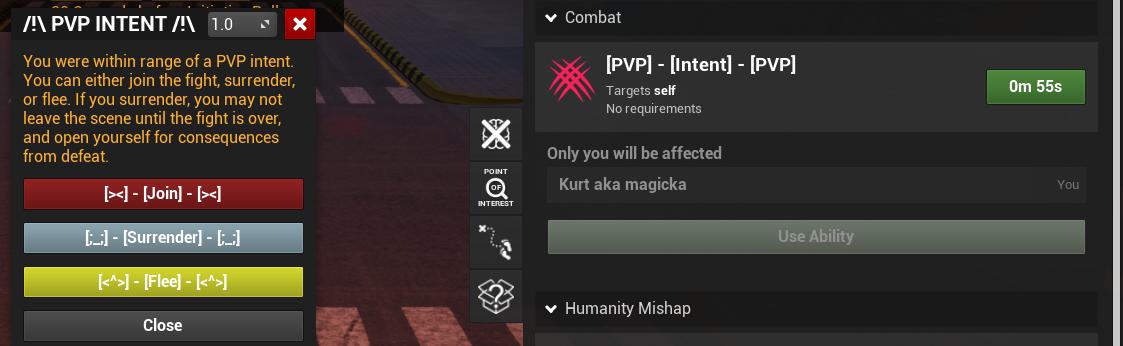
Those within fifteen tiles, but not the aggressor nor the target of the attack, may simply choose to engage in the fight, or not. A prompt will appear for all those within the target range.
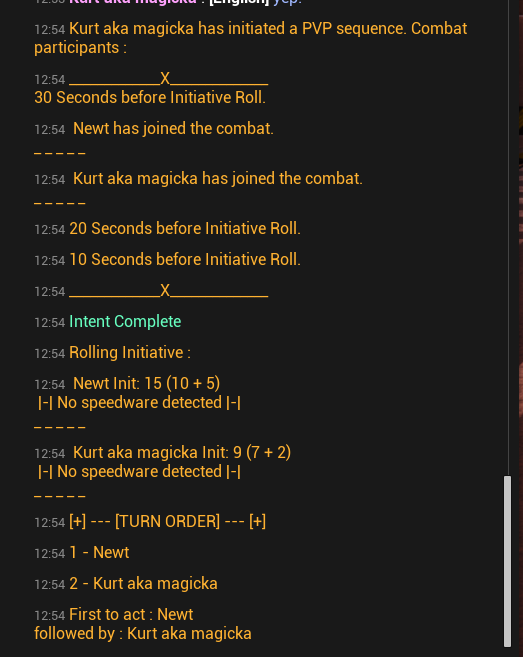
It is important to note, however, that there are certain regulations about how many people can participate in a fight depending on the circumstances. To understand this in its entirety, please review 3.2.12 Antagonistic Parties in the General Rules of Conduct.
Your Turn
Combat has started, everyone is locked in and weapons are on the ready. You have blades, rifles, cyberware pop-ups and that guy over there is using a martial stance... But you're up and everything you have is a big menu. Let's go over it slowly.
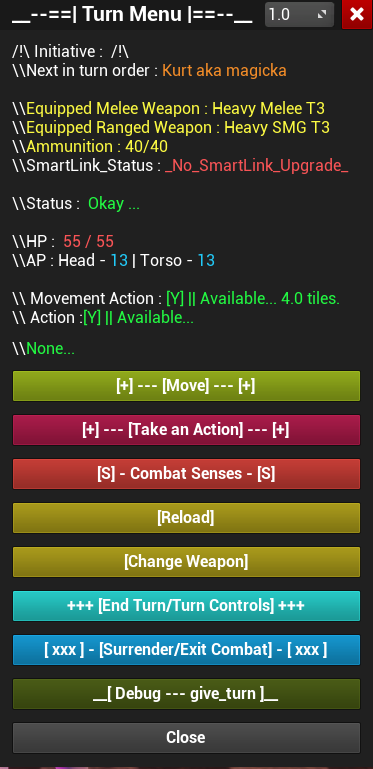
The system will mark your turn as started, as well as:
- The type of weapon you have equipped.
- AP(Armor points) and HP(Health Points).
- Ammunition left.
- Smartlink status.
- Your allowed movement points and actions.
Movement
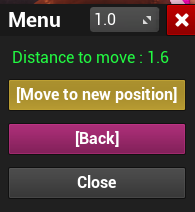
Regardless if you're in a bad position or no, you can move your character. Your movement is equal to your MOVE stat, which translates to 1 MOVE = 1 tile. Pressing the movement button that shows up on the prompt will cause your mouse clicker to transform into a moveable pin that you can place anywhere around you in the physical world. Keep in mind you can only place it as far as your movement points allow.

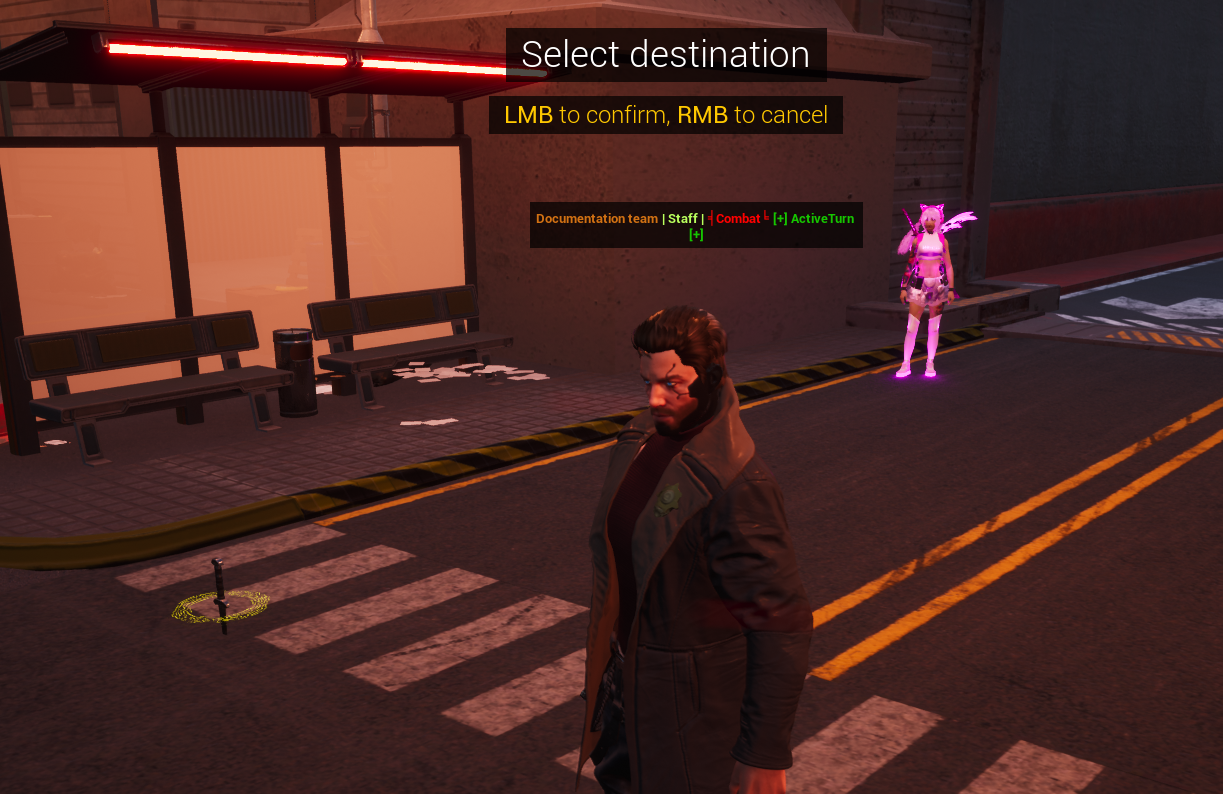
Once you've found a spot, click! And then another menu will pop up. Select [Move to New Position] and you're done!
Cover also works, but only when standing (not crouching behind walls). If the script thinks you’re in cover incorrectly, you may need to stand occasionally so others can hit you.
Actions
Actions is where the meat of the system lies, this is what you're here for choomb. Get that recoil kick from the preem gun you saved your eddies to. To see the muzzle flash, and the rush from your chrome to your meat of laying down the rep you are owed. Remember that everyone only has 1 action per turn choomb, so make it count. With actions you can:
- Attacking an enemy (melee or ranged) ;
- Use Quickhacks if you're a NETrunner;
- Get yourself a 'dorph and inject some drugs for powerful buffs;
- Use your role abilities, if you have them;
- Other combat abilities (like putting out fire
- Use autofire, supression fire, aimed shots;
- Surrender or flee;
- Ending your turn;
Let's start with the most basic action, attacking!
To attack, you click the following in this order: [Take an Action] > [Ranged/Melee Attack] > [Shoot] or [Aimed Shot].

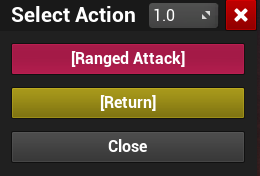
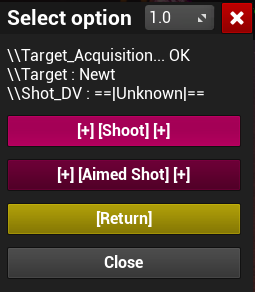
Melee attacks, ranged attacks and Aimed shots
Besides the range at which you can attack, melee attacks differ between themselves:- Melee weapon - Regular weapons, will ignore half the target armor;
- Brawling - Pure muscle, will not ablate or ignore the target armor;
- Martial arts - Doesn't need a weapon, just yourself. Will ignore half the target armor and ablate it;
Ranged attacks is everything else that can be shot, tossed or lobbed. Each weapon has a skill associated to them, you can check them in the Ranged Weapons. Only those with 8 REFLEXES are capable of using evasion to dodge enemy shots, if they aren't dodging you roll against a set DV bellow:
You can't dodge and have them roll against the DV, it's one or the other choomb. No double dipping.
Aimed shots? Aren't i already aiming?
Yes and no choomb. A normal attack is just that. The damage goes into their body region, but with an aimed shot? Oh man... You take a -8 to the attack roll, while using this and go straight for the head. Any damage that gets throught the armor, is doubled! You also roll on a different critical injury table in Wounds and Criticals.Rate of Fire(ROF), Supressing fire and Autofire
Rate of fire, means how many times you can attack using your action. Rate of fire doesn't give you extra actions, just an extra attack with said weapon. You can shoot, move, shoot and move again with the same weapon. You can't however shoot, and then attempt to do any action that would require a full action! Once you shoot, you're committed to that choomb, no halfsies.Using a weapon on each hand doesn't increase your ROF, or give you more actions! All it does is give you style points, and more shots before reload.
Suppressive Fire
When you use Suppressive Fire with a weapon capable of using it, it costs an Action and 10 Bullets. If you don't have 10 Bullets remaining in your clip, you can't use Suppressive Fire. Everyone on foot within 10 tiles, out of cover, and in your line of sight must roll WILL + Concentration + 1d10 against your REF + Autofire Skill + 1d10. Anyone that fails must use their next Move Action to get into cover.Autofire
If you are currently holding a weapon capable of autofire, you may use it as your action. When you use Autofire, it costs an Action and 10 bullets. If you don't have 10 bullets remaining in your clip, you can't use Autofire. You use the Autofire Skill instead of the weapon's typical Weapon Skill. If you manage to hit your target, you will do 2d6 damage and it will multiply by the amount you beat the DV against the target, up to a maximum depending on your current weapon (typically 3 for SMGS and 4 for assault rifles).For example, the edgerunner uses the autofire ability with his SMG, rolling a 20. The scav target dodges, rolling a 16. The edgerunner beat the DV by 3, which is the MAX of the SMG capability. He then rolls damage, which totals on 8! That gets multiplied by 3, making 24 damage before armor kicks in.

Swapping weapons and reloading
Swapping weapons takes a full action, unless you have implanted them in your cyberware. If that's the case you can just drop your current weapon if you need free hands for it (since you can't hold that assault rifle when both your cyberarms are open, flashing those preem mantis blades), however doing this will require you to waste an action later along the line if you want to pick it back up again.To swap weapons, you click the following in this order: [Change Weapon] > [Confirm].

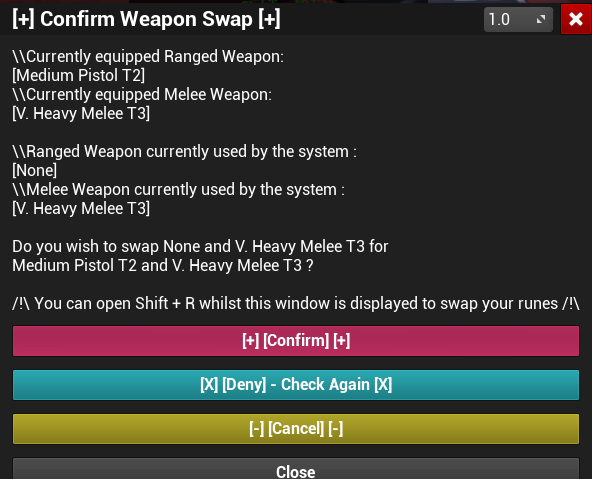
- Pistols, SMGs and Heavy SMGs need 1 hand free;
- Shotguns, assault rifles, sniper rifles, bows, crossbows and grenade launchers need 2 hands;
- Light, medium and heavy melee weapons need 1 hand;
- Very heavy melee weapons require 2 hands;
- Some cyberware weapons require 1 hand to be free;
- Shields also require you to have 1 free hand to use it;
Swapping to a cyberware weapon is a free action. If your hands are full, you need to drop what you're holding choomb. Some however don't need you to drop anything, like the Vampyres chrome. Check Cyberweapons for more details!
Reloading
At some point, you're going to hear that awful clicking sound as your gun runs out of ammo. You need to make sure you have enough ammunition in your inventory to reload your weapon, and the correct type of ammunition (shells don't go into a pistol for example). Reloading takes an action, unless you have a magazine item. Magazines are easier to think as consumables that allows you to reload as a free action! But you're limited to only 3 per combat. They aren't ammo! You still need to have the correct ammo packs for your gun.Armor & Damage
All this talk about damage, shooting, slicing and dicing you might also wonder for a brief moment if you'll be dead after your turn is over. Well, if you aren't in cover or you got unlucky in your rolls, that's where armor kicks in! You can find Armor being sold across Arcadia, but also contacting your local fixer for some special ones. Once you got armor, access them in the RPR as "Runes". Equip them for the system to register that you have it on, then use the character menu in RPR to officially apply the stats to your sheet.
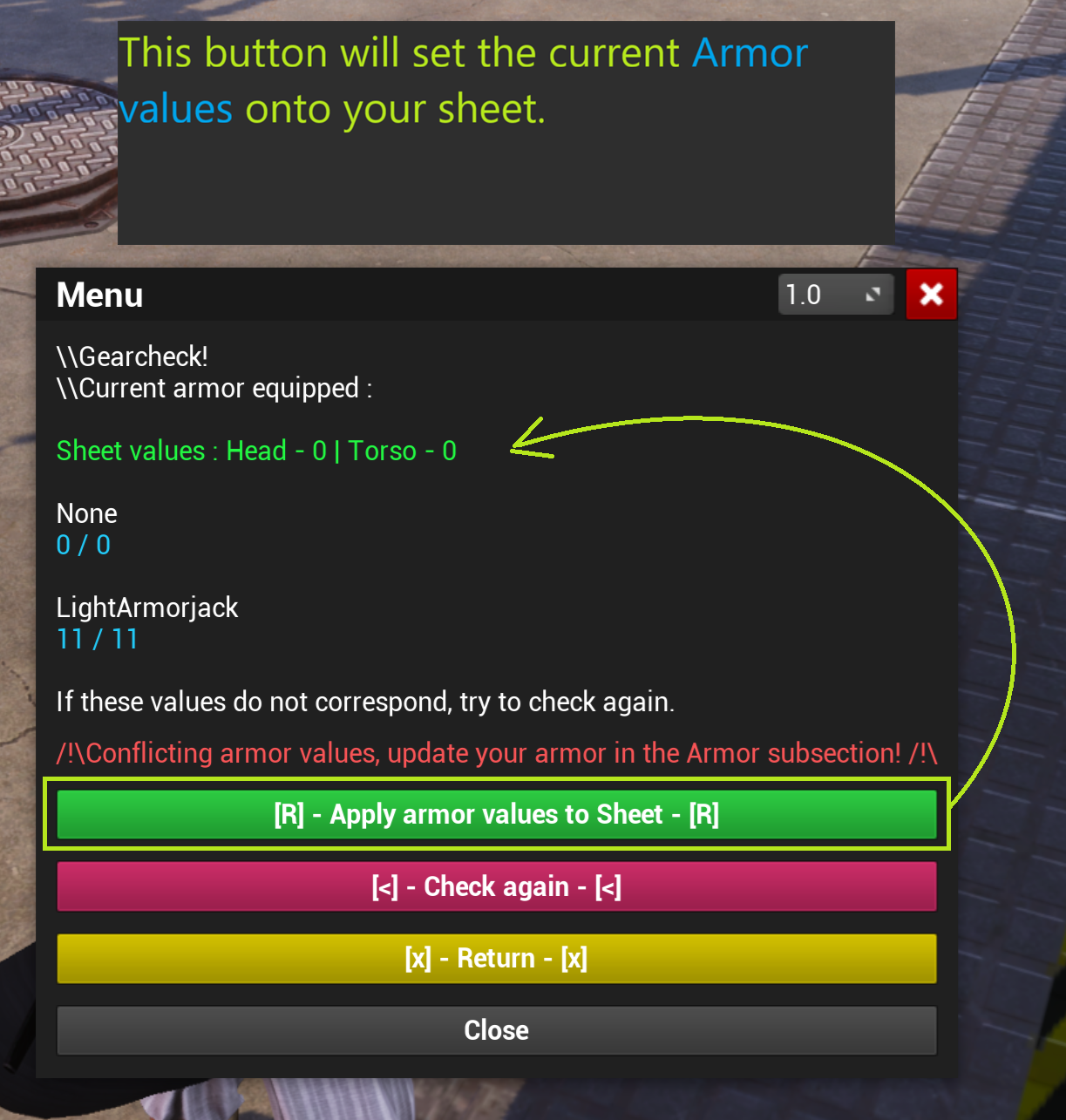
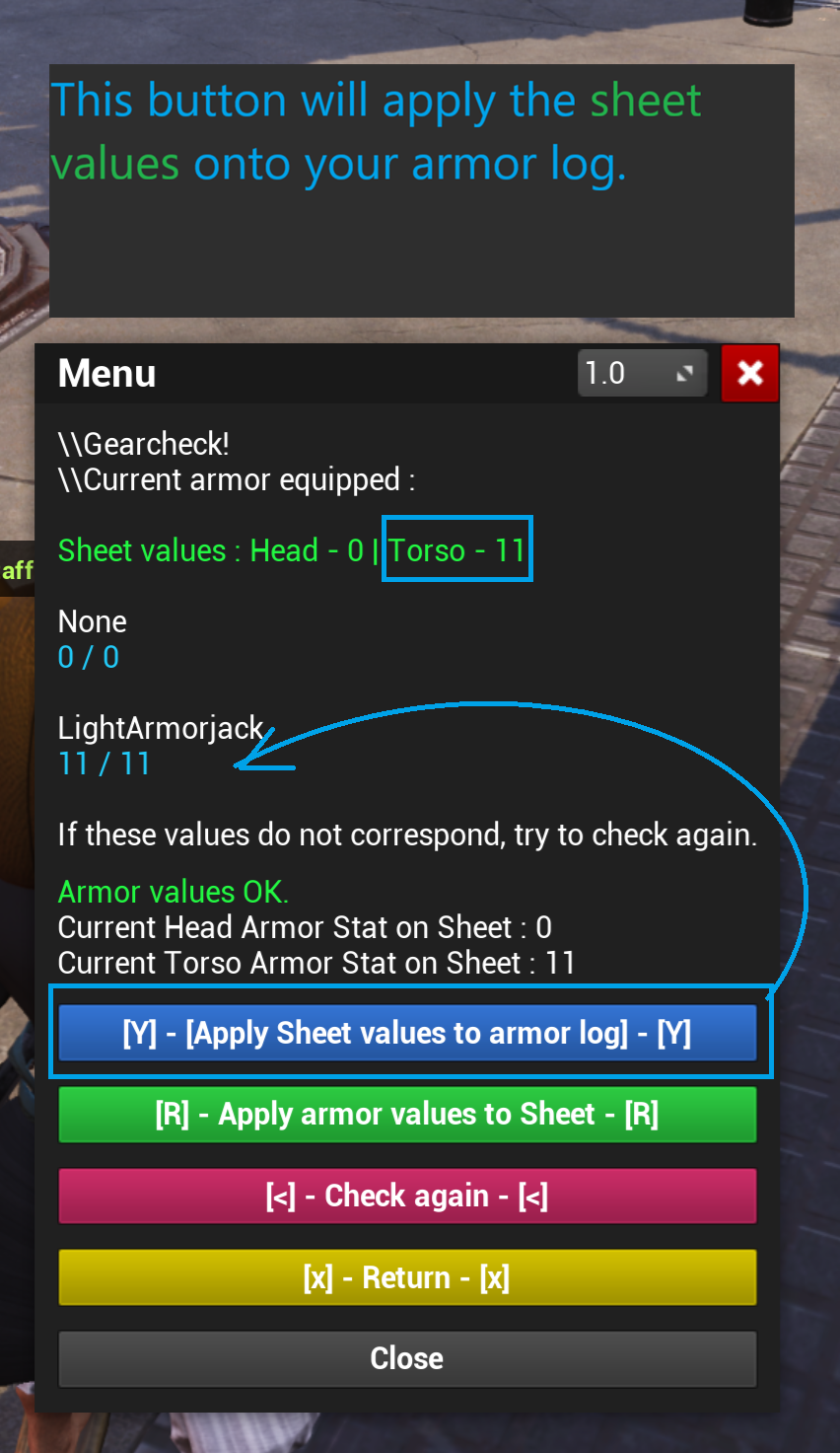
- If the damage is bellow or equal to the armor value, then you take no damage;
- If the damage is higher than your armor value, you take the leftover damage above that value, and the armor is ablated;
- When the armor is ablated, it's reduced by 1 each time(Unless you're hit with armor piercing rounds, then this increases to 2
- REMINDER: Melee weapons and Martial Arts ignore half the armor value!
For example, the Edgerunner has 11 armor, and takes 12 damage. This means he takes 1 damage to his HP and their armor reduced to 10
Wearing armor and cyberware armor at the same time doesn't make them stack. Instead it will ablate your outer layer armor first, before it starts to ablate your cyberwear armor. Worthy of note, any negative stats that the heavier outer layer armor gives you, is only applied once!
My armor is ruined... Now what?
Fear not. Everything has a solution in 2077! If your subdermals or skinweave got damaged you don't have to do anything, they will repair themselves by 2 points every time you rest at no extra cost! The same can't be said for the worn armor. You can either buy a new piece of armor to replace it, or reach out to a Techie so they can repair it via their special role ability!LUCK
Sometimes an edgerunner needs luck more than their skill. Using your LUCK stat, you can add a +1 to a roll you're about to make, be it a aimed shot, autofire, attack, dodge or even outside of combat! Social rolls also count. You can use as much LUCK you want in a roll, but once they are gone the only way to get them back is by resting, or having a Rocker choomb.
Fleeing Combat
Want out? The combat zone is too hot for you? Want to just run from danger after seeing you can't take the heat? You'll just have to:
- Put 20 tiles between yourself and all enemies;
- Then you may safely exit combat;
- You cannot use warps (like leaving the city for Badlands) while fleeing;
Ending your turn
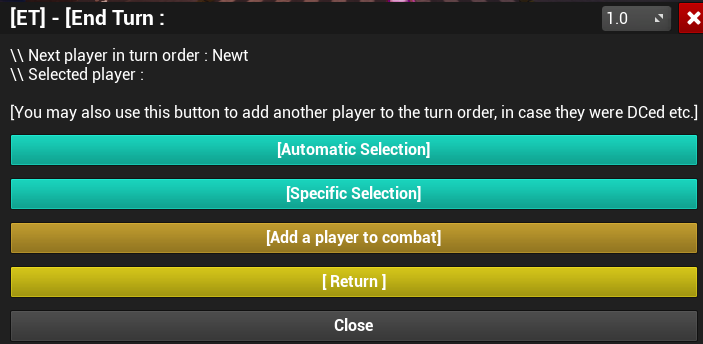
You moved, you took your action and now it's time to let your decisions take their course choomb. Click that end turn button. You will usually select [Automatic Selection] the majority of the time as the system takes care of everything. You may also add someone to the fight, should they have disconnected mid fight.

Cons After Combat
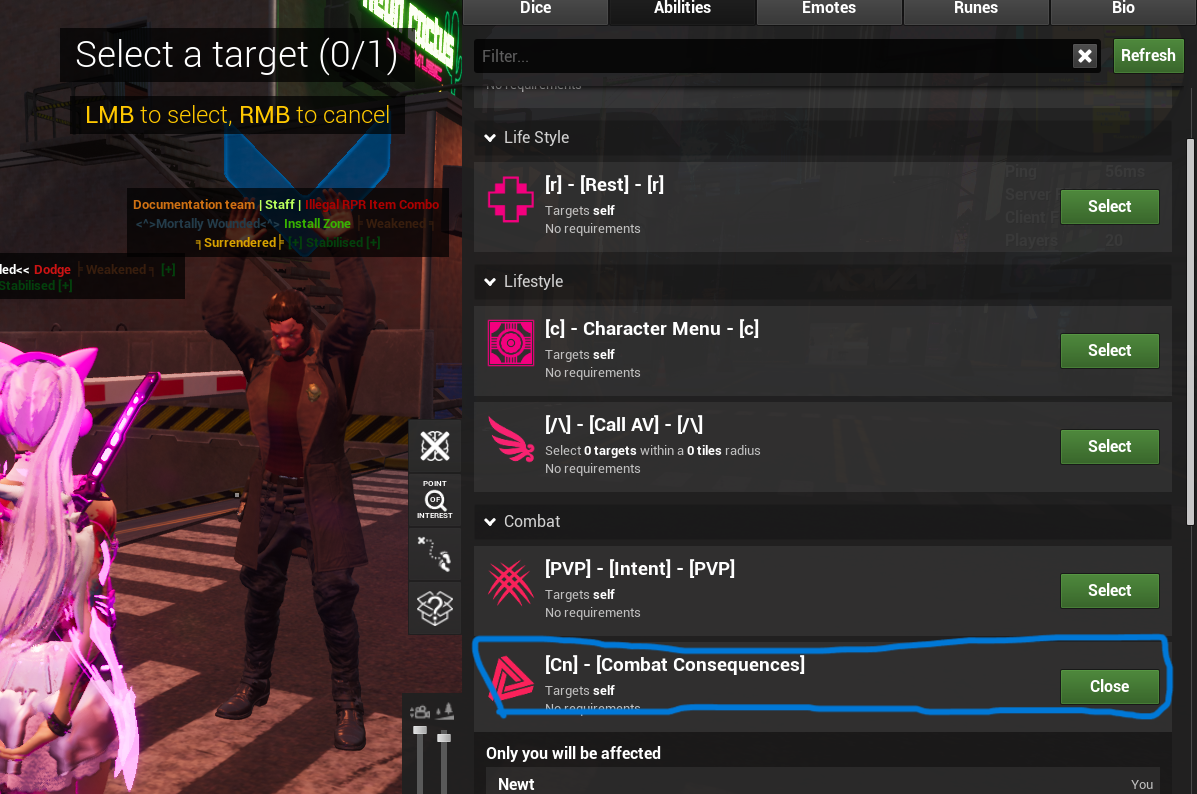
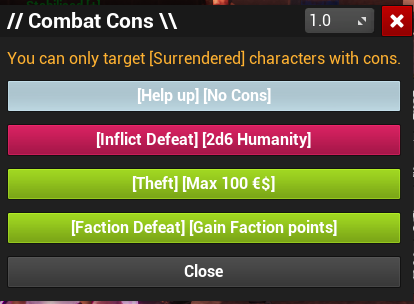
What happens when you're downed? Or if someone else is downed? Well... there are consequences. It's Night City, and Arcadia is no different.
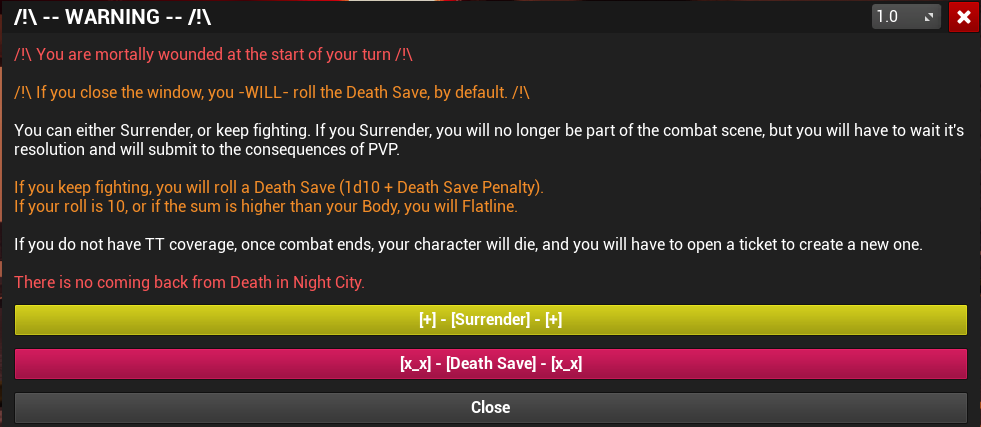
- You can either Surrender, or keep fighting. If you Surrender, you will no longer be part of the combat scene, but you will have to wait it's resolution and will submit to the consequences of PVP;
- If you keep fighting, you will roll a Death Save (1d10+ Death Save Penalty). Each time you pass this roll a +1 is added to the roll;
- If your roll is 10, or if the sum is higher than your Body, you will Flatline;
- If you do not have Trauma Team coverage, once combat ends, your character will permanently die, and you will have to open a Whitelist ticket to create a new one;
Check the PvP Conduct article for the rules and not allowed actions. If you break them, expect OOC punishments!