Available to the Master subscription tier and above. Upgrade here.
Variables are a very powerful feature that let you easily reuse content. They are useful to prevent content becoming outdated, provide additional information to your readers through tooltips, and make complex BBCode and CSS creations simpler to use. In this page, you can see some examples for using variables to take your worldbuilding workflow to the next level!
If you don't know how to use variables at all, check out the Guide to Variables. This page assumes you know how to use the feature.
At the core, a variable is a unique BBCode tag that can hold some content. When you use that tag, the variable's content will be displayed in its place. Additionally, variables can be embedded with the extended mention system! If you type an open square bracket [ and start typing, you'll see a list of all available variables. This is really useful because you don't have to remember the exact spelling, it's right there in the list! Plus, a single keyword is easier to remember than the entire variable's value.
Basic examples
Let's look at some easy examples that require little to no additional BBCode!
Names & terminology
Keeping names and terminology consistent is very important, but variables can do much more than consistency here! For example, you could use a tooltip variable for a term that requires a complex explanation. Or if you have a character with a long title, you can also put it in variable. Then, every time you want to use that term, you can use the variable instead so you don't have to type out the whole thing every time. And if you later change the term or its definition, you'll only need to do that once and it will be updated for all articles!
Check how to keep names consistent with variables for details.
Evolving information
Some information about your world might change rapidly, such as population numbers and the current date. If you use a variable for this kind of data, you'll only need to update it once instead of going through every single article!
External links
If you often add external links in your world (for example, to link to your published books, your monetization platform of choice, or your VTT invite link), turning them into variables will be really useful. URLs can change over time, so by putting a link in a variable and using it every time you want to link it in, you'll be able to update the URL from a single point.
Blurbs and other re-usable text
If working on a public world, it's possible you'll have some text snippets that appear multiple times. For example, this could be the back of the book blurb (if you're a writer), a campaign summary (if you're a GM), summarized explanations of areas of your world (if you need to explain them in multiple places), or even promotional messages for monetization purposes. Variables let you easily reuse this text without having to re-write it every single time.
Advanced BBCode examples
Let's get into slightly more involved uses of variables! Some of these will be especially useful if you're a Grandmaster of the Guild, as they also take advantage of custom CSS containers.
Icons
Available to the Grandmaster subscription tier and above. Upgrade here.
As a Grandmaster, you can use any FontAwesome and RPG-Awesome icons in your worlds (learn how!). If you expect you'll use one of these icons multiple times, you can put it inside a variable! This way, you can keep using it without having to remember the full icon code.
For example, the BBCode [section:fa fa-hand-wave] [/section] will create the waving hand icon. If you put this BBCode into a variable with the key "wave", the [var:wave] will create the same and is much easier to remember!
Check how to use icons with variables for details!
Banners, warnings, and other "meta" indicators
Sometimes you want to include "meta information" in an article, such as content warnings, how complete it is, or the fact that the article contains spoilers or secrets. Creating a variable for each of these indicators will let you use them again and again more easily. For example, many Anvilites create article banners during challenges like Summer Camp and WorldEmber to indicate that the article is still WIP and might will have a deeper review later on.
As for secrets, remember that, because you can have BBCode in a variable, you can make them interactive too! For example, you could set up a self-assignable subscriber group for world spoilers. Then, a variable could contain a spoiler notice and a button to join the spoilers group.
Other BBCode snippets
Variables are also a way to speed up BBCode formatting. If you expect to use a specific combination of tags multiple times, you can turn them into a variable—almost like creating your own formatting tag! For example, you could have a variable with a handful article blocks, and embed it in the most important articles to keep your readers engaged. Then, when you write a new article you're really proud of, you can add it to the variable too, and it will be reflected everywhere it's embedded!
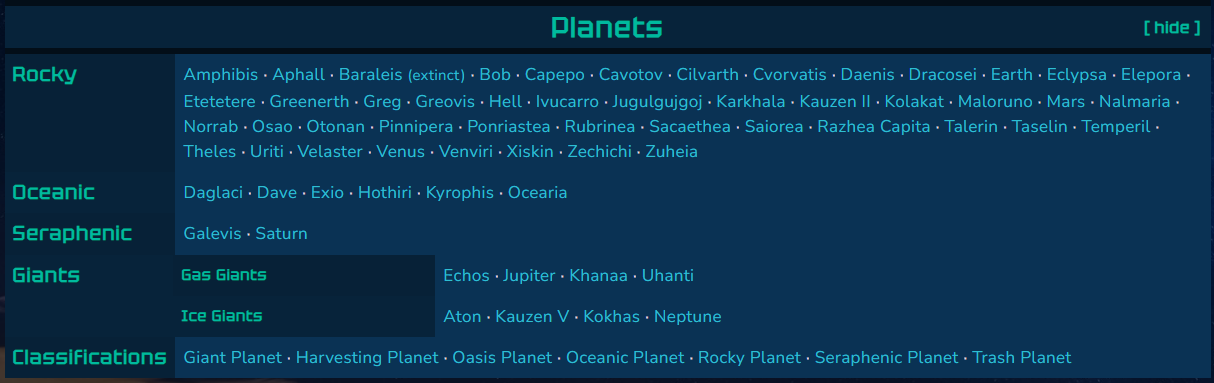
Of course, this goes with any other complex BBCode snippets that you expect to use multiple times. For example, the following navigation panel can be a variable so you can easily embed it in all relevant articles:
BBCode snippets: advanced usages
Variables are capable of holding just the opening tags of a BBCode tag pair (or just the closing one!). For example, if the content of the variable [var:bold] is just the tag [b], the result of [var:bold]Bold text[/b] will be exactly the same as [b]Bold text[/b]!
This is very powerful, especially if you make heavy use of containers for your styling. For example, if you frequently open multiple containers at once, or have a single container with multiple custom classes, you can have a variable hold all of that, and then have a closing [/container] or another variable that holds the matching closing tags.
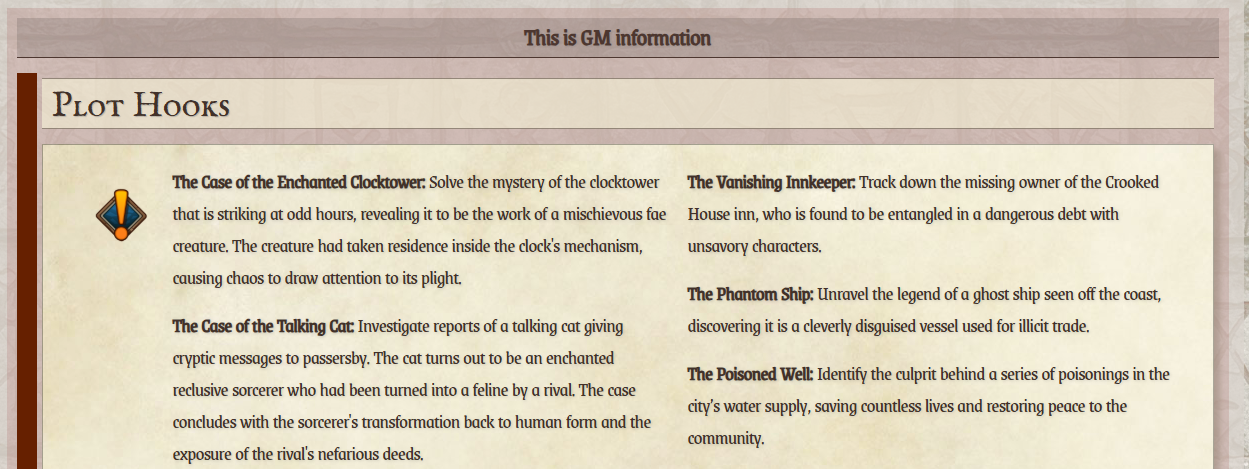
For example, in the following screenshot, notice the amount of elements that appear before the panel's text. This world has many plot hook panels, so having all of that in a single variable is a great way to speed up editing and to keep style consistency.