Available to the Master subscription tier and above. Upgrade here.
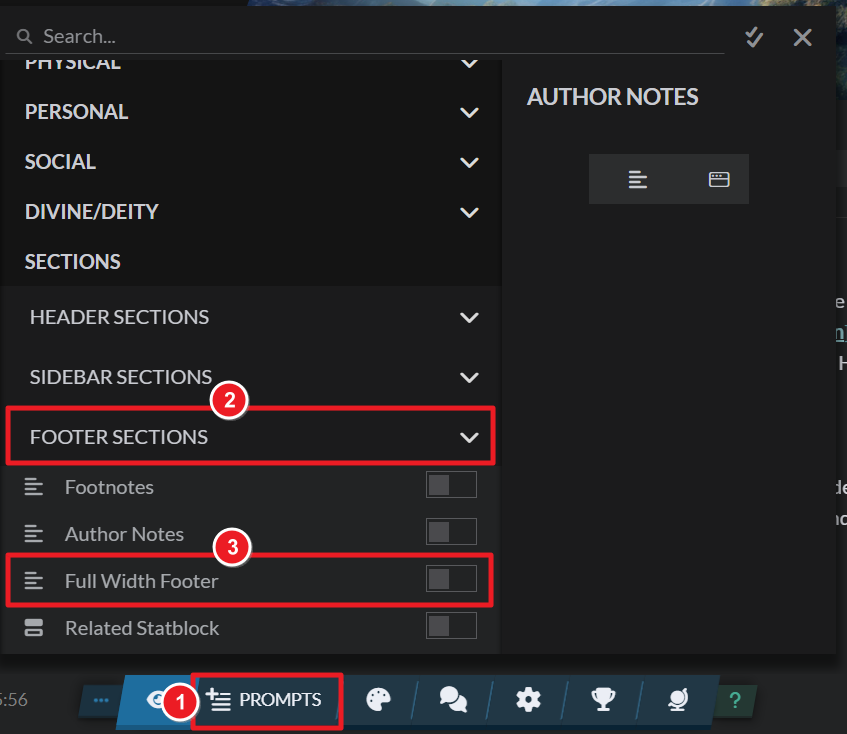
Article content is divided into two columns: the left one, where the main content goes, and the right one, used for complementary content. If you want to add content that is full-width (i.e. it spans both columns), you can use the full-width footer:
- Open an article for editing.
- Click on the "Prompts" button at the bottom and find the "Full width footer" option under "Footer sections".
- Click the option and edit it on the edit modal.
This is a great place to embed content that requires a wider area, such as large maps, complex family trees, or content trees. You can also use it to create custom column layouts with BBCode.
For more information and help with articles, check the Guide to articles.



