Unordered Lists Organizing strangely in modal editor.
Unordered Lists Organizing strangely in modal editor.
While using the new modal editor, "Unordered Lists" are being parsed strangely by the system. I was using the unordered list tags [ul] and [li] for a number of lists in an arrangement of rows and columns, but each time I did the first entry would indent in as though it was nesting the list tags. A couple times, it would do it for the entire list, but I could not reliably reproduce this myself. As soon as I was pointed to the method of using the "Old Version" editor, I opened the article and previewed it. All list codes showed up as intended, without any strange behavior. I then opened it in the modal editor and saved it, which returned the lists to appearing the "odd way". Link to the Discord message for full clarity: ( https://discord.com/channels/348060277989965844/1359731851337666710/1374606922434744390 )
Steps to Reproduce
So far, it appears to be easy to reproduce by using the modal editor and the first (at least) [li] tag will be indented one further than it should be. Switch to the older version of the editor, and it will clear up.
Operating System
WindowsBrowser
FirefoxHistory
I was helping kereminde test this, and took this screenshot that shows the bug. The bb code used for each list is displayed under the list. It looks like an extra ul is added when using the older list bb code in the new modal.
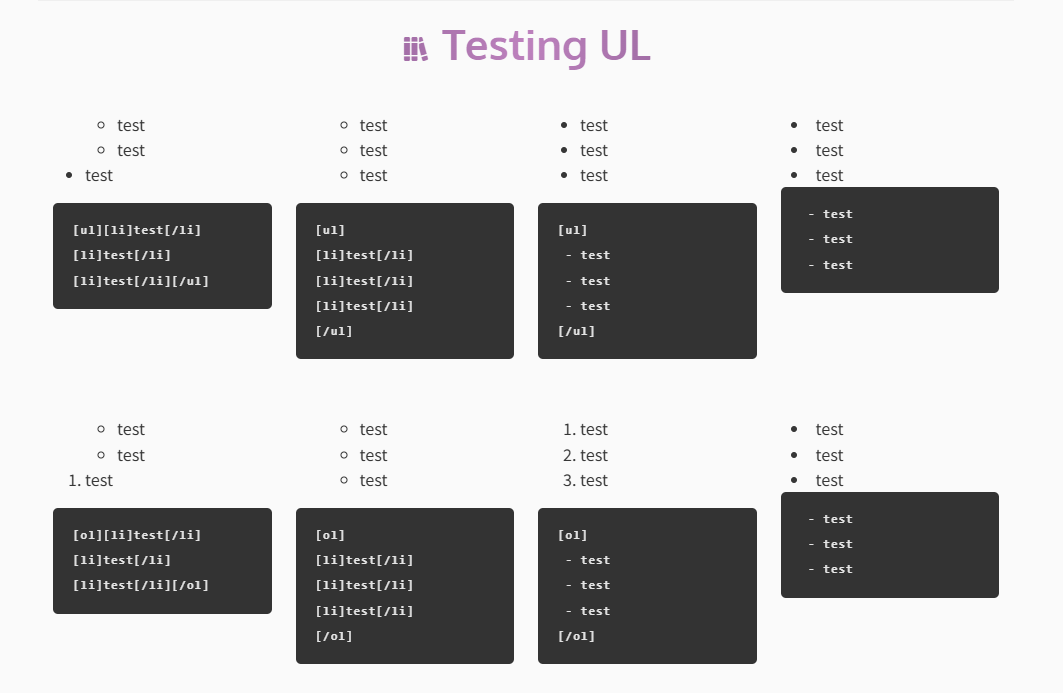
I can confirm that. ol with li tags inside create an ol-ul-li tree, the advanced editor adds an ul layer inbetween ol and its li elements.
Is this actually in Euclid (Advanced Editor) or the Visual Editor?
Euclid does not add any padding, nor should it be trying to "render" the list at all - just raw bbcode. The visual editor actually parses the content and tries to render it, so I believe that is the editor that is showing the issue.
I wrote the bb code in euclid, and the bug is in how it appears in the world.
i there more info on this? i got the same issue
Still having this issue in the Euclid editor.
I was using this block of bbcode, and getting these displayed on world view (and inspect):
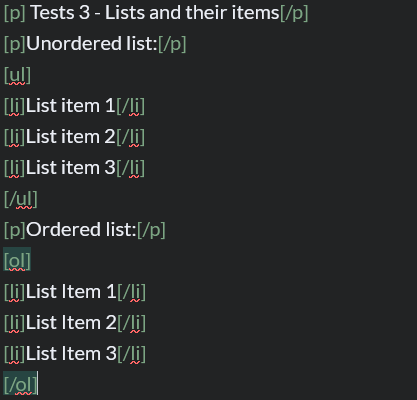
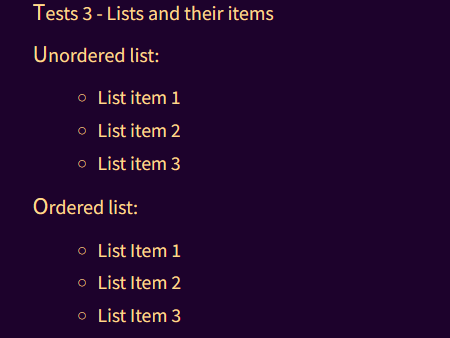
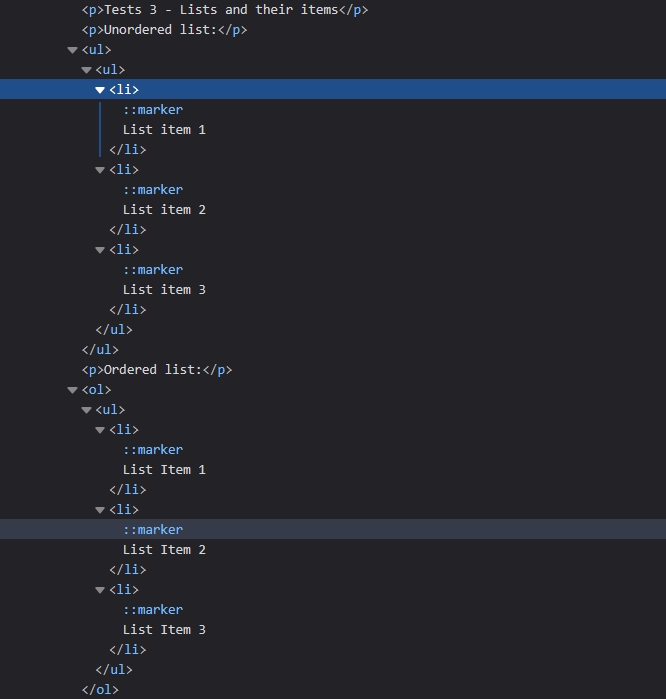
Test - Lists and their items
Unordered list:
- List item 1
- List item 2
- List item 3
Ordered list:
- List Item 1
- List Item 2
- List Item 3
Find your way!
Resources
WHO WE ARE
LEGAL
Listen to our Podcast



