Bloodline Symbol Error on Family Tree
Bloodline Symbol Error on Family Tree
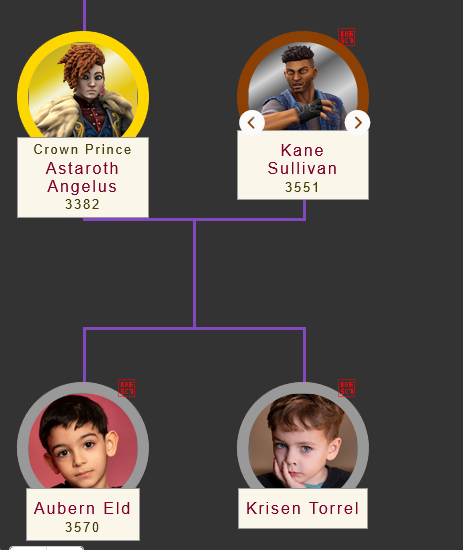
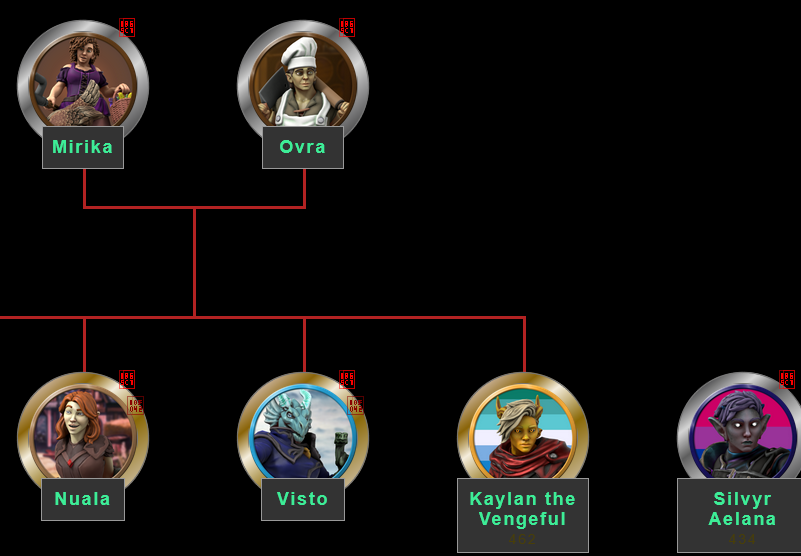
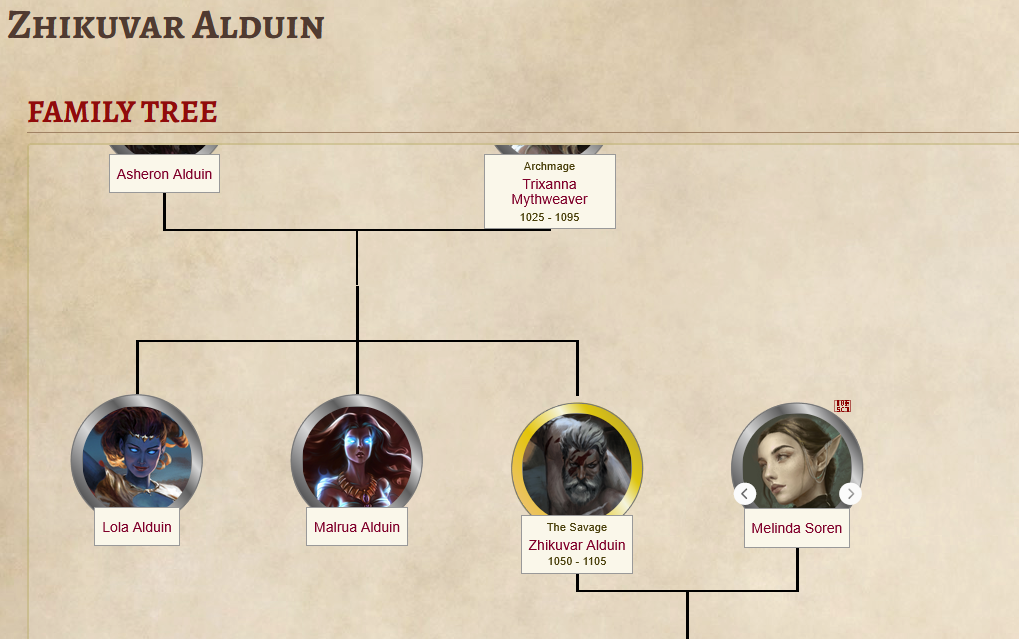
I have noticed that when loading the family trees in a published or unpublished character, the blood symbol appears as random symbols, like the code for it isn't rendering properly or something. I use Waterfox as my main browser, but I have also tested in Firefox, Chrome, and Edge, and get the same result each time. I even tested in private browsers. Below are screenshot examples of bloodline trees from two of my worlds and another world belonging to a different user.
Steps to Reproduce
- open up a character article
- add another character to adopted parent under the relationship tab
- click the family tree embed link and paste it anywhere in the article
- open the article in view mode and see result
Operating System
WindowsBrowser
OtherRelated Entity
The blood symbol above non-related family members or spouses in the family tree.History
I have noticed thatg too, I only see a square. Maybe a wrong font depending on the theme is applied where it shouldn't.
Hi! This has been fixed some time ago. It was a temporary hiccup as we transitioned to new icon packages. Let me know if everything displays correctly.
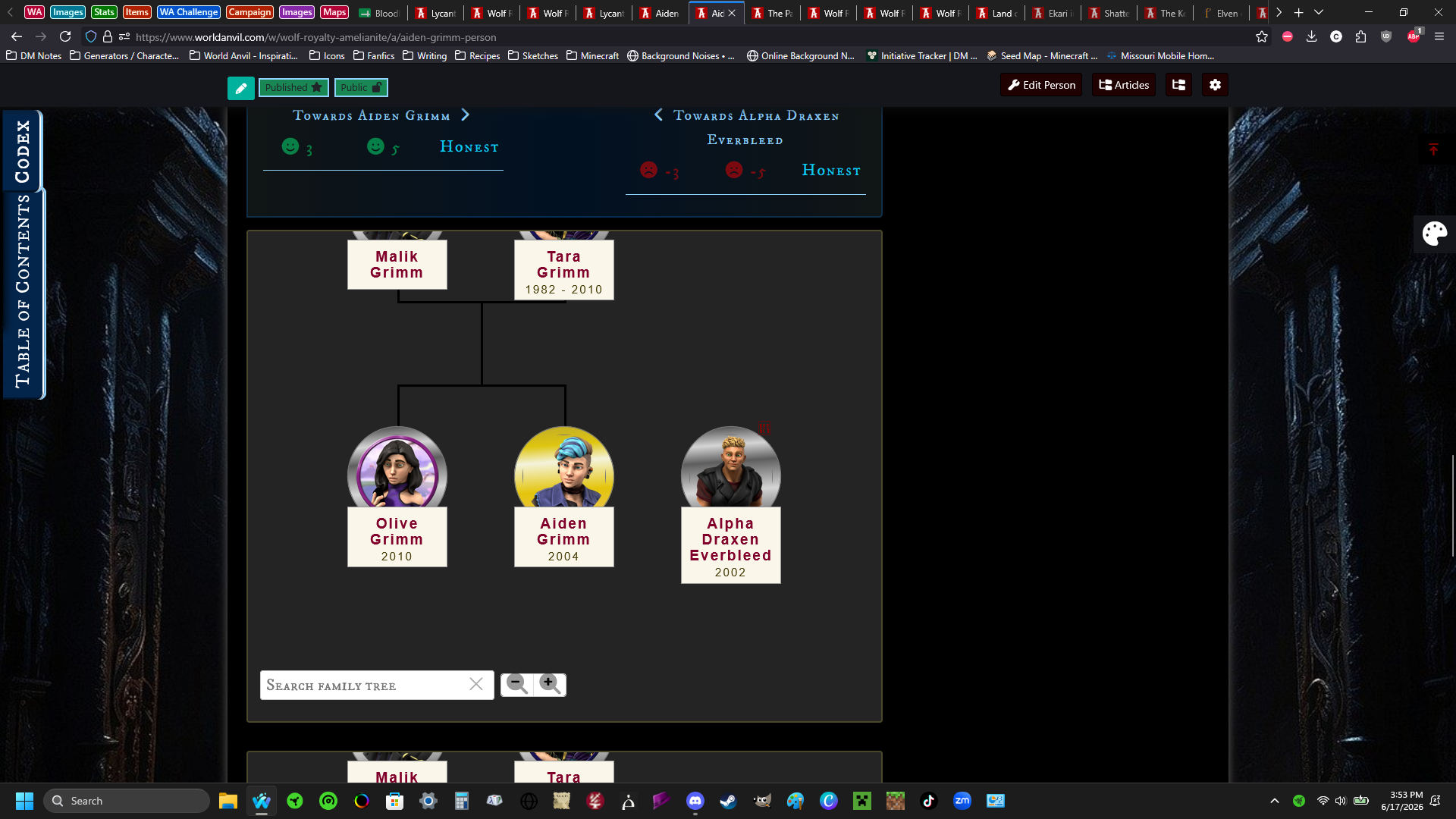
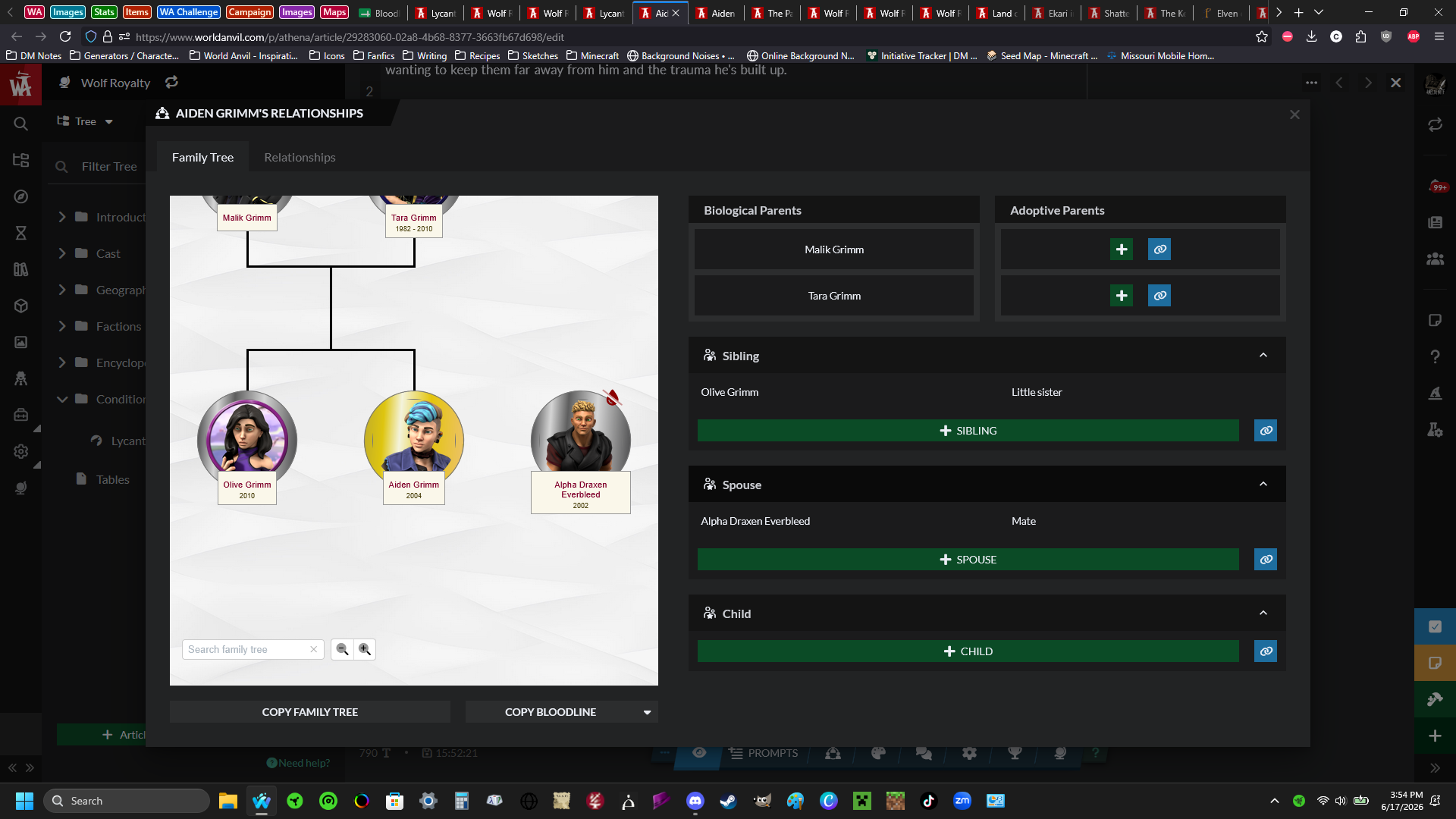
This looks to be because there is a different approach to how our Font Awesome icons load in Presentation vs the Authoring Panel. The best fix is for me to update the hard-coded icons inside the Family Tree widget to use the newer version of FA's naming (this widget was built on version 4, and we're now on version 7 lol. 5 and 6 had changed some names around to be more consistent, so it's not a surprise that it has bugged like this. Had to fix it in Plato too, before we deprecated that editor)
I'll take a look at this and test a fix when I have some time, and then I'll update this issue.
Find your way!
Resources
WHO WE ARE
LEGAL
Listen to our Podcast



