Your world's description appears at the top of the homepage. Here's how to change it:
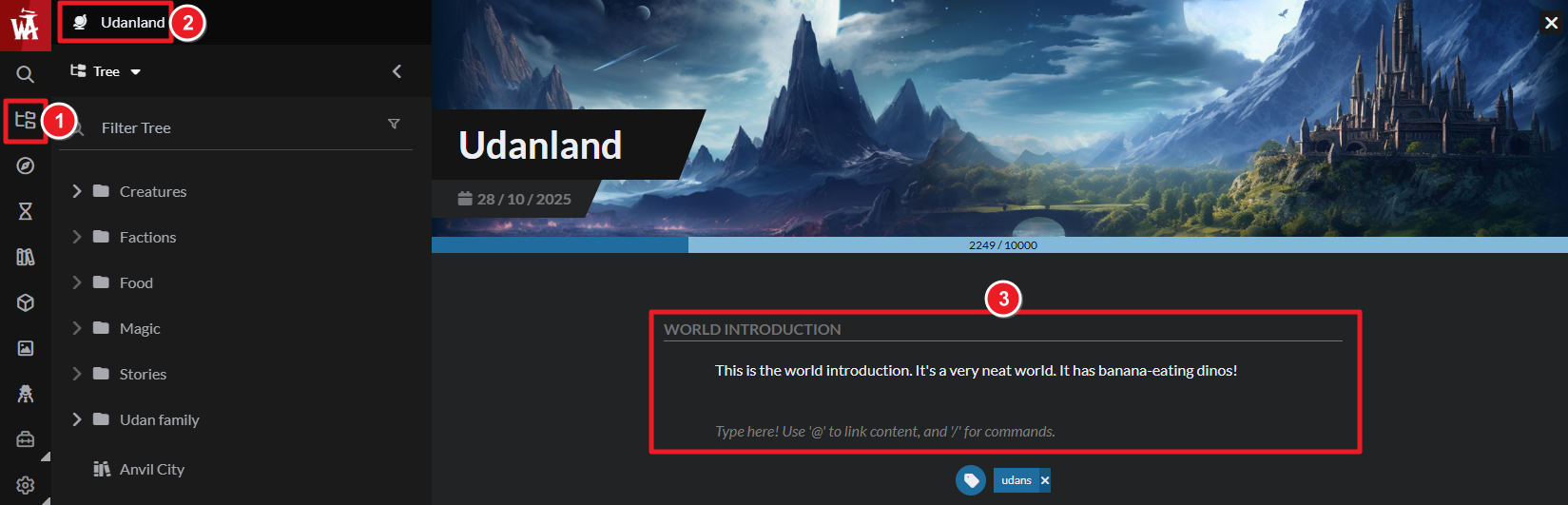
- On the left sidebar, open the Articles & World Manager.
- At the top of the left panel, click on the world name to edit the homepage.
- Use the "World Introduction" field to write your world description.
To edit other world settings, click on the gear icon in the bottom toolbar. Check the guide to world configuration and how to customize your world homepage for details.



