Available to the Grandmaster subscription tier and above. Upgrade here.
With good SEO, or Search Engine Optimization, you can make your public worlds appear in higher positions on search engines like Google. SEO is a deep and complex topic, but here are the tools World Anvil gives you to work with it on your world!
Article SEO metadata
To access an article's SEO options:
- Edit the article using the Old Version Edit interface.
- Click the "Design" tab, and then the "SEO" sub-tab.
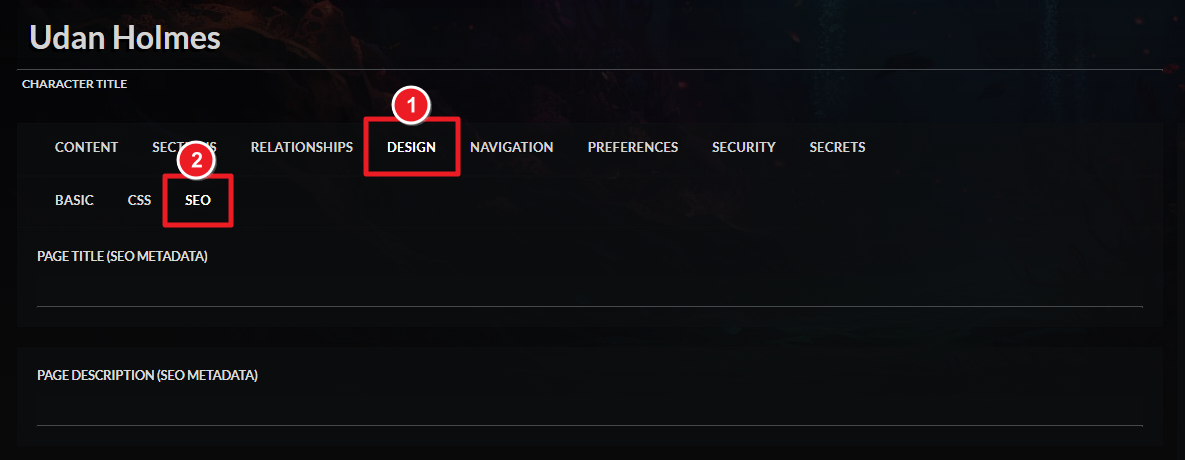
There, you'll be able to edit the article's SEO title and description.
Homepage SEO metadata
You can also add SEO metadata to the world's homepage:
- Click the gear icon, and then the double gear.
- Click the "Homepage" tab and then the "SEO" sub-tab.
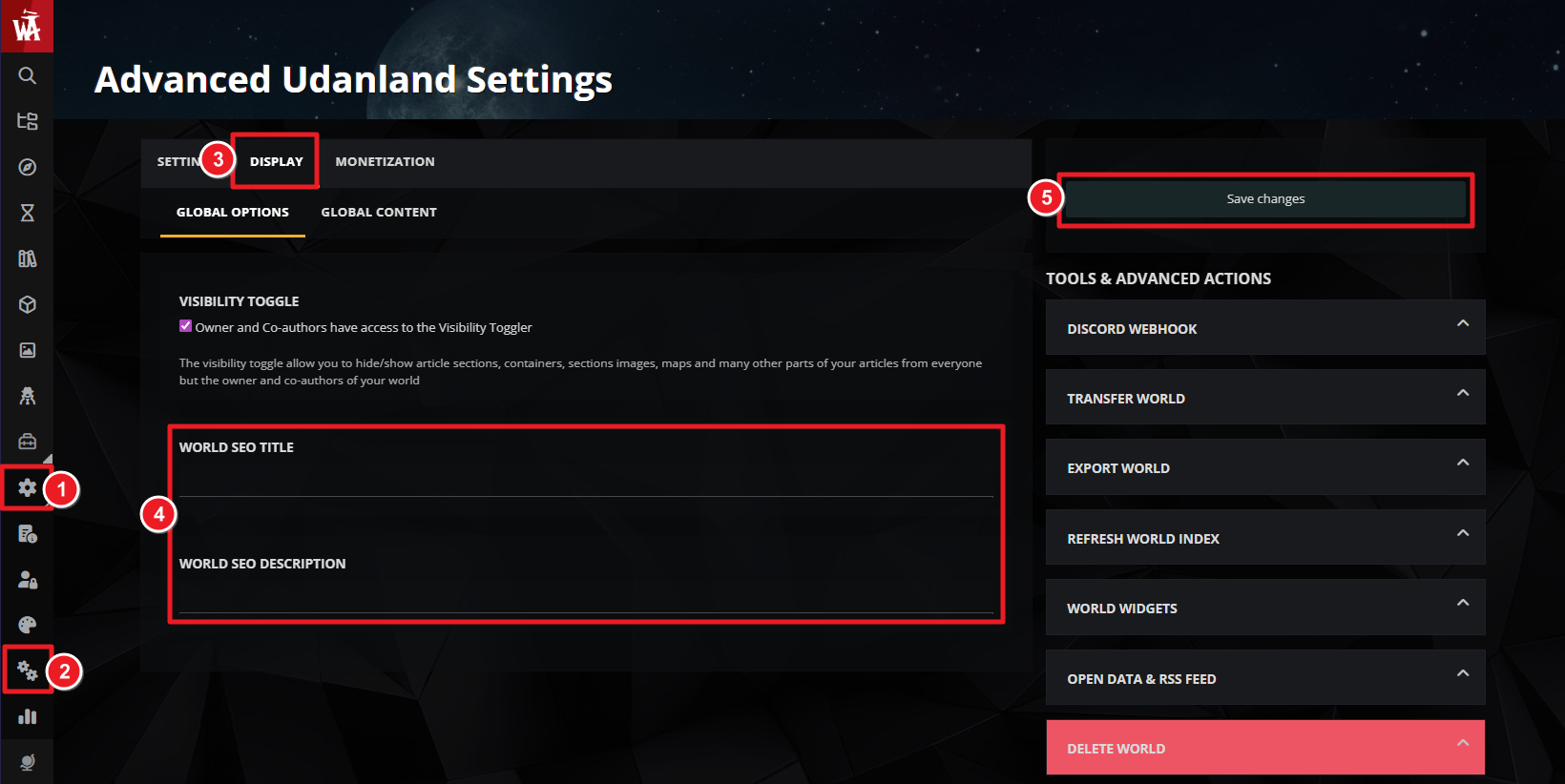
Just like with articles, you can edit the homepage's SEO title and description.
If you're a Sage of the Guild, you have a library of seminars about SEO and other professional topics (like business strategy and marketing) available in the Sage Seminar Library.
For more help and information with world settings, check the guide to world configuration.



