Available to the Grandmaster subscription tier and above. Upgrade here.
By default, if you link to a private article, readers won't be able to click on the link. However, with secured links enabled, you can make these links clickable. When clicking a private link, readers will see the access denied page. Combined with a custom access denied page, this is a great way to encourage your readers to join your community or support you!
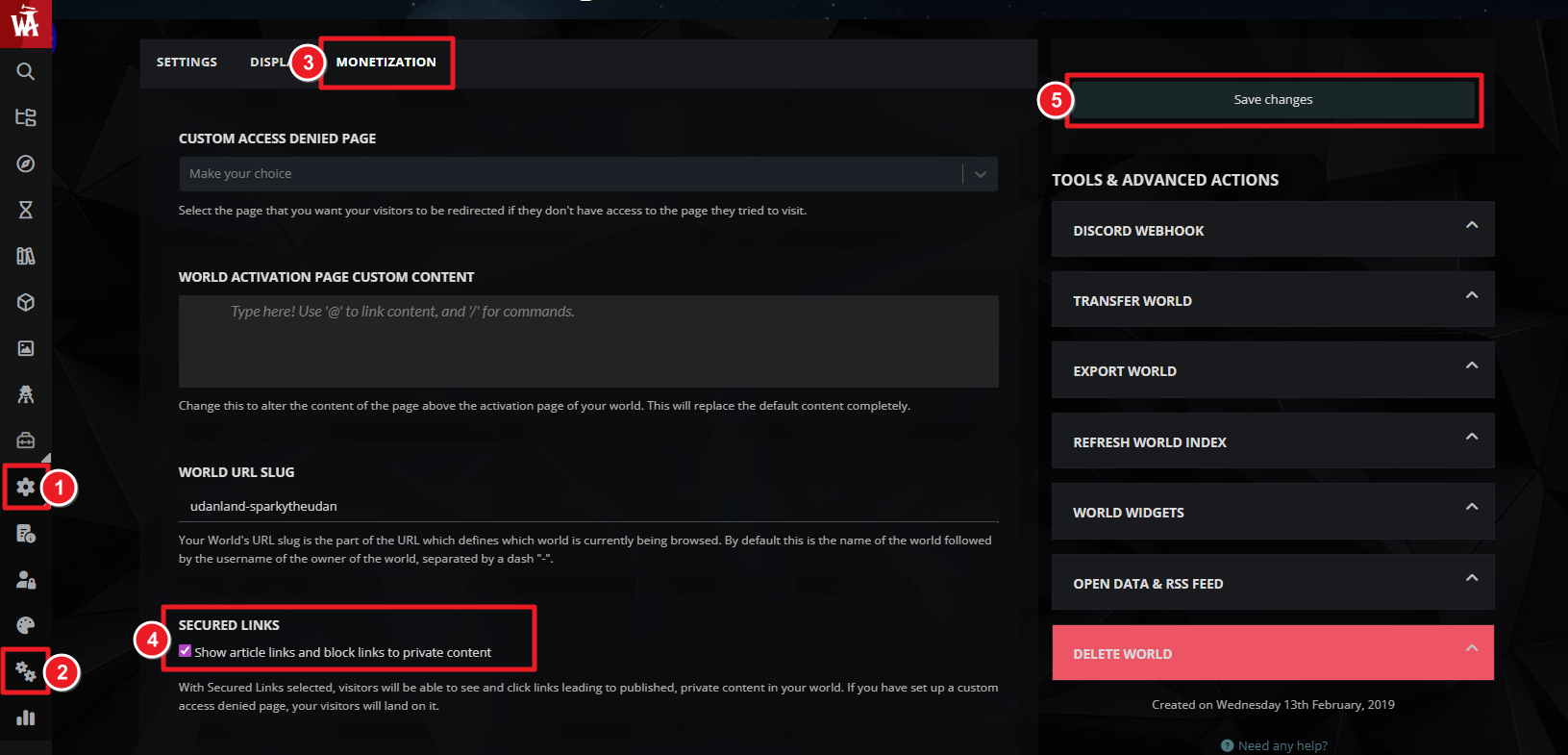
- Click the gear icon and then the double gears to access the world configuration.
- Click on the Monetization tab.
- Find the "Secured Links" section and click on the checkbox.
- Save changes.
This makes links to private content clickable, but it does not make the private content itself accessible.
For more information and help with world settings, check out the guide to world configuration.



