Available to the Sage subscription tier and above. Upgrade here.
URL slugs are the parts of the URL that say which exact page you're viewing. For example, in the url https://worldanvil.com/w/udanland-holmes/a/worlds-end-inn-building, the world slug would be udanland-holmes and the article slug worlds-end-inn-building. Here's how to edit them!
World URL slug
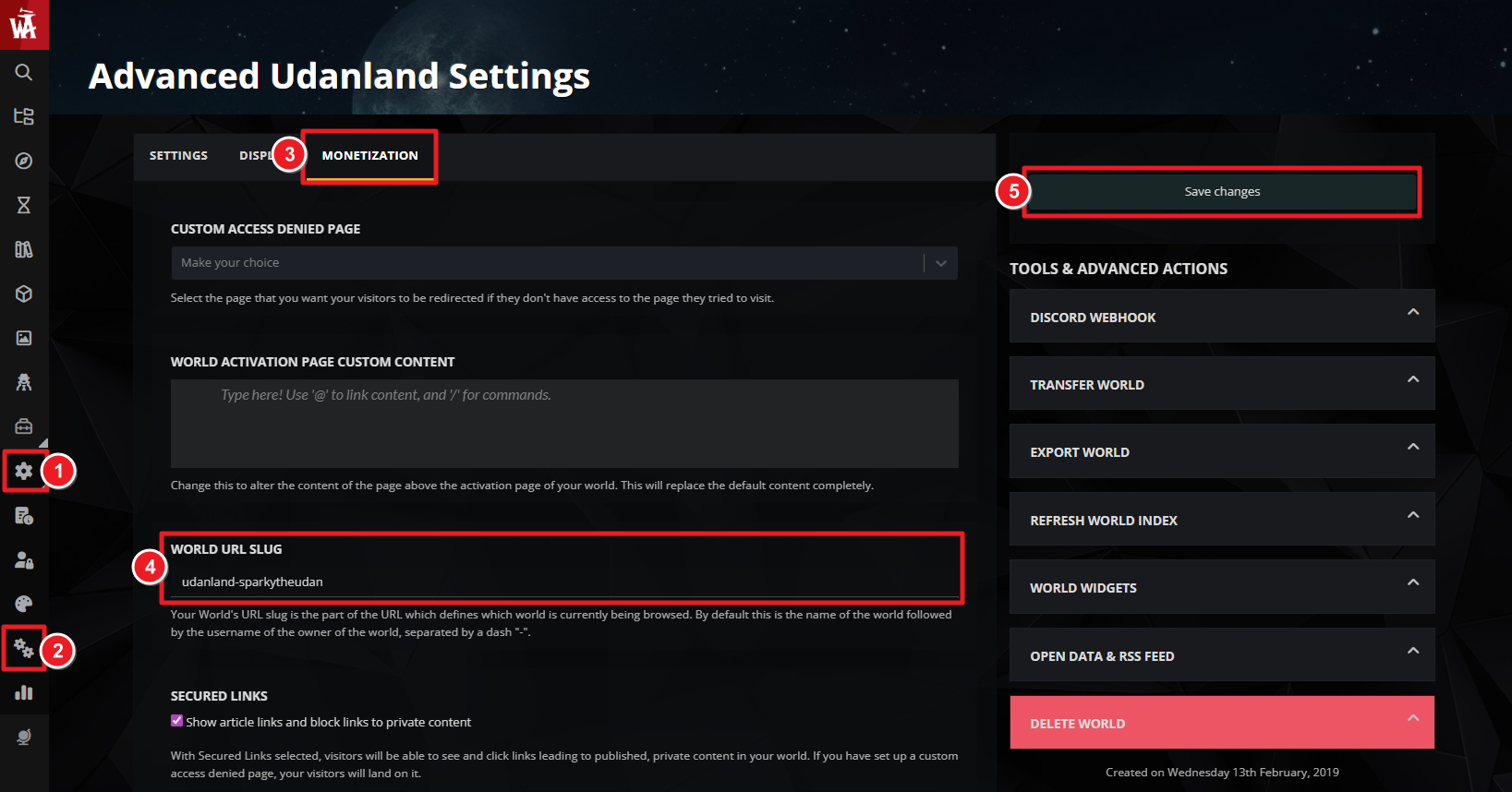
The default world slug has the world name followed by your username (i.e. world-username). Here's how to change it:
- Click on Settings in the left sidebar menu.
- After that click on the double gear icon to head to your world's advanced configuration page.
- Click on the Monetization tab and find the "World URL slug" field.
- Change the world URL slug. Make sure to keep this simple and only use characters which can be used in URLs.
Article URL Slug
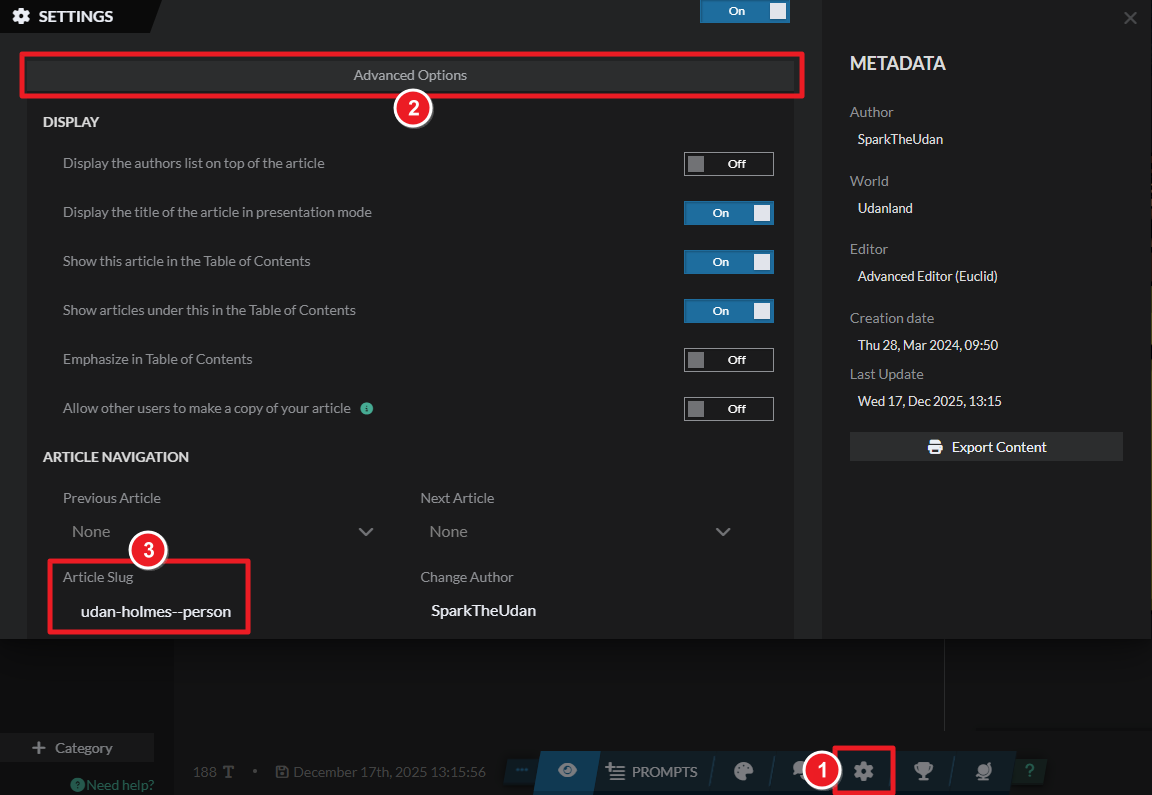
The default article slug is the name of the article followed by the article templates (and sometimes a number, if there are multiple articles with the same name and template). To change your article's URL slug, follow these steps:
- Edit the article.
- Click on the gear icon to open article settings.
- In article settings, click on "Advanced options".
- Use the "article slug" field to customize it.
URL slugs can have SEO benefits; check the other SEO-related options you have available. And for more information and help with world settings, check the guide to world configuration.



