Having a community around your world can be an amazing experience and resource. If you're a professional, it will help you keep your top fans more engaged, but even if you aren't, you'll get to talk to people who enjoy your work! World Anvil offers you various tools to build a community (such as article comments and discussion boards), but many Anvilites also use Discord as the home of their community. Here's a quick workflow to get you started!
Contents
Why is a Discord server helpful?
Discord is a real-time chat platform that uses channels to organize conversations by topic. This is very useful because it lets community members talk to each other in real time while also allowing multiple conversations at once. For example, you could have a channel for fan theories, another for art, and why not a third one for cute cat pics! If you want to run RPG games in your community (or want to let community members self-organize), you could also have a looking-for-group channel.
How you organize your Discord server is totally up to you and will depend on why you want a community. If you need inspiration for that, join some community Discord servers (or our own!) and take a look at how they use and structure their server.
How to integrate your Discord server with World Anvil
If you have a Discord server, there's a handful of tools you can use to integrate your world with your Discord community! Here's how to use them.
Adding a Discord embed
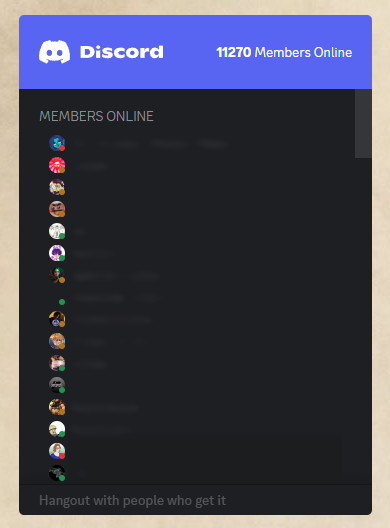
You can easily embed the Discord server widget into your world, which is a great way to encourage people to join. Learn how here! The world homepage is the perfect place for that, as it's usually where new readers (i.e. potential future community members) will land. Primers, meta sections, and similar wide-scope pages are other great locations for this.
You can also add the Discord invite link in your world's social links from the world configuration. This will add a link at the footer of every article, and it's a good alternative to the full embed because it's smaller (and therefore less distracting from the article content).
Using webhooks to connect your world to Discord
Discord webhooks let you plug your World Anvil world into your Discord server to keep the members of your server up to date with your latest updates. With a webhook, you can have World Anvil send a Discord message in a specific channel with just a click of a button. You can use this after creating an article or after giving a major update to one.
Adding the webhook to your server is a straightforward process. Check this guide to learn about it and how to send updates.
Even if you use webhooks, though, consider write update messages yourself now and then, especially for major changes. After all, your community members are there for you and your project, not for an automated bot!



