Available to all Guild subscription tiers. Upgrade here.
By default, secrets can only seen by you and by people added to the secret's subscriber groups. However, you can also choose to let co-owners and editors of your world see all secrets regardless of their subscriber groups. Here's how:
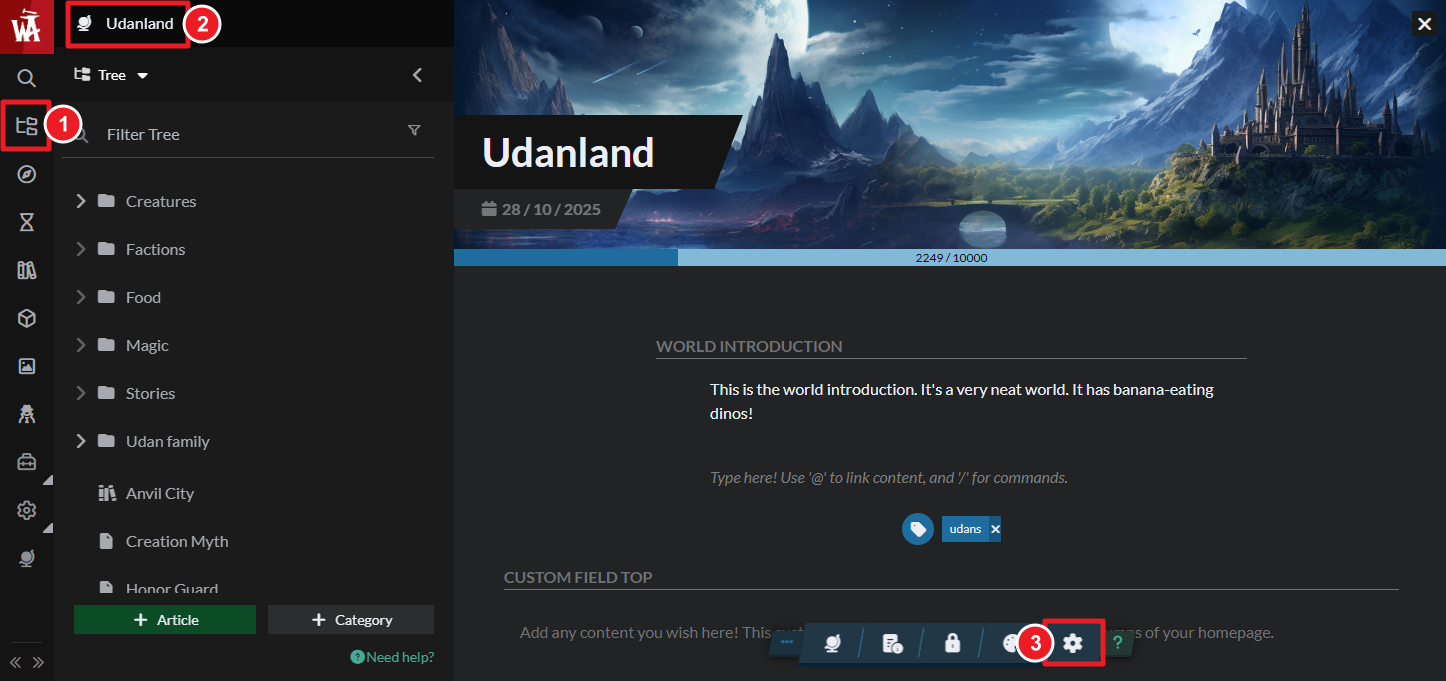
- On the left sidebar, open the Articles & World Manager, and then click the name of your world at the top left.
- At the bottom, open World Settings.
- Turn on "Open Secrets" option on the right side of the settings window.
This is a great feature to use if you're collaborating with someone who needs equal access to your world's lore, such as a co-writer or a co-GM. For more information and help with secrets, check the guide to secrets.



