Available to the Master subscription tier and above. Upgrade here.
In Manuscripts, you can customize your paragraph settings to create exactly the writing space you need. Here's how!
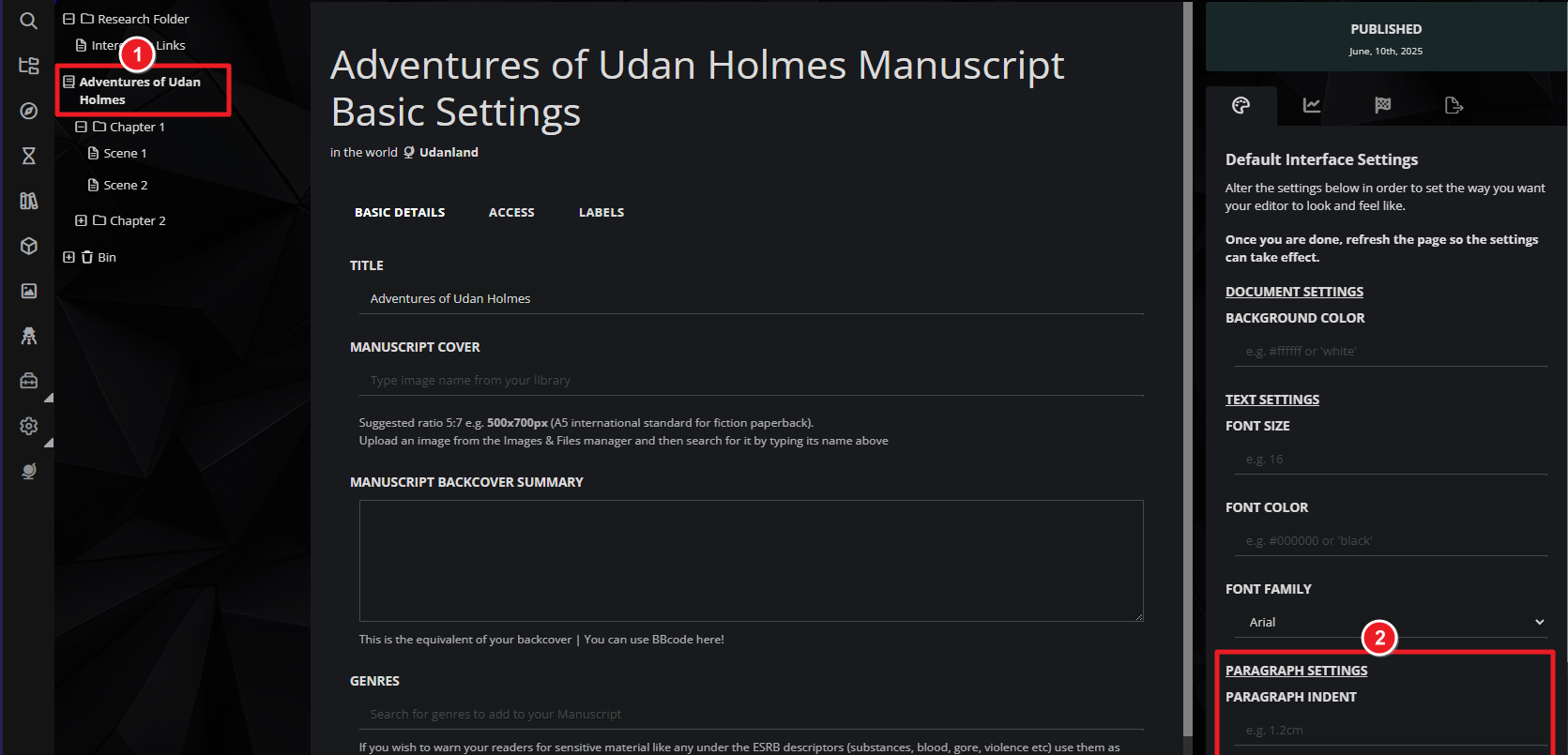
- Open your Manuscript for editing and click on the title of the Manuscript at the top left.
- On the right, in the default styling tab, find the Paragraph Settings section.
- Type a number in pixels in each of the fields you want to customize (e.g. 30px). These fields accept other standards CSS units, such as em.
For further customization, you can also change your Manuscript's font and background color. For more information and help about Manuscripts, check the Feature Guide to Manuscripts.



