Available to the Master subscription tier and above. Upgrade here.
If you're monetizing your writing or worldbuilding, having exclusive chapters for supporters only (e.g. Patreon or Ko-Fi supporters) can be a big incentive for more readers to support you. Here's how to set it up once you're ready to publish your Manuscript!
Note: In order to follow these steps, you need to have set up a subscriber group for your supporters. Check out the Guide to subscribers for more information.
- Step 1: Consider making your Manuscript public as a whole. This way, you can show your writing style to your future supporters; finish the public section of the story on a cliffhanger, and they'll want to read the rest!
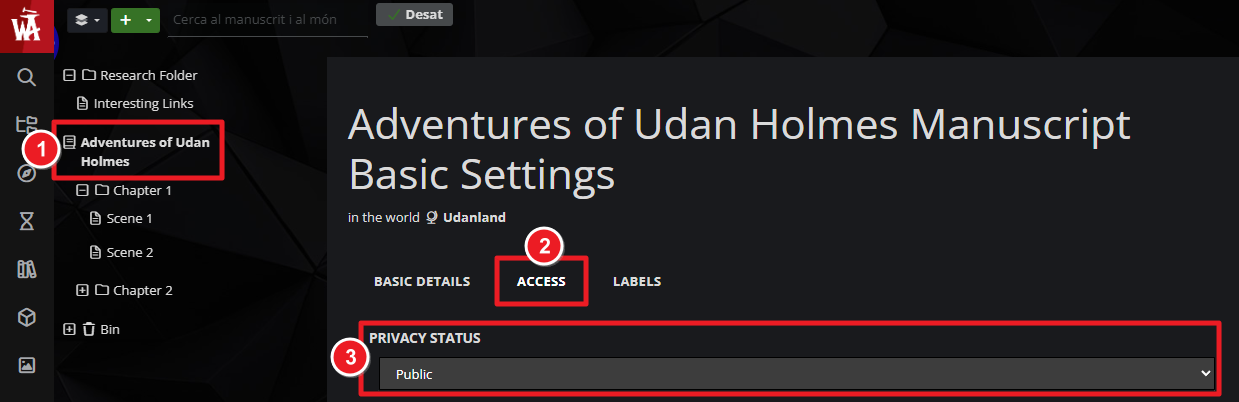
- In the Manuscript edit page, click on the title of your manuscript on the left panel.
- Click the "Access" tab and ensure "Privacy State" is set to "Public".
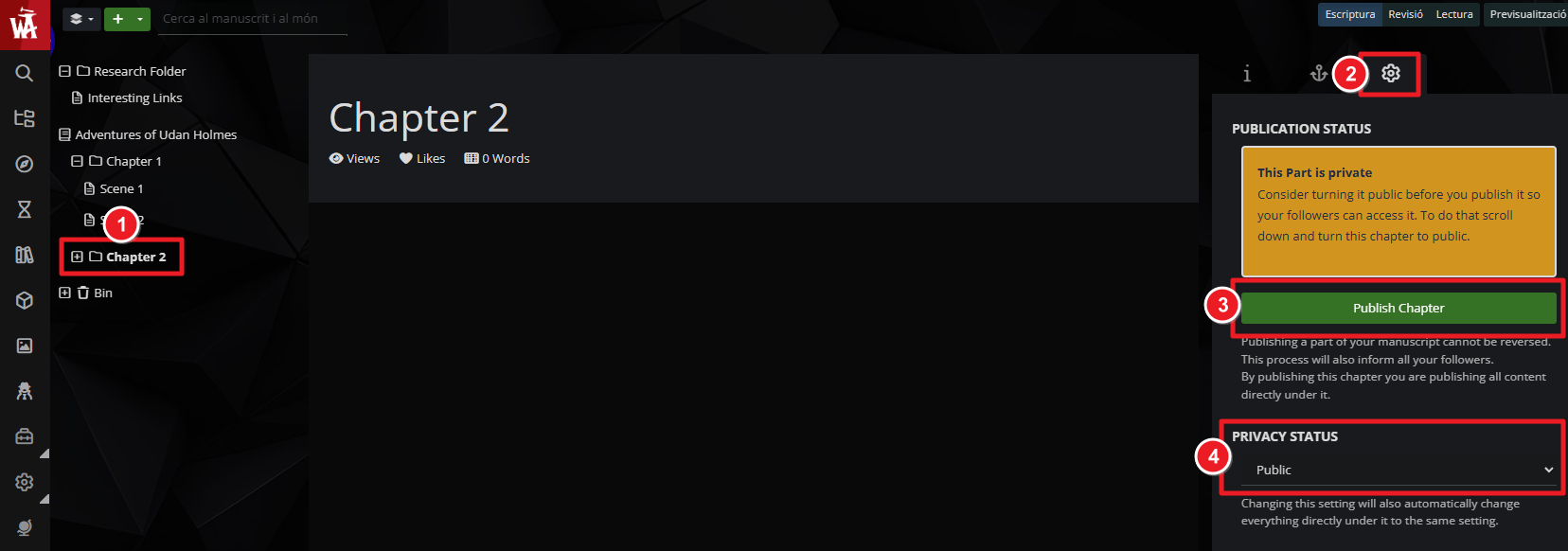
- Go to your first chapter and, on the right panel, click on the gear icon.
- Click the "Publish Chapter" button and set its privacy state to "Public".
- Repeat steps 3 and 4 for every chapter you want to be freely available.
- Step 2: Publish the rest of your chapters for supporters only. For all other chapters, follow these steps:
- Publish the chapter as usual.
- Switch the privacy state to "Private".
- Just below, in the Subscriber Groups section, select the groups you want to give access to.
You can combine this with custom access denied pages to encourage your readers to support you on Patreon or other monetization platforms. Check the Guide to Manuscripts for more information about Manuscripts.



