Available to all Guild subscription tiers. Upgrade here.
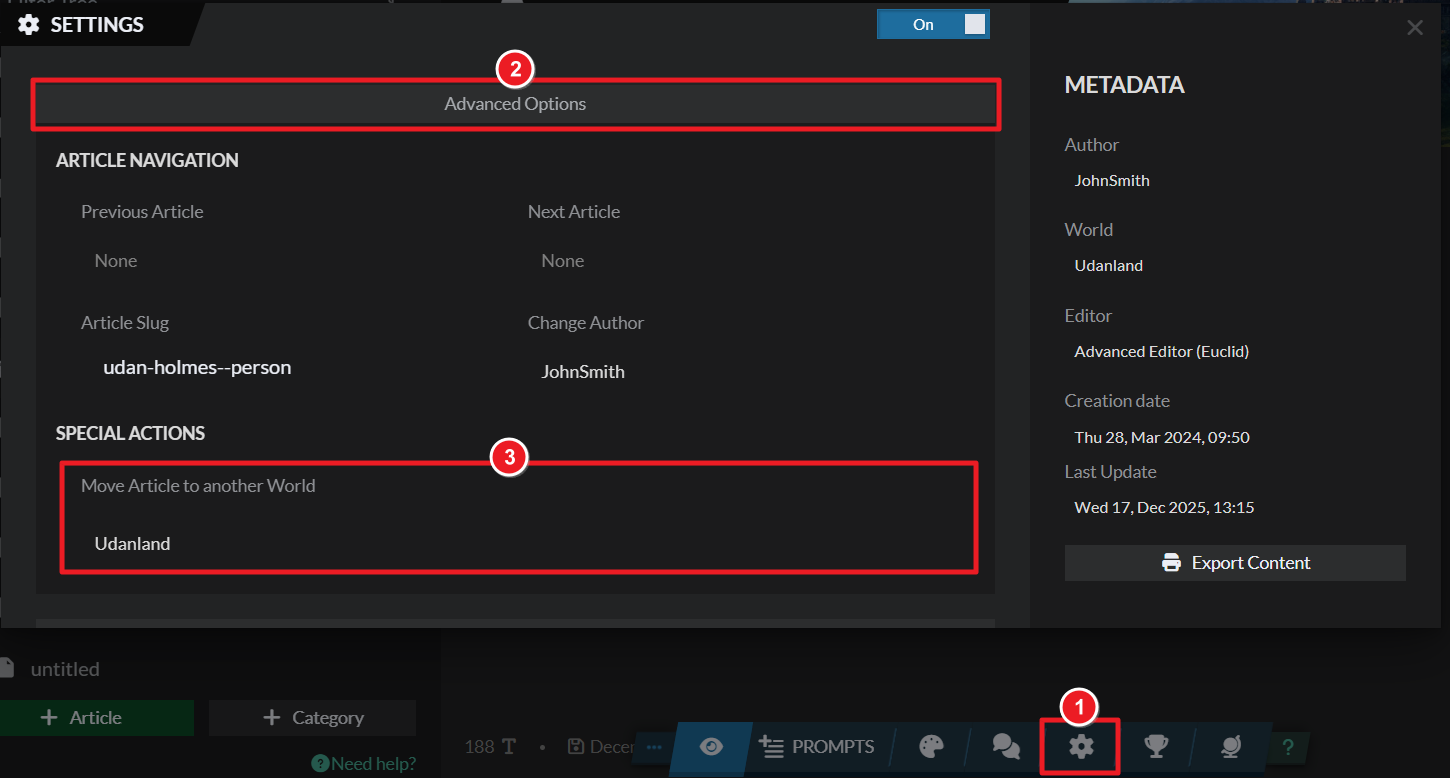
On World Anvil you can move an article to a different world, as long as you own or are a co-author of that world. To do that, follow these steps:
- Edit the article.
- Click on the gear icon at the bottom to open articel settings.
- In article settings, click on "Advanced Options".
- Use the "Move article to another world" field to move the article.
For more information and help with articles, check the Guide to articles.



