Upper toolbar gets in the way of timeline edits
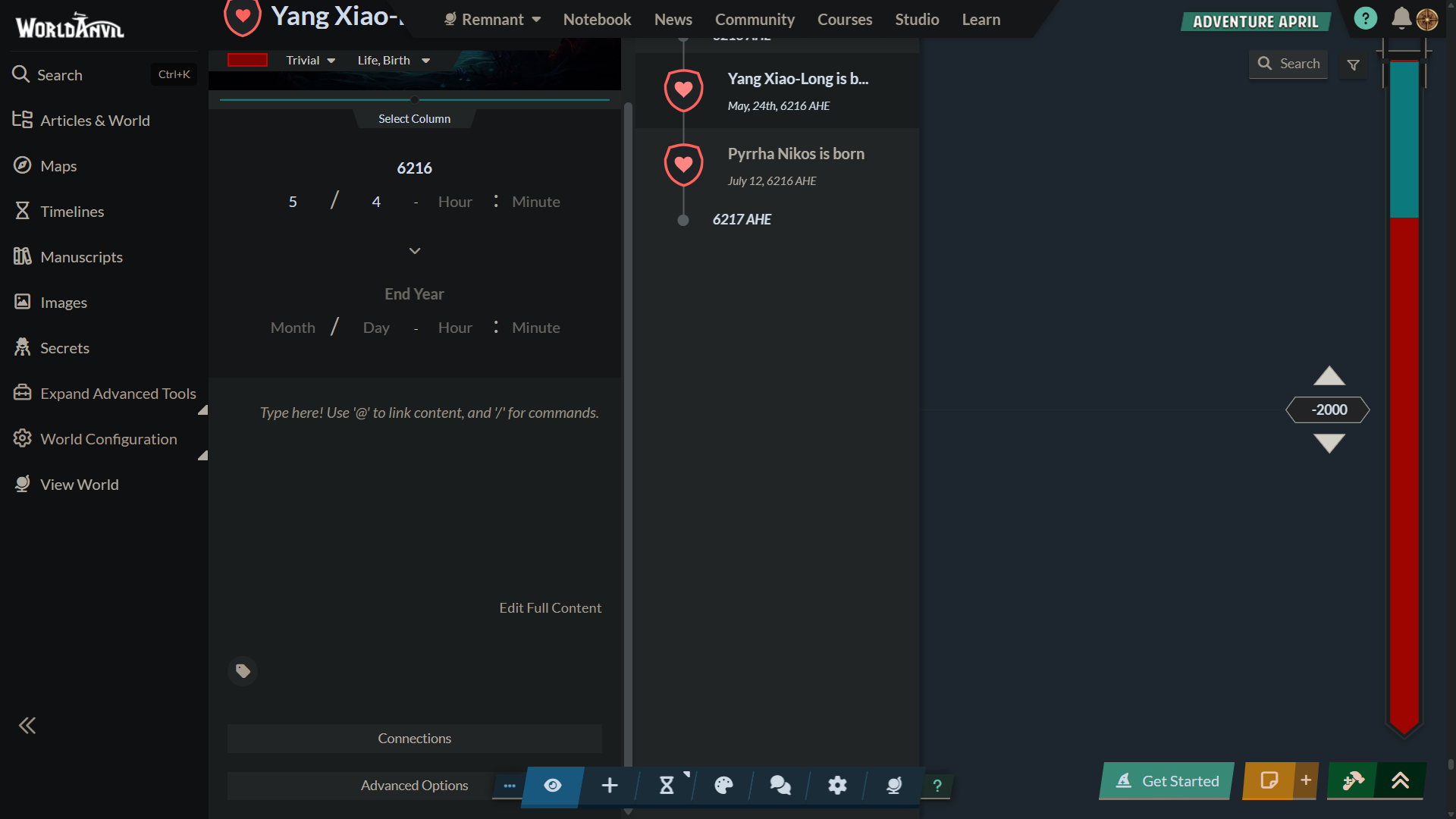
While working on my timeline I opened the edit section to work on the date/events of an entry. However when I tried to close the edit section the icon was covered by the upper toolbar (Worlds, Notebook, News Community etc.)
I would be better if this upper toolbar had an autohide feature or just didn't get in the way of the timeline edits
Steps to Reproduce
Create a timeline.
Crete an event.
Go to edit the event.
Try to close the event sidebar. - the upper toolbar gets in the way.
Operating System
WindowsBrowser
BraveRelated Entity
It's related to the timeline section and an interface issue.
https://www.worldanvil.com/p/timeline/edit/514f78ea-468b-42eb-a0d7-fdcab7390492
History
Bug is duplicate of Events' pop-up window iImpossible to close on timelines
Bug is duplicate of Events' pop-up window iImpossible to close on timelines
Find your way!
Resources
WHO WE ARE
LEGAL
Listen to our Podcast




by 3 Armored Kittens · Prodromos v.1.1 - World Anvil 0.9.15.050 © 2017-2025 [en] | Anvil Time: 10:33, Jul 15 2026