Events' pop-up window iImpossible to close on timelines
Events' pop-up window iImpossible to close on timelines
closed
·
Timelines
·
By Cayaia on 03/24/2026
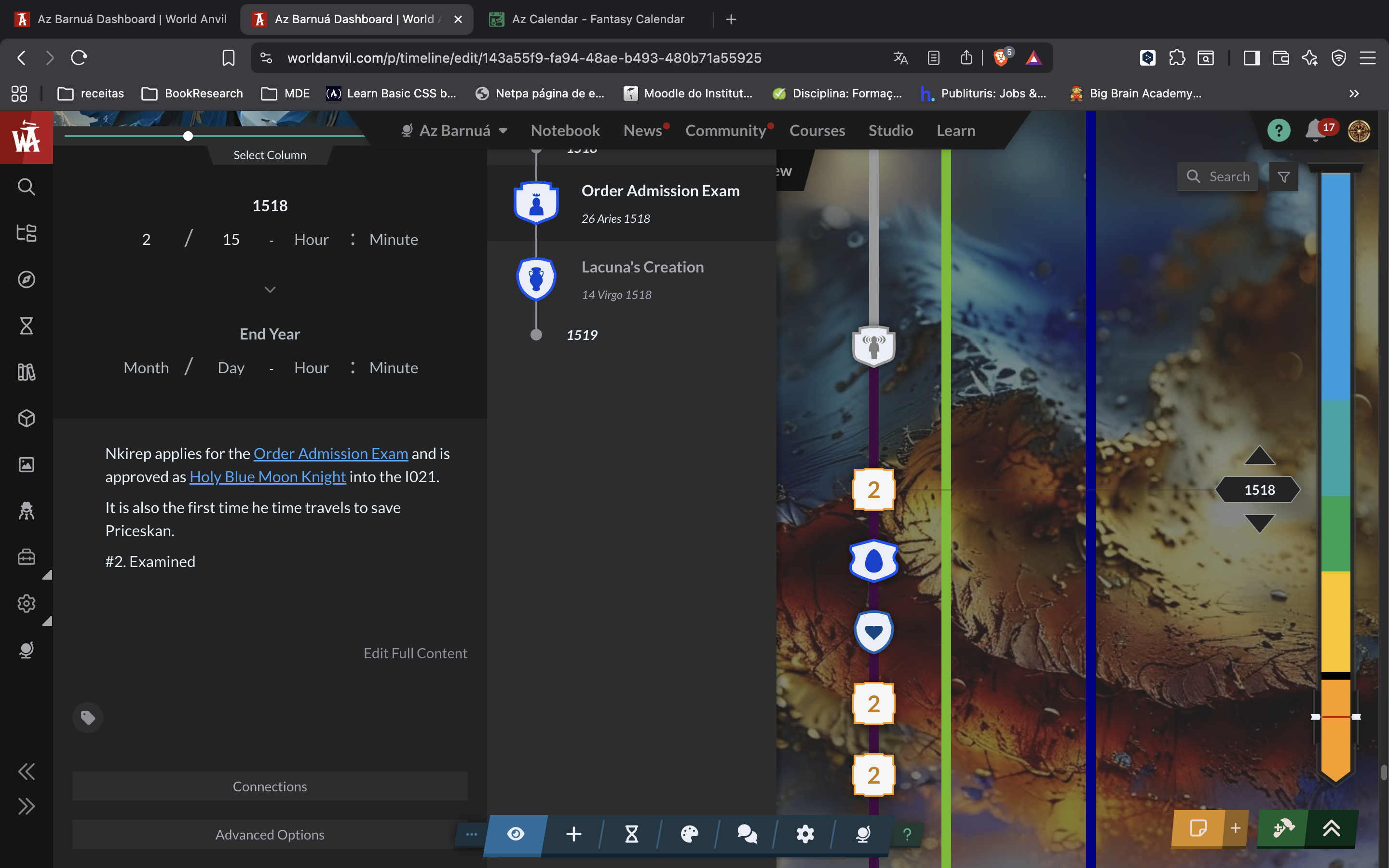
The new timeline design removed the little arrow to close the event pop-up window. At the moment, I 'm assuming it has an X to close it, but it's hidden behind the upper central bar, meaning it's impossible to access. All the event on the left side of the timeline on the timescale mode are now unaccessible.
Steps to Reproduce
- Select a timeline in timescale mode or list mode.
- Select a random event.
- Now, closing the event pop-up window on the left side is impossible. No arrow to push it back nor an X to close it.
Operating System
MacOSBrowser
BraveRelated Entity
Timeline feature.
History
We are aware of this and it will be fixed near the future (you probably have a smaller screen which results in the arrow being hidden behind the topbar) - what you can do while we work on a more permanent solution is to zoom out a bit or fully hide the prodromos sidebar
set this bug to closed
Thank you for your quick support! My screen is 13'', so I guess it's small. I switched to 80% and ow I can reach the arrow.
Bug has duplicate Upper toolbar gets in the way of timeline edits
Bug has duplicate Upper toolbar gets in the way of timeline edits
Find your way!
Resources
WHO WE ARE
LEGAL
Listen to our Podcast




by 3 Armored Kittens · Prodromos v.1.1 - World Anvil 0.9.15.050 © 2017-2025 [en] | Anvil Time: 18:27, Jul 15 2026