Random Tables layout issues
Random Tables layout issues
When using the random table via the embedded preview mode, only the first 5 rows show up, hiding the majority of the options in the table, with no option to scroll down and see more. Only using sorting modes on a column allows you to see other parts of the table.
Steps to Reproduce
- Embed the table in an article or description block
- Click on the embedded table to open the random table preview
Operating System
WindowsBrowser
Google ChromeRelated Entity
History
Hello! Can you share a link to a public article where the table is embedded?
Hello - https://www.worldanvil.com/w/eos-brenndander/c/species-category this was the page, but I should state that the issue only arises in "Edit" mode - viewing the "in World" view it looks and works OK - the edit link is here - https://www.worldanvil.com/p/athena/category/f66a8d5f-325a-458e-b4ce-a6f196e3364c/edit
When testing on that editing page, the table preview looks correct (though the title at the very top is squished to one letter per line above the editor).
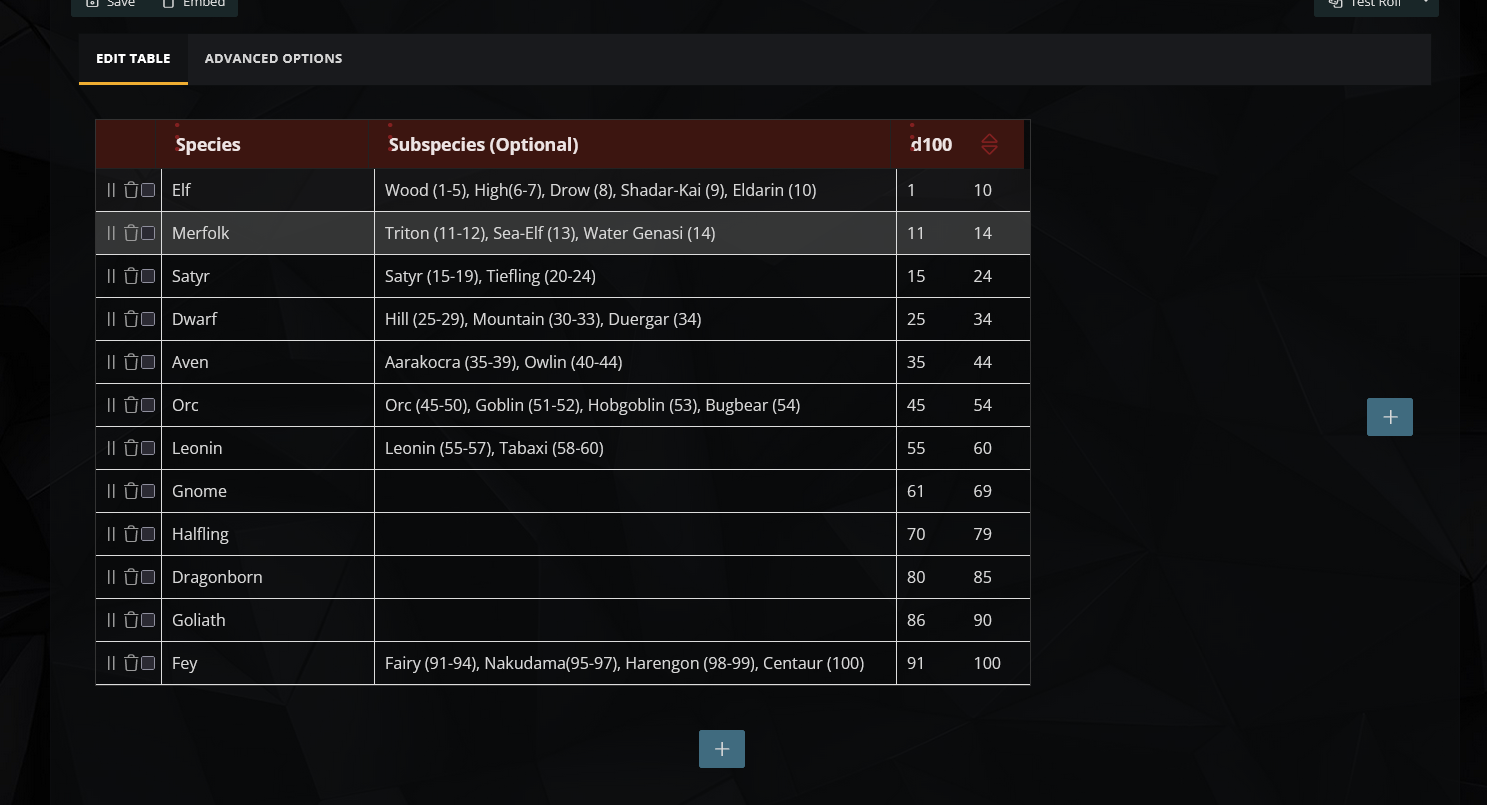
This is all the options, I presume (since the roll column goes from 1-100)
I tried to reproduce the issue by shrinking my browser window, but the table still displayed all the rows.
It may be possible that your device, browser or any browser extensions may be interfering. Can you make a screenshot of what the table looks like for you?
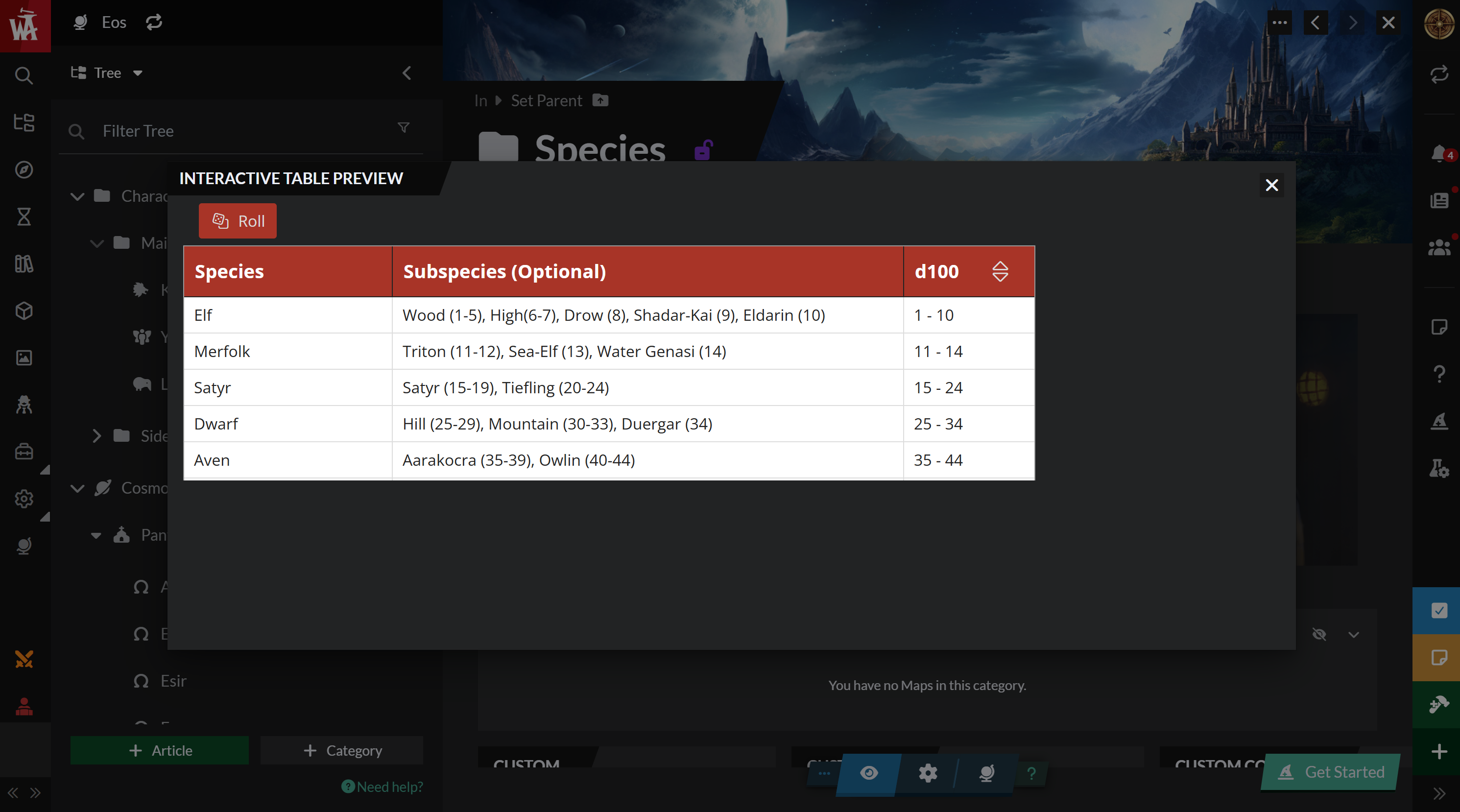
The preview is the main issue, as when I click the block on the species group page all I see is this. This might be an issue with using the preview rather than going into the full edit mode on the table, but it would a nice feature to add if this is the intended view. Being able to scroll to see all the values in the preview is what I would want to see.
I am running through Chrome on Windows 11, screen resolution is 3000x2000 with some upscaling but it shouldn't be an issue.
Find your way!
Resources
WHO WE ARE
LEGAL
Listen to our Podcast



