Icon causes saving error when selected

open
· Articles & templates ·
By NattheDM on 07/06/2026
· Assigned to Xuroth

I created a page (using the new article builder, not the old legacy one), titled it without issue, and opened the icon selector.   I searched 'size' and found this one:

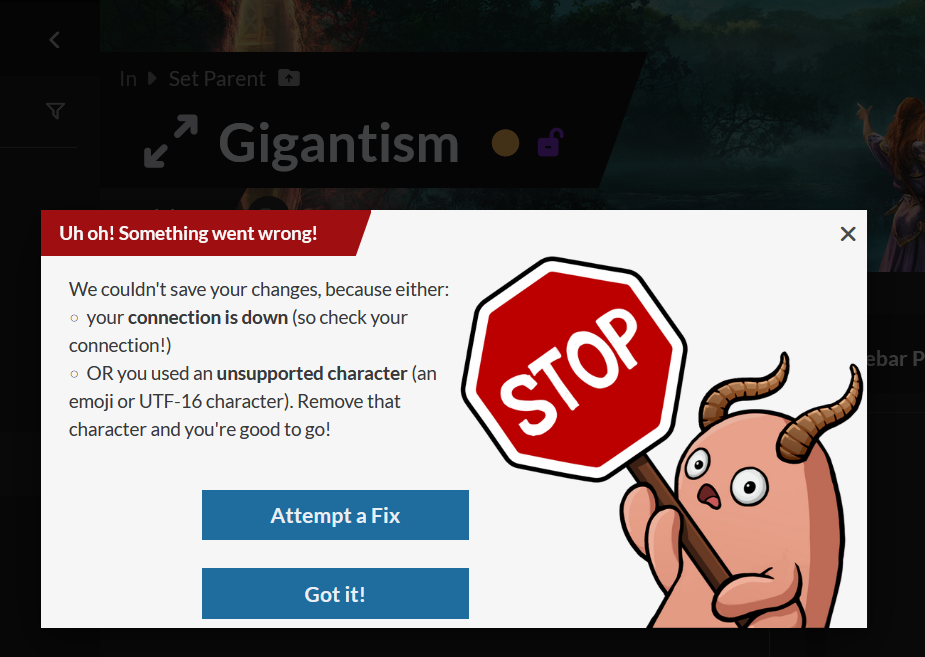
labeled as: 'fa-solid fa-arrow-up-right-and-arrow-down-left-from-center when I hover my mouse.   Upon selecting, the saving indicator spins, then produces an error:
Error text: "Uh oh! Something went wrong! We couldn't save your changes, because iether: - Your connection is down (so check your connection!) [I did, everything is connected with consistent signal] - OR you used an unsupported character (an emoji or UTF-16 character). Remove that character and you're good to go!" [I've had this before when pasting text from elsewhere, and yes, removing the character fixed it, but the only characters on this page so far are the title (saved without issue) and the icon which was selected from search and not a custom import]   It seems like a bug, but lmk if I'm wrong, I already tried all the fixes (restarting browser, clearing cache, hard-clearing cache, trying it on mobile (error persists)) and they didn't work.   For the record I selected a fariety of other icons and none of them caused an error.

Steps to Reproduce

Select this icon when editing an article in the new editor and select this icon (find it by searching 'size')

Operating System

Windows

Browser

Firefox

Related Entity

Article Icon

History

katerinach @ 07 Jul, 2026 03:04:40 Developer
Assigned xuroth