Military Prompts Missing Dropdowns in Organization Template
Military Prompts Missing Dropdowns in Organization Template
closed
·
Articles & templates
·
By RiverFang on 12/11/2025
·
Assigned to katerinach
·
Waiting for Response
Under Investigation
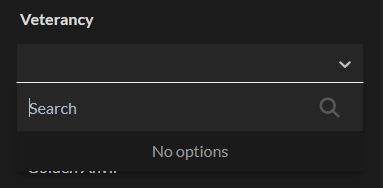
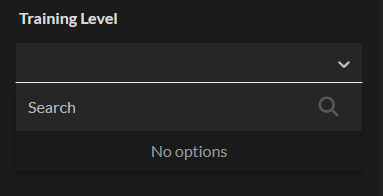
When adding Military related prompts (like Veterancy or Training Level) to the Organization template in Athena, the dropdowns do not appear and will not save if you type something in.
Steps to Reproduce
- Open Organization Template in Athena
- Add any Military prompts (i.e. Veterancy)
- Select the dropdown to add info
- Dropdown is empty
Operating System
WindowsBrowser
Google ChromeRelated Entity
Organization template specifically when using AthenaHistory
I have also run into this bug, but it was for the Natural Law template, where all the options under the "Type" dropdown are missing.
Hey, we have made a fix for this that should resolve any issues you might have had with the Military dropdown prompts like Veterancy and Training Level! Please take a look and try again and let me know if the issue has been fixed for you.
Looks like the dropdowns work now. Thank you!
set this bug to closed
Find your way!
Resources
WHO WE ARE
LEGAL
Listen to our Podcast




by 3 Armored Kittens · Prodromos v.1.1 - World Anvil 0.9.15.050 © 2017-2025 [en] | Anvil Time: 20:56, Jul 20 2026