Available to the Sage subscription tier and above. Upgrade here.
You can use white labeling to remove World Anvil branding from your world, which mainly includes the header bar with the World Anvil logo. You can enable World Anvil white labeling by following these steps:
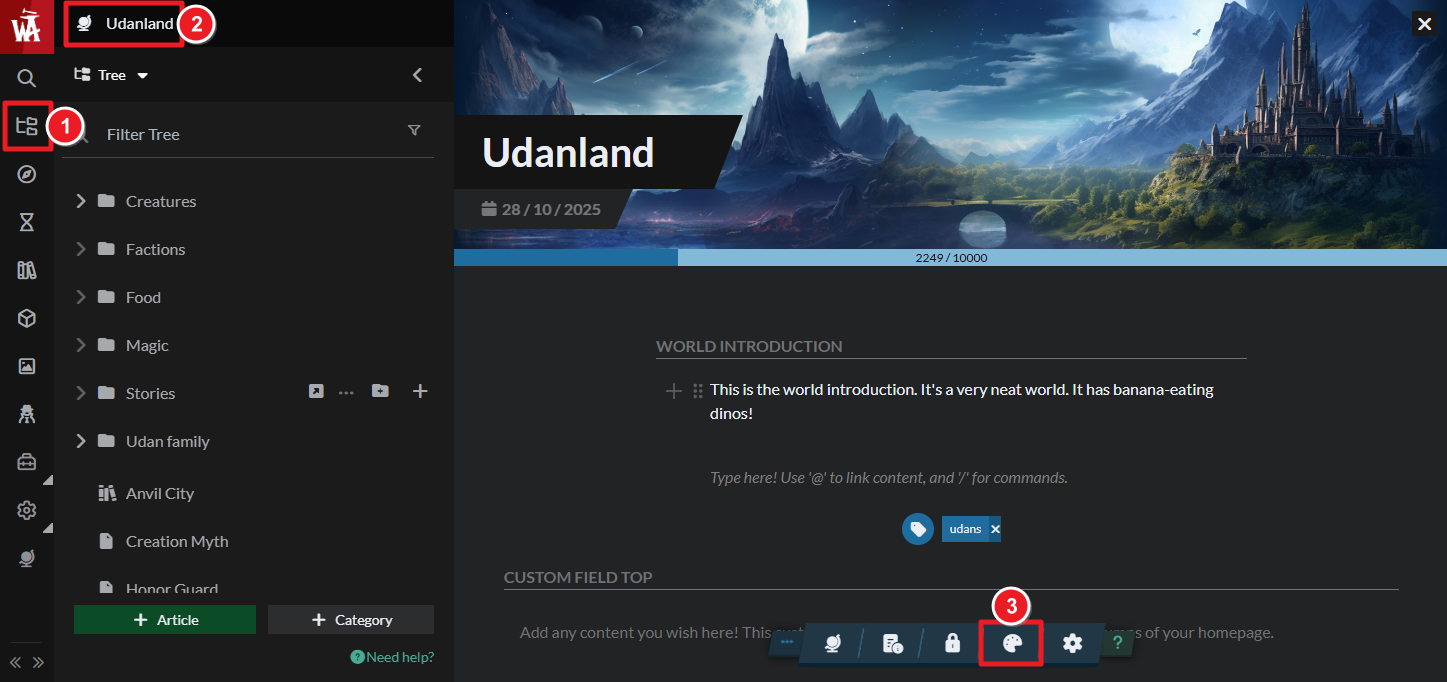
- Open the Articles & World Manager on the left sidebar.
- Open the Styling menu from the bottom toolbar.
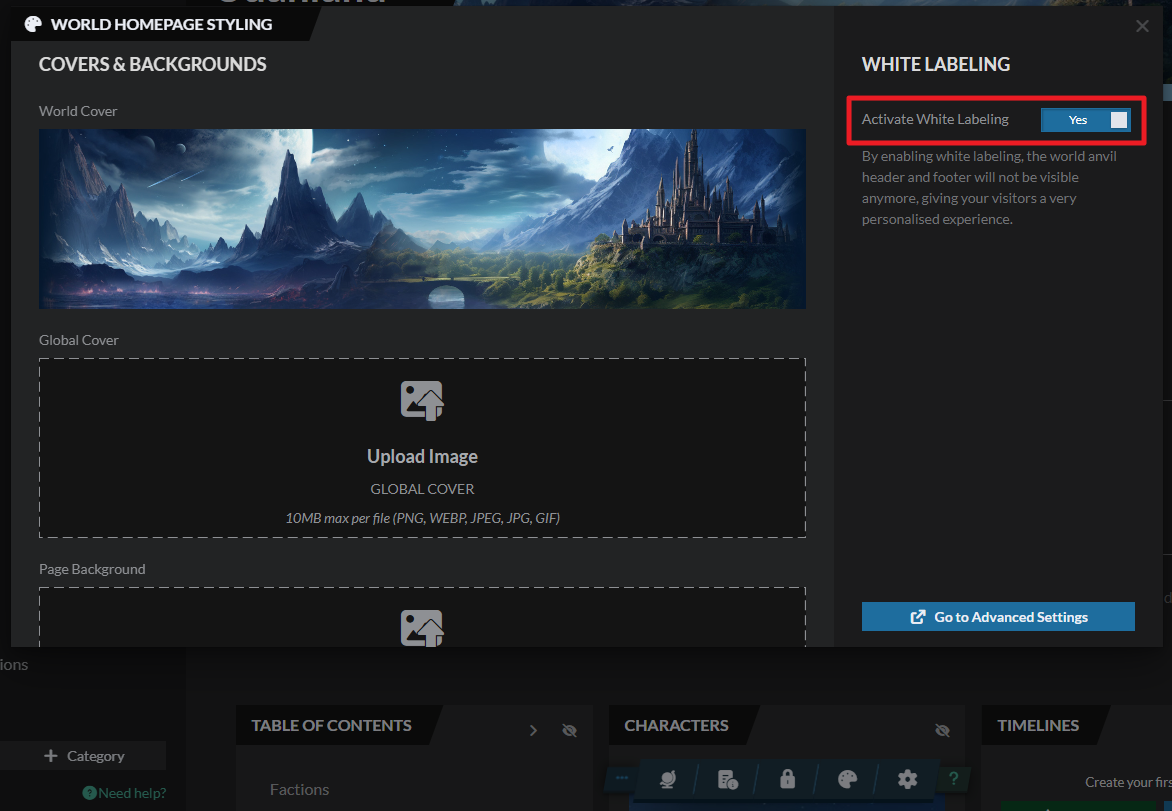
- Turn on the whitelabel toggle. After the setting saves, all World Anvil branding will have disappeared.
When using World Anvil white labeling, a little box with the text “Powered by World Anvil” appears at the bottom left of your screen. You are permitted to use CSS to move it around and style it however you want.
This feature is designed with professional users in mind. Our Sage Seminar Library has a collection of video resources about business strategy, marking, publishing, and other professional-related topics.
For more information and help with world settings, check the guide to world configuration.



