Available to all Guild subscription tiers. Upgrade here.
You can transfer your entire world to a different user. Here's how:
- Do some preliminary checks. Before starting make sure that all of the following are true:
- The user you're transferring your world too is a Guild member of the same tier as you (or higher).
- If you have subscribers in your world, the new world owner must have enough free subscriber slots for them.
- Remove all co-authors from the world before transferring.
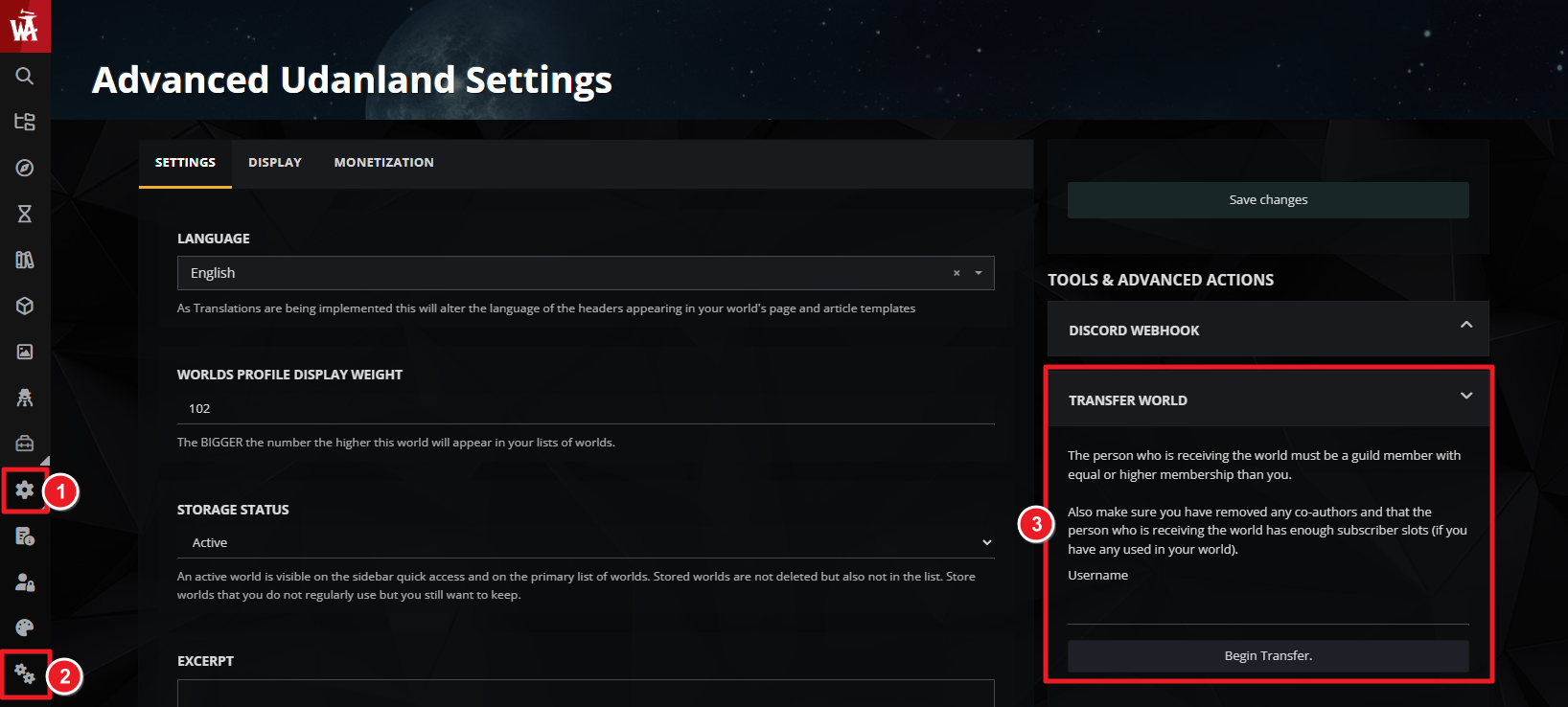
- Click on the gear icon on the left, then the double gears to open world configuration.
- On the right, click on Open Tools & Advanced Actions.
- In the "transfer world" panel, type the username of the user you want to transfer it to. Double-check there aren't any typos!
- Click "Begin transfer". Note that it might take some time for the transfer to take effect.
Once a world has been transferred, there's no way to get it back (unless the new author willingly transfers it back to you), so be sure that's what you actually want to do before confirming the transfer!
For more help and information with world settings, check the guide to world configuration.



