Available to all Guild subscription tiers. Upgrade here.

By default, there are some social media sharing widgets displayed at the bottom of your articles in view mode, as well as in Manuscripts. Currently these buttons can be used to share on Reddit and X (formerly Twitter). To disable them, follow these steps:
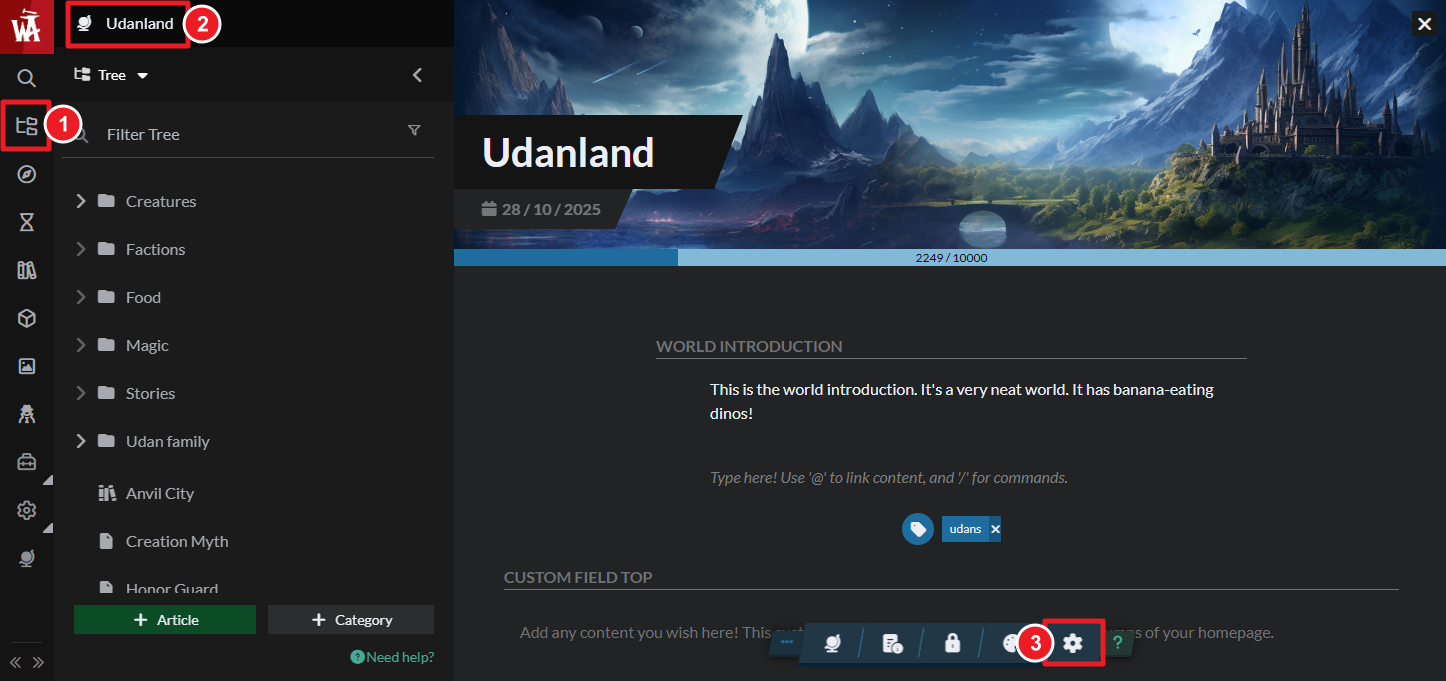
- On the left sidebar, access the Articles & World Manager.
- Click your world's name at the top of the left panel.
- Click on the gear button in the bottom toolbar to access world settings.
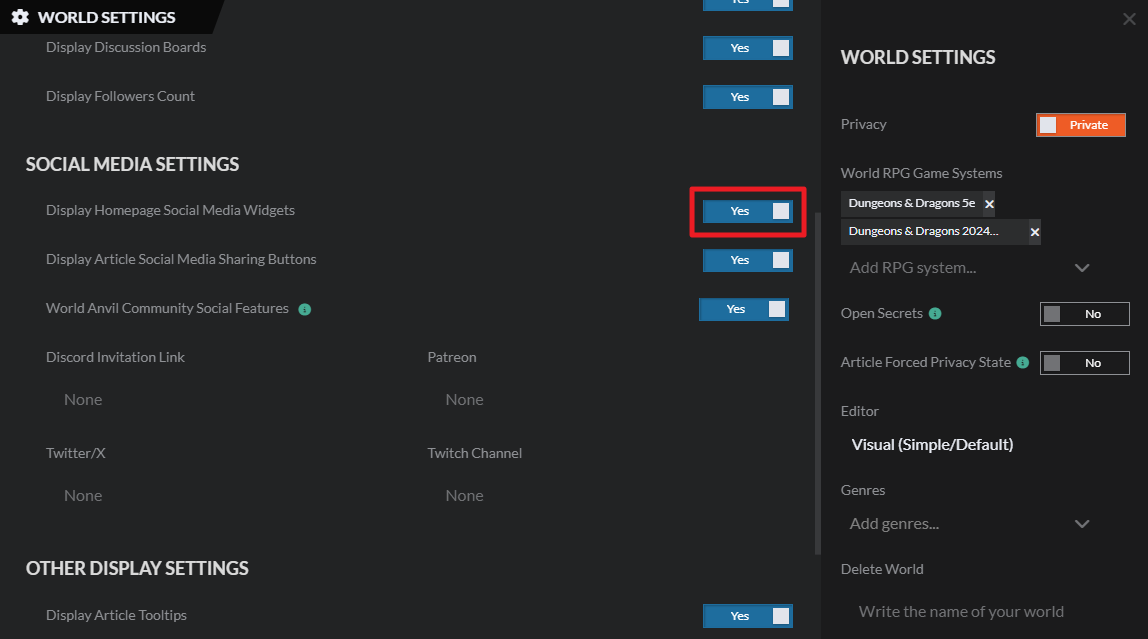
- Find the "Social Media Sharing Widgets" option.
- Click the checkbox to disable them and save changes.
For more information and help with world settings, check the guide to world configuration.



