Available to all Guild subscription tiers. Upgrade here.
With the Recent Articles section in your homepage, you can showcase the latest articles in your world. While this section is enabled by default, you can re-enable it (or disable it) as follows:
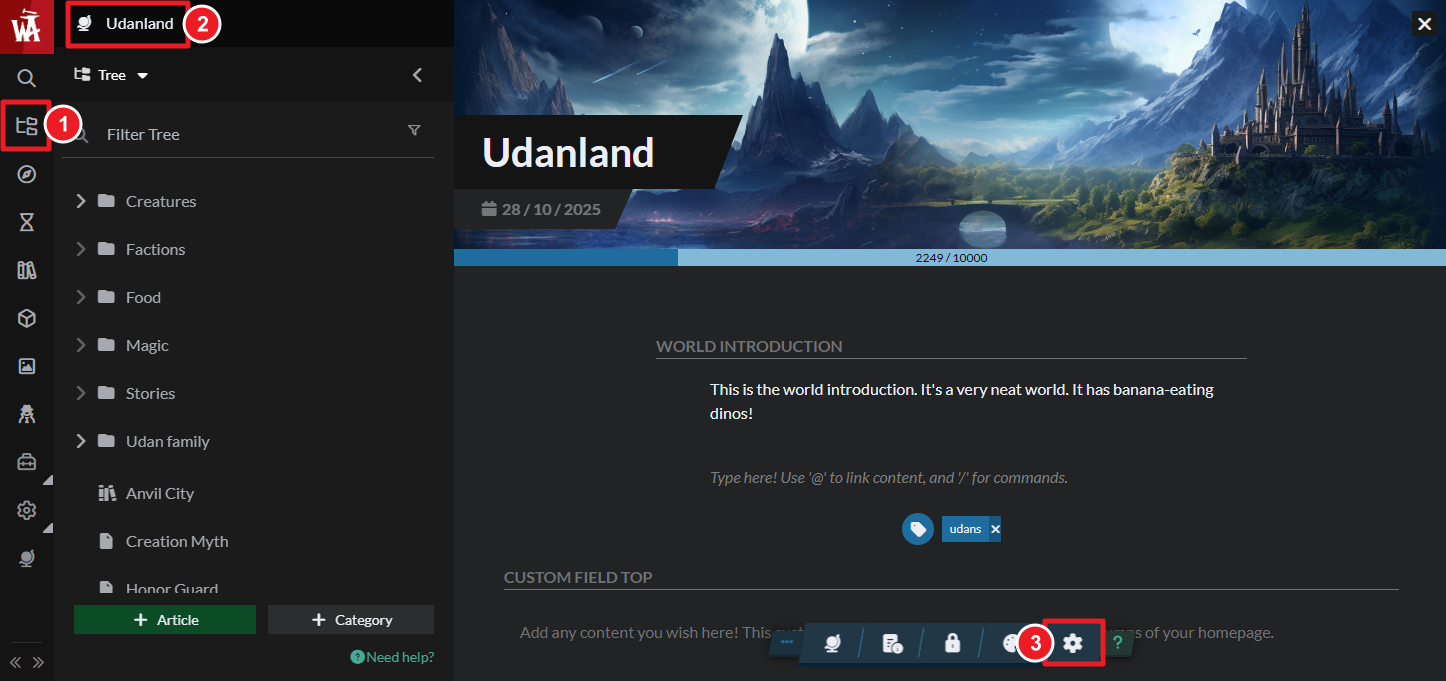
- On the left sidebar, access the Articles & World Manager.
- Click your world's name at the top of the left panel.
- Click on the gear button in the bottom toolbar to access world settings.
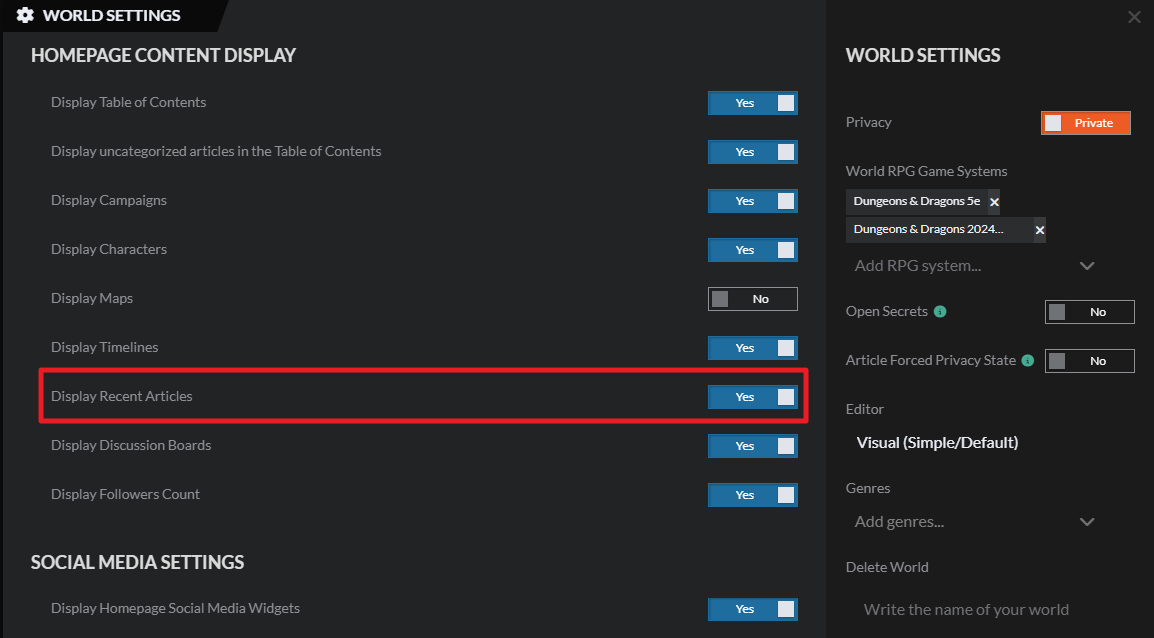
- Under the Display Options tab, tick the "Display Recent Articles" toggle to display them in presentation mode.
The Recent Articles list is not automatic! Instead, you need to manually select articles to be added there, so you have more control over which articles you want to showcase. Here's how to do it:
- Edit the article you want to showcase.
- Click on the Socials button in the bottom toolbar.
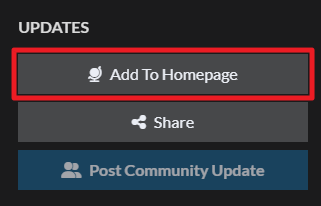
- On the right, click on the "Add to Homepage" button.
For more information and help with managing your world's settings, check the guide to world configuration.



