Available to the Sage subscription tier and above. Upgrade here.
With subscriber access codes, you can let other users add themselves to a subscriber group using a code. To activate this code, users will need a World Anvil account and the activation page (which is your world URL followed by /activate, e.g. https://www.worldanvil.com/w/world-slug/activate). Here's how to change the contents of the activate page:
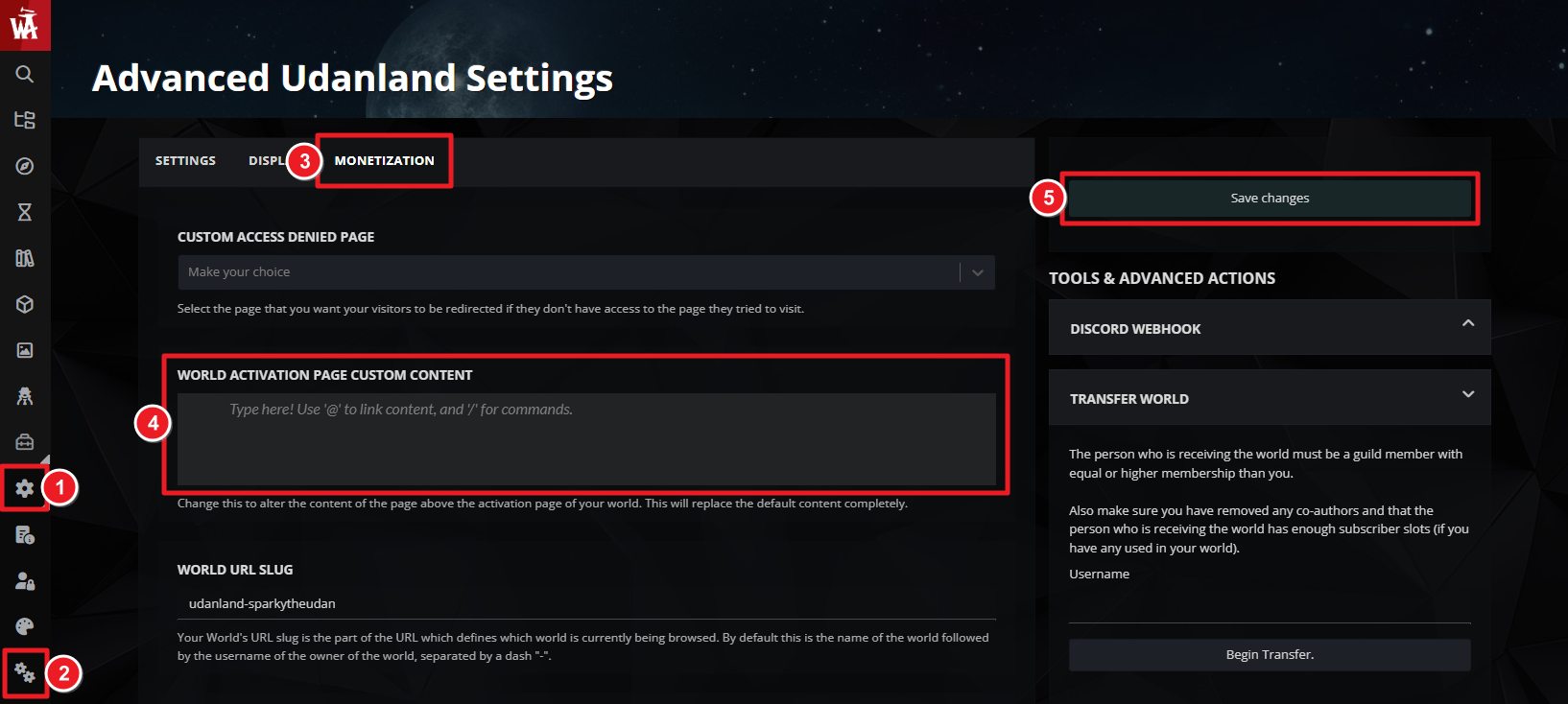
- On the left sidebar, click on the gear icon, and then on the double gears to access world configuration.
- Go to the "Monetization" tab.
- In the "World Activation Page Custom Content" field, write the content you want your activation page to have. This will completely replace the default contents.
The custom activation page has full BBCode support, so you can use all the usual formatting options! For more information and help with world settings, check the guide to world configuration.



