Creating your own homebrew classes, spells, or even an entirely new system? Here's how to use World Anvil to write and organize it!
Homebrew for existing systems
Many RPG systems have statblock templates you can use for custom classes, spells, species/ancestries, and more. First, make sure you have the right system selected in your world settings:
- Open the Articles & World Manager from the left sidebar.
- Click the gear icon in the bottom toolbar.
- On the right, check the "World RPG Game Systems" field. If your game system isn't there, select it from the list.
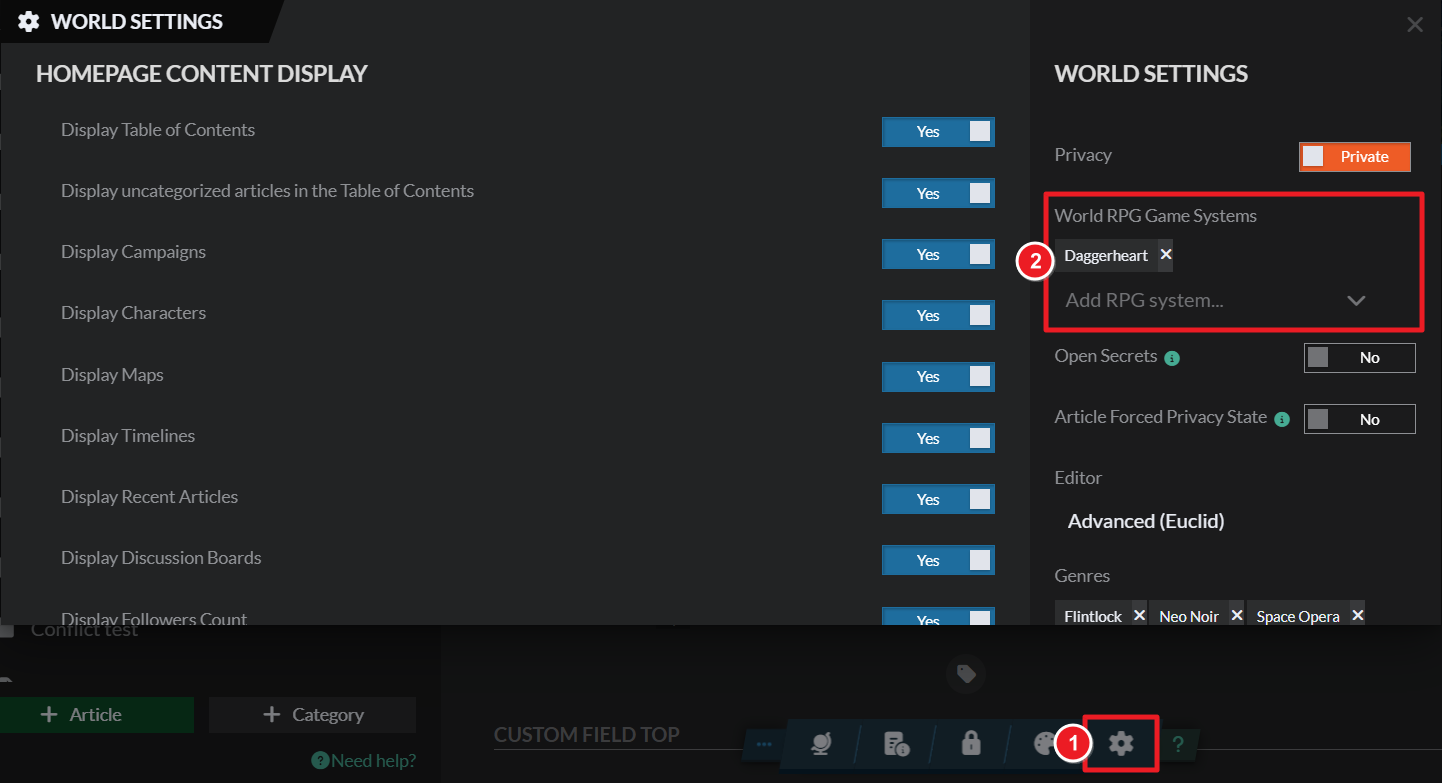
Many major RPG systems, like D&D 5e, Pathfinder 2e, or Daggerheart, have statblocks for homebrew creation. Here's how to get started:
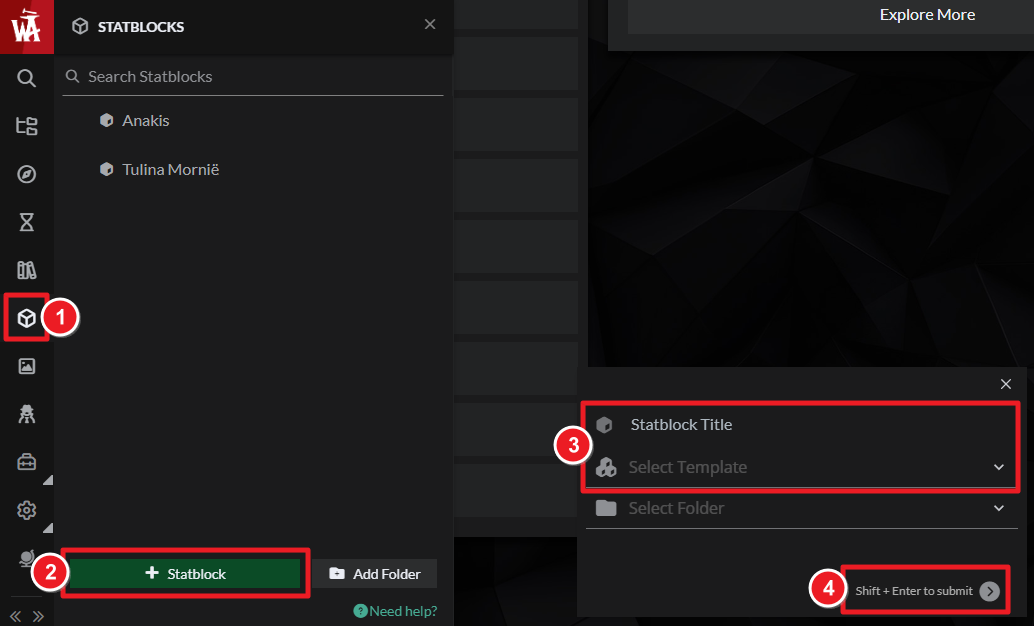
- Open the Statblocks menu from the left sidebar.
- Click the "+ Statblock" button at the bottom.
- On the right, give the statblock a name (i.e. "Warlock") and choose a statblock template (i.e. "Class (Dungeons & Dragons)").
For more details about statblocks, check the guide to statblocks.
Homebrew for unsupported systems
Here's what to do if the game you're homebrewing for doesn't have the statblocks you need!
- Use articles: A Generic Article is also a great place to write your homebrew! Just create an article for each homebrew element (each spell, class, etc) and use the same format everywhere; you could even use custom article templates to ensure the formatting is consistent across articles.
- Grandmaster Make your own templates (advanced): Statblock templates are created by the community, so if you're a Grandmaster of the Guild, you can create your own! Keep in mind this is a very advanced feature that requires HTML, CSS, and TWIG skills; check the guide to custom statblock templates for more information.
If you're creating your own RPG system, you can request its addition to the RPG system dropdown if you're a Grandmaster by filling this form. You can use Generic Articles to write the rules of your game.



