Maps let you show your world in a very attractive and interactive format. Note that World Anvil is not a mapmaking software, and you'll need to have a map already created and saved as an image in your computer. Here's how to upload and set up your map on World Anvil:
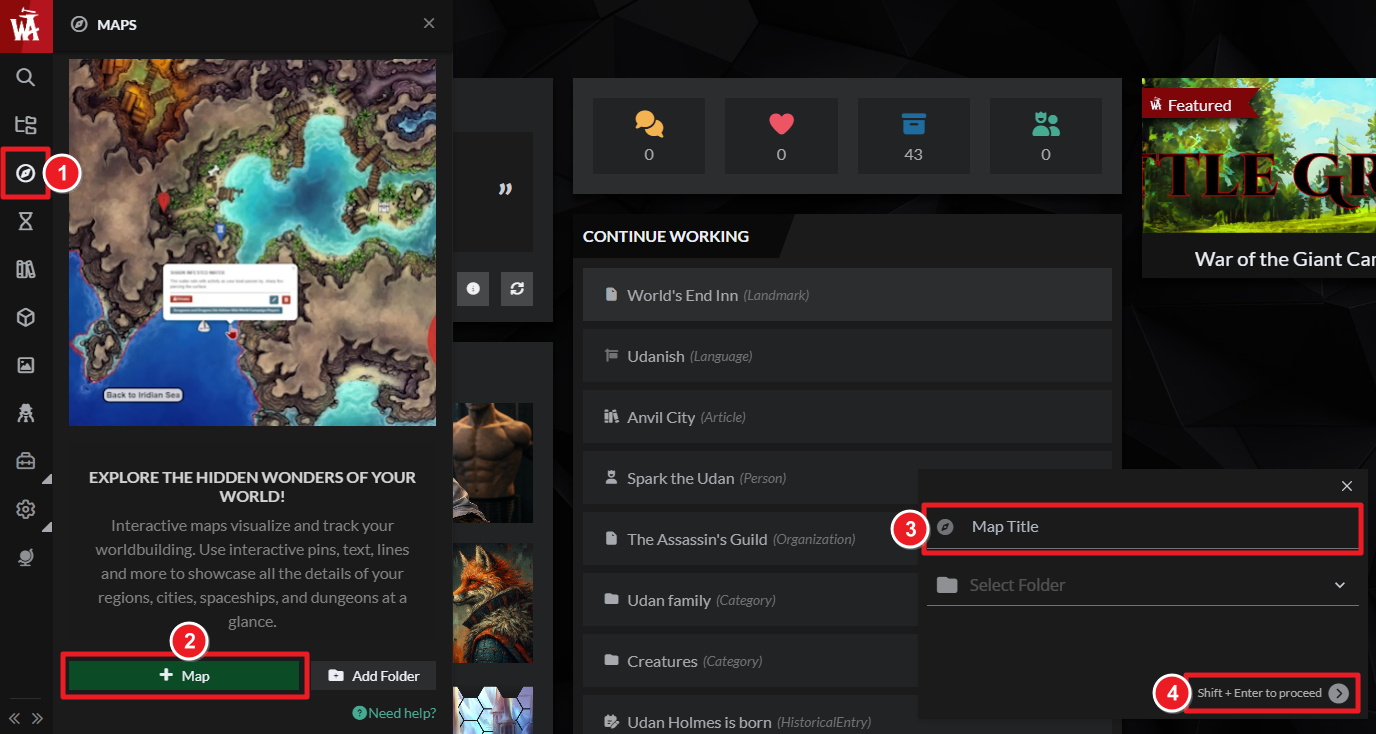
- In the left sidebar, click on the Maps option.
- At the bottom of the side menu, click "+ Create Map"
- Give the map a title and upload an image from your computer.
- Click the submit button or press Shift + Enter on your keyboard.
Once the image finishes uploading and the map is created, the map interface will open. For more information and help with using interactive maps, see the Guide to Interactive Maps.



