With folders, you can keep your worldbuilding space organized! Stop getting distracted by endless lists of maps, historical events, and images—and instead keep them tidy so you always know where you are!
How to use folders
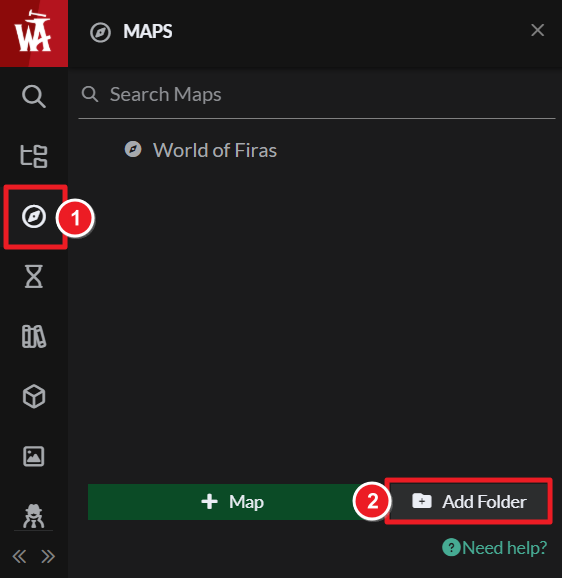
Folders are available in the left side menus. Here's how to create them:
- Open any of the side menus (such as Maps or Historical Events).
- Click on the Add Folder button.
- Give the folder a name.
To add things in the folder (i.e. maps, events, etc) just drag and drop them onto the folder. Folders have no visible effect on the public side of your world, they're just to help you better organize your setting! Check the guide to the interface for an overview of the interface as a whole.



