Available to all Guild subscription tiers. Upgrade here.
Carousels let you display image galleries in an interactive format.
With the Visual Editor
If you're using the Visual Editor:
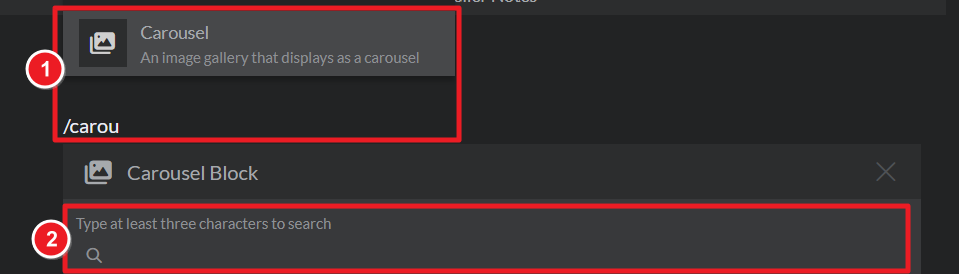
- Use the slash menu to look for the carousel option (i.e. type /carousel).
- Look for the gallery you want to embed as carousel and select it.
With the Advanced Editor
If you're using the Advanced Editor:
- Go to the Images section of your world.
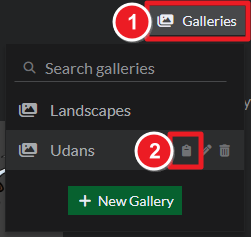
- Click on Galleries again to see the list of all your galleries.
- Mouse over a gallery and click the copy button to copy the embed code:
- Edit an article and paste the embed code.



