Available to the Grandmaster subscription tier and above. Upgrade here.
Content trees let you easily see and set up hierarchical relationships between articles and other items. If you have a lot of articles you want to add to a tree, you don't need to do so one by one! Here's how:
- All articles you want to add should have the same tag. Check the Guide to Tags for details.
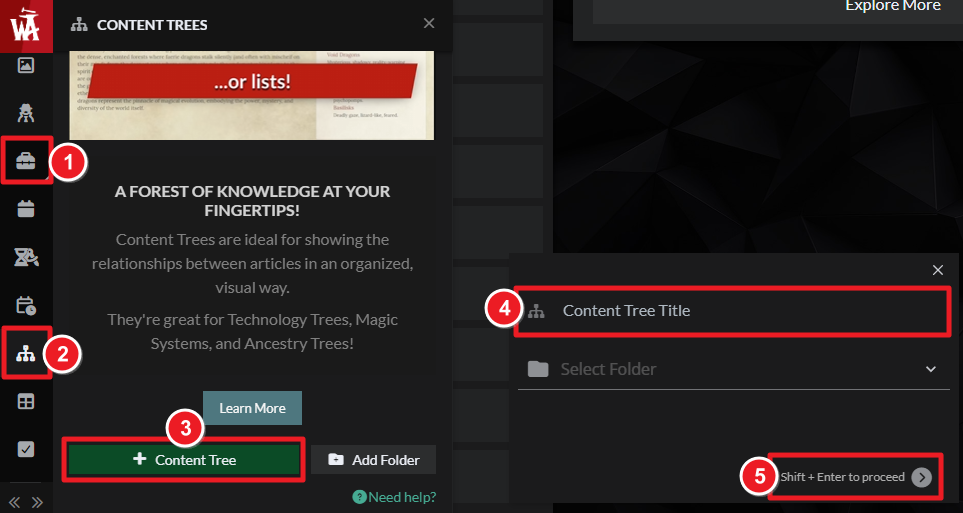
- On the left sidebar, click on Advanced Tools and then Content Trees to open the content tree side menu.
- In the side menu, click on a content tree to edit it, or click the "+ Create Content Tree" button to create a new one.
- In the content tree edit page, click on the "Add Multiple Items" sub-tab.
- Enter the tag you've used for the articles you want to add in the text field and click "Add Articles" (learn more about tags).
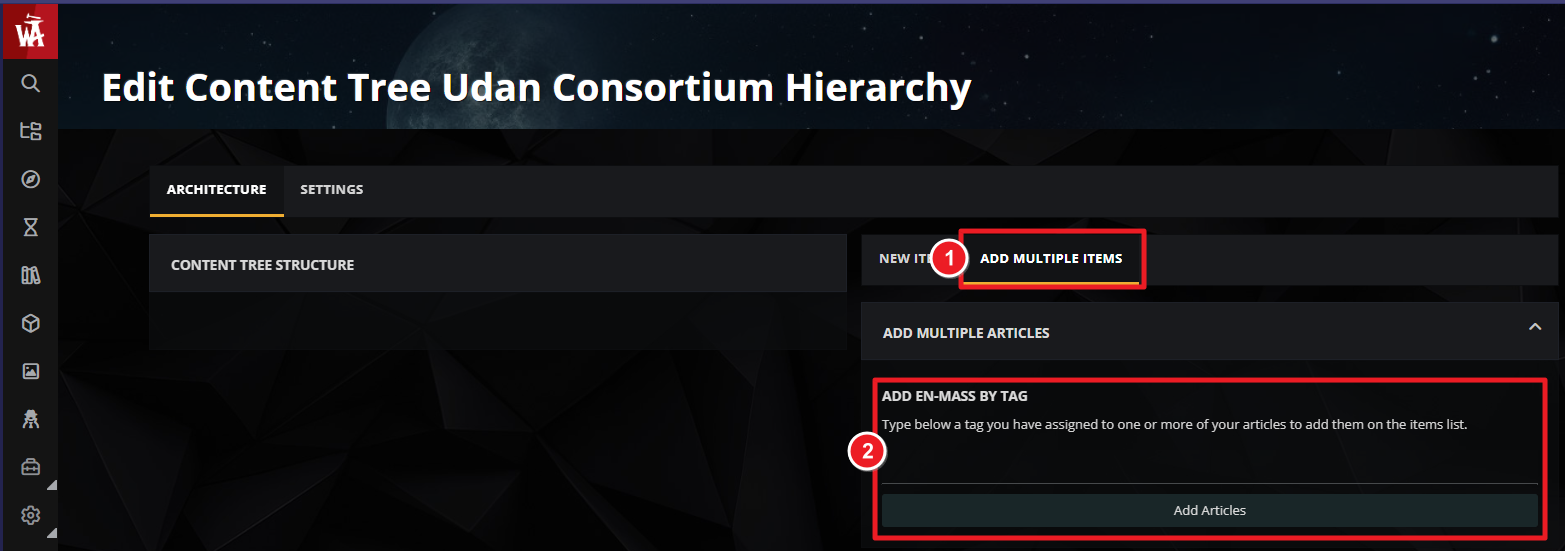
Articles added this way will be unorganized by default. Use the drag-and-drop system to sort them in the order and hierarchy you want.
For more information and help with content trees, check the guide to content trees.



