By default, articles and categories save automatically: the system checks your writing constantly and triggers a save when it detects you've stopped writing. It also has a system where it immediately warns you when a save couldn't go through. However, manual saving is an option you can also enable. Here's how!
If Manual Save is enabled, Autosave will be completely disabled. This means that changes will not save in your articles and categories unless you click the save button every time you want to save!
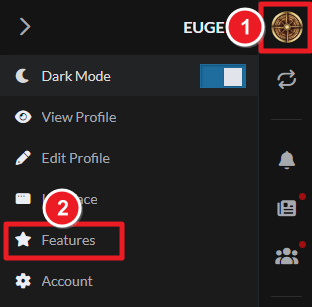
- Click your profile picture at the top right.
- Select Features.
- Scroll down and disable autosave on articles & categories.
- Reload the page
Now, when you edit articles or categories, autosave will be completely disabled and you'll have to click the save button to trigger a save. Note that this setting affects articles and categories only—other entities, like secrets and timelines, will still save automatically. For more information and help with articles, check the guide to articles.



