Available to all Guild subscription tiers. Upgrade here.
Generally, articles are created in the privacy state of the world: if the world is public, new articles will be public by default; if the world is private, new articles will be private by default. But you can override this behavior with the forced article privacy setting:
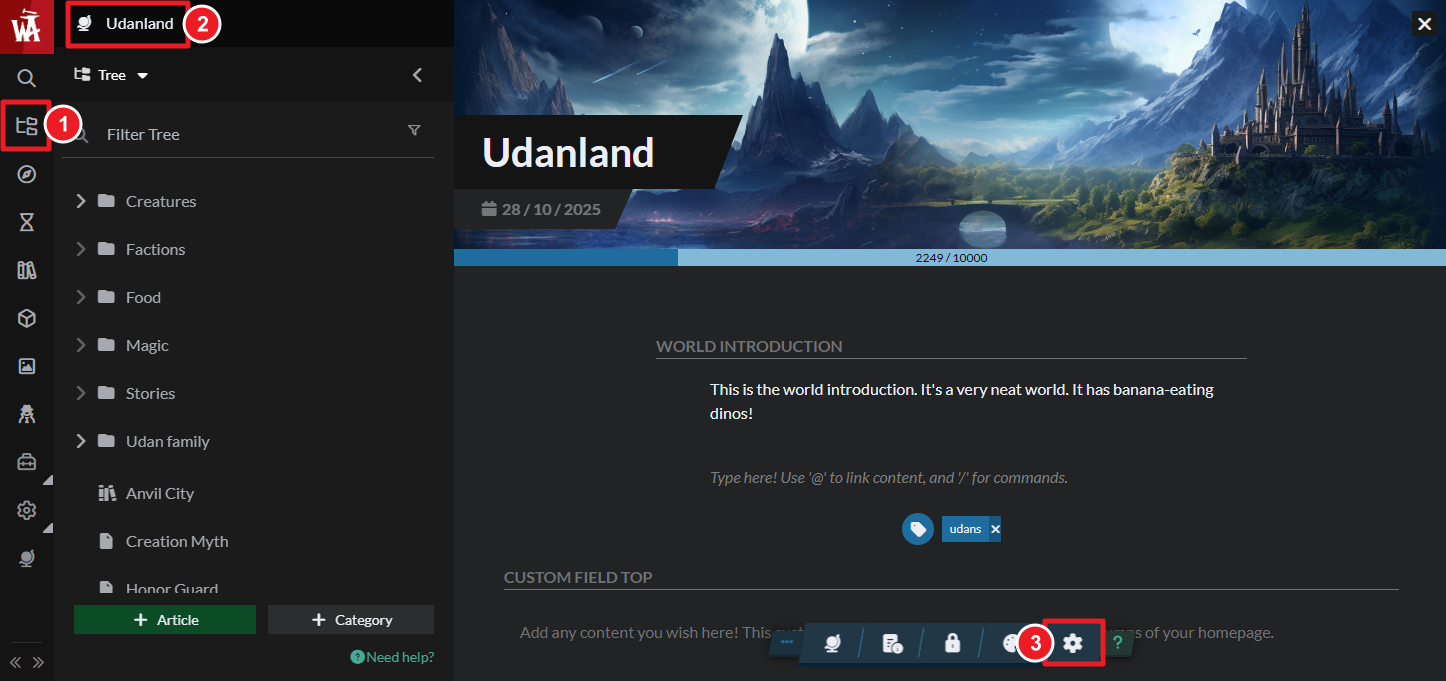
- On the left sidebar, open the Articles & World Manager and then click on your world name at the top of the left panel.
- In the toolbar at the bottom, click on the gear button to open the world settings.
- In the right area of the settings panel, enable the "Article Forced Privacy State" setting.
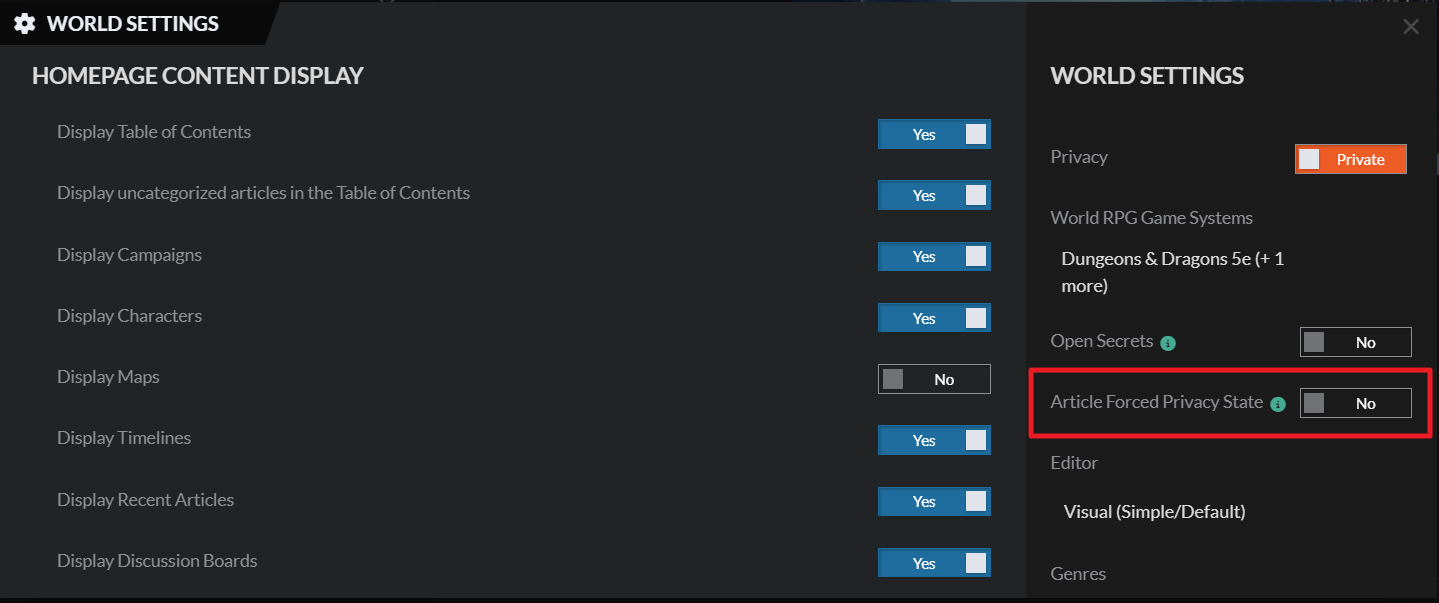
Now, all new articles you create will be private by default, even if the world is public (you can always make the articles public at any point). This setting is not retroactive, so it will only apply to articles you create after enabling it.
For more information and help with articles, check the Guide to Articles.



