Available to all Guild subscription tiers. Upgrade here.
When writing your articles, you might want to focus on just the writing area and keep all other options on that page out of view. Here's how you can enable focus mode in articles!
- Edit an article with the Advanced BBCode Editor.
- Click on the text box to see the editor toolbar.
- Click the "Focus Mode" button in the toolbar.
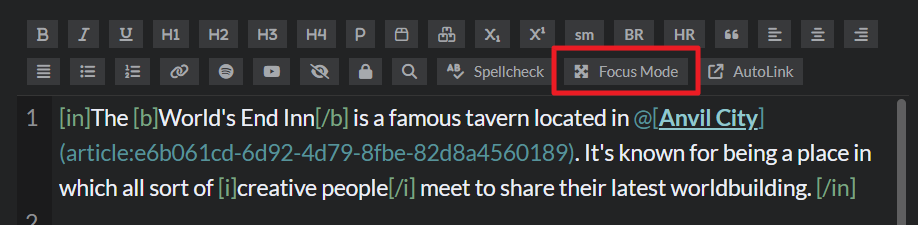
Focus mode makes the text box full-screen within your browser (click the same button again or press Esc in your keyboard to exit focus mode). Note that this is only available in the Advanced Editor, not in the Visual Editor.
For more information and help with articles, check the Guide to articles.



