
Chapter 3: Galaxy Tech
In the Stellar Winds setting, advanced forms of technology are available in the major galactic systems and travel hubs. Only some forms can be found in the minor systems and most are extremely rare outside any of these regions. Perhaps your setting has advanced technology everywhere, or centralized to a single location such as Earth. For additional guidance, see “Tech Levels” in chapter 9.
SECTION 1
CYBERWARE
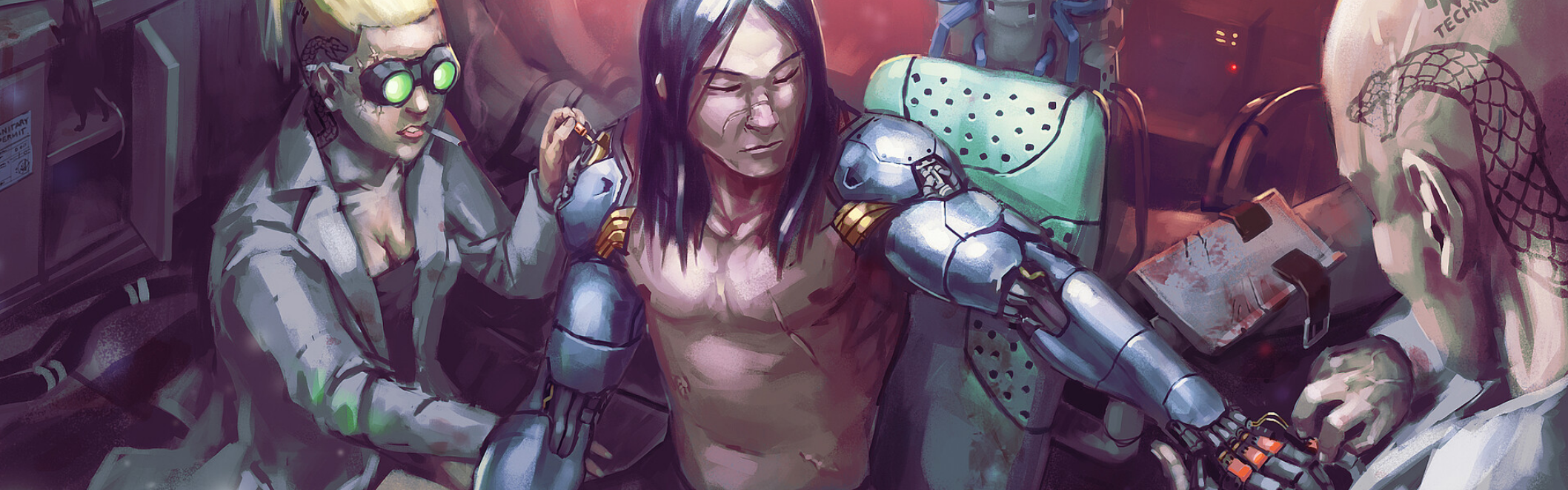
As computers and machines become a dominant aspect of galactic life, the synthesis between living creatures and machines becomes commonplace. Many advanced societies utilize cybernetic augments as methods to alter or enhance a person’s body and mind.
ACQUIRING AND USING AUGMENTS
Cybernetic augments are acquired and installed by enlisting the services of a cybersmith and a surgeon, who commonly work together out of a single lab or clinic. While these labs can be situated anywhere, they’re more likely found in heavily populated regions or popular travel hubs. Only living creatures can have cybernetic augments. For characters that wish to build and install their own augments, see “Downtime Activities” in chapter 8.ATTUNEMENT AND RARITY
Augments are very similar to other types of enhanced gear. Each augment has an item rarity, and some require a character to gain attunement with them before receiving the augment’s benefits. Gaining attunement with an augment counts towards their maximum number of affined items. For example, a 10th level character that has attunement with two enhanced items can gain attunement with up to two augments. If the character instead already has four affined items, they must lose attunement with one of those items before they can gain attunement with an augment that requires it. If a character has an augment installed that requires attunement and the character does not gain or lose attunement with the augment, the character can’t gain any of the augment’s benefits. In addition, the character can’t regain hit points by resting until the augment is removed or the character gains attunement with it. If the augment completely replaces a limb, that limb does not function. An augment’s rarity is relative to both its value and complexity. Rarer augments are far more expensive and provide greater benefits, but can also take more of a toll on a character’s body and mind. For the full set of rules on item rarity and attunement, refer to the “Arcane Equipment” section in chapter 2.USING MULTIPLE AUGMENTS
Augments share many of the same rules for attunement as enhanced items. This includes using multiple of the same or similar items. A creature can’t gain attunement with more than one of the same augment.AUGMENT TYPE AND LOCATIONS
Cybernetic augments are fashioned to be installed in one of three major areas of a creature’s body. An augment designed for a specific body part must be installed on that part of the body. Regardless of type or rarity, a creature is limited to the number of augments they can have in a specific area.BODY
Body augments are installed in the torso, including the skeletal frame and major organs located in the body. Some augments, such as synth skin or muscle optimization, are considered body augments even though these also extend into other areas. A creature can have up to three body augments.HEAD
Head augments include cybernetic enhancements to the eyes and face, as well as software integrated into the brain. A creature can have up to two head augments.LIMB
Limb augments are those installed in the arms and legs, including hands, feet, and any of their appendages. A creature can have up to two augments in each limb.COST AND INSTALLATION
The Augment Installation table lists the cost of installing a cybernetic augment, which is dependent upon the augment’s rarity. The base cost can be adjusted between as low as half to as much as twice the amount depending upon the scenario and location where the augments are being installed.INTEGRATION AND RECOVERY
Having an augment installed takes an amount of time equal to 2d6 hours minus your Constitution modifier (minimum of 1). At the end of the procedure, you must complete a long rest, during which you can also gain attunement with the augment if required. If your rest is interrupted or if you take damage, you gain no benefit from the long rest and any attempts to gain attunement with an augment fails. In addition, you must make a Constitution saving throw against the Recovery DC as defined on the Augment Installation table. On a failed save, you gain a level of exhaustion. If you fail the save by 5 or more, you instead gain two levels of exhaustion.AUGMENT INSTALLATION TABLE
| RARITY | BASE COST | RECOVERY DC |
|---|---|---|
| Common | 1,500 cu | 12 |
| Uncommon | 4,500 cu | 14 |
| Rare | 20,000 cu | 16 |
| Very Rare | 250,000 cu | 18 |
| Epic | 700,000 cu | 20 |
CYBERWARE & BIOTECH
Most cybernetic augments come in two forms. Cyberware is the integration of cybernetics with the body of a living creature. They often resemble complex machinery or robotics. Common uses include prosthetics to replace damaged limbs or organs.They can also be tools for optimizing a creature’s physical capabilities. Biotech augments take a different approach. These are made from synthetic or genetically modified organic compounds that simulate a creature’s living tissue and organs. While they function similarly to cybernetic augments, they are far less obtrusive and harder to spot.REMOVING AUGMENTS
Removing augments is a less complex process than installation. The cost for removing an augment is 10 percent of the base cost to have the augment installed. Recovery. After an augment (or multiple augments) is removed, you must complete a long rest (or a short rest if in a regenerative med-bay). If you end your rest prematurely or are forcibly removed from the med-bay, you must make a DC 15 Constitution saving throw. On a failed save, you fall unconscious and are dying. You must repeat this saving throw for each minute spent outside of resting. You gain no benefit from an interrupted rest and must begin the rest over again to complete your recovery.VARIENT CRUDE PROCEDURES
Depending upon your campaign or setting, you can choose to allow more “hack job” style cybernetic installations and removals. These medical procedures don’t involve advanced tech like regenerative bays, instead lending more toward a shifty-looking cybersmith in a dingy room with crude tools and a glitchy medical drone. For augments installed in this way, consider one or more of the following adjustments.- Installation time takes twice as long (add 2d6 hours).
- You automatically gain a level of exhaustion for 24 hours which can’t be removed through rest or with arcane powers.
- Your maximum hit points are reduced by 10 minus your Constitution modifier. This effect lasts for 24 hours and can be removed with a major remedy power or similar effect.
REPAIR & MAINTENANCE
While cybernetic augments come with many advantages, there are downsides to replacing living tissue and organs with synthetic parts.DROPPING To 0 WOUNDS
When you are reduced to 0 hit points, you must make a Constitution saving throw against a DC equal to 10 + your number of installed augments. On a failed save, your augments are damaged, and you have disadvantage on attack rolls and ability checks until they are repaired or until you finish a long rest. Damaged augments can be repaired using one of the following methods. Repairing Damaged Augments. Requires taking a short rest and making a successful Wisdom check using for Cybertech Tools or Geneticist’s Tools for Biotech augments. The DC for the check is equal to 10 + the number of augments installed. If another character is performing repairs, both you and the person performing repairs must be resting. Regardless of the result of the check, the creature performing the repairs can’t gain any other benefits from their short rest. Using Hit Dice. You can repair damaged augments by spending Hit Dice at the end of your short rest. You must spend a number of Hit Dice equal to your number of augments installed minus your Constitution modifier. For example, if you have a Constitution score of 15 and five augments, you would need to spend a total of three Hit Dice to repair them. A character without the available number of required Hit Dice can’t repair their augments in this way. In addition, Hit Dice spent to repair augments can’t also be used to recover hit points.MASSIVE DAMAGE
If you are killed from massive damage, your augments are destroyed, even if your character is brought back to life. At the GM’s discretion, destroyed augments can be repaired and reinstalled at half the cost of a normal installation.TAKING A WOUND
When you are reduced by 1 wound, you must make a Constitution saving throw against a DC equal to 10 + your number of installed augments. On a failed save, one of your augments are damaged (player's choice), and you have disadvantage on attack rolls and ability checks until they are repaired or until you finish a long rest. Damaged augments can be repaired using one of the following methods.MAINTAINING AUGMENTS
Replacement parts, tools, or medications. Each installed augment increases a character’s lifestyle expenses by 20 cu/day (see “Expenses” in chapter 5 of the Player's Handbook). Self Repair. Instead of paying for expenses, you can instead attempt a Wisdom check using Cybertech Tools against a DC equal to 10 + your number of installed augments, or Digital Technician’s Tools for 15 + your number of installed augments. If successful, the cost for maintenance is waived for 5 days. On failure, you must pay for the whole week of maintenance immediately or gain a level of exhaustion. Unpaid Maintenance. After each week of unpaid maintenance, you gain one level of exhaustion. Levels of exhaustion gained in this way can only be removed through one of the following methods.- Paying an amount equal to the cost of unpaid maintenance, after which exhaustion levels can be removed normally (one for each finished long rest). The type and availability of the expense required is at the discretion of the GM as it reflects upon the nature of the campaign and setting.
- Paying half the cost of the unpaid maintenance and spending three days of downtime recuperating (see “Downtime Activities” in chapter 8 of the Player's Handbook).
- Making an unpaid maintenance DC check equal to 12 + your number of installed augments + the number of days in arrears.
AUGMENT DESCRIPTIONS
Augments are listed in alphabetical order. An item’s description contains its name, category, rarity, and properties. Some of these items are core-forged items from Chapter 2 Arcane Equipement. Items are listed in alphabetical order, each with a corresponding location in which the augment would be installed. Refer to Forge Enhanced Items for descriptions of each item.VARIANT: ENHANCED ITEM AUGMENTS
At the GM’s discretion, one or more enhanced items can also be available as cybernetic augments. The rarity of the item determines the costs for the augment’s installation and recovery as defined by the Augment Installation table. The augment has the same features as its enhanced item counterpart and functions as if the item were being worn or held. If the item is a mod, the augment version functions as if it were installed onto an item that is worn or held.BETWEEN ITEMS AND AUGMENTS
The augment version of an item that requires attunement uses the rules for attunement, installation, and maintenance as defined earlier in this section. A creature that gains attunement with an augment that functions as a specific enhanced item can’t also gain attunement with that same item. Likewise, a creature that has attunement with an enhanced item can’t gain attunement with that item’s augment counterpart.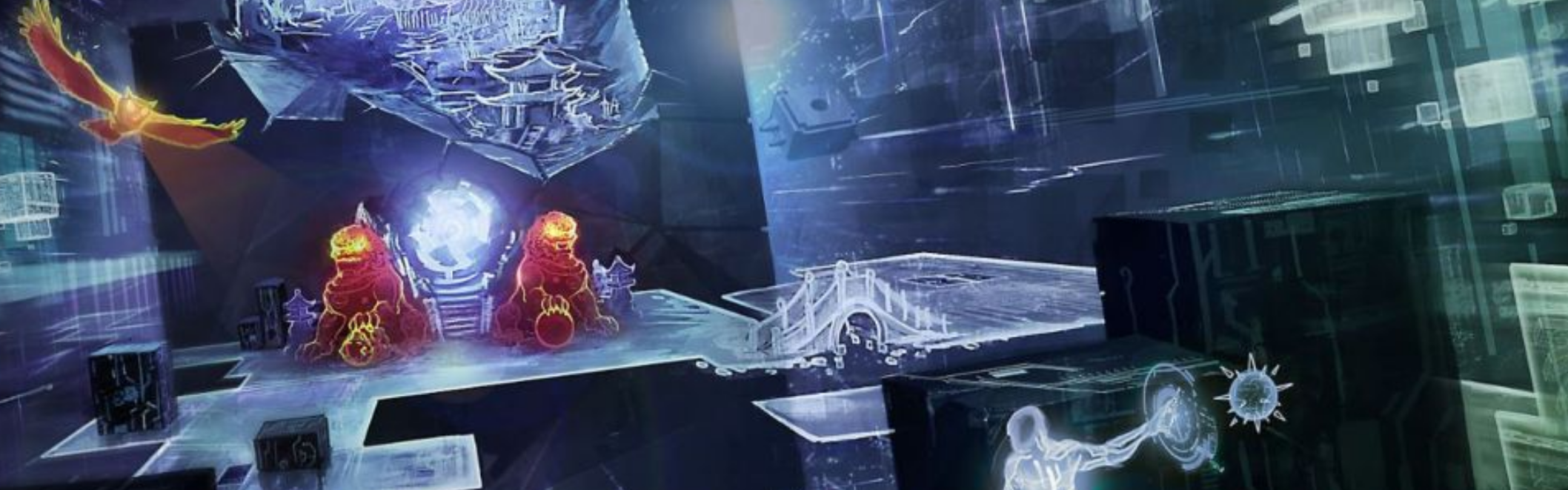
SECTION 2
COMPUTERS & VIRTUALITIES
Computers and other digital devices are an integral part of everyday life in the galaxy. They are indispensable tools for analyzing, translating, and sharing information. Most of these devices are linked through virtual networks such as internet domains, media groups, corporate databases, and file-sharing platforms. As technology progressed, these networks became capable of merging or communicating with one another across interstellar distances, forming an infinite web of virtual landscapes as vast and complex as the galaxy itself.
With the emergence of advanced networks came new advancements in how users navigated them. With the integration of virtual reality simulation, mundane displays of images and data have been replaced with fully immersive and interactive digital environments. In the Stellar Sigma, the largest and most complex of these is the Stellar-Sigma Network Matrix.
TOOLS OF CYBERTRADE
Electronic devices come in all shapes and sizes from small, holo-projecting datacards to massive data server walls. Regardless of appearance, each of these devices share specific traits that define their capabilities, represented by a device rating as shown on the Electronic Devices table below.ELECTRONICS DEVICE TABLE
| DEVICE RATING | ACCESS | FIREWALL | COST |
|---|---|---|---|
| 0 | 1 | 1 | Base |
| 1 | 2 | 2 | 1,500 cu |
| 2 | 2 | 4 | 15,000 cu |
| 3 | 3 | 5 | 125,000 cu |
| 4 | 3 | 6 | 250,000 cu |
DEVICE RATING AND COST
A device’s rating determines many of its features as well as the capabilities of its user’s avatar (see “Matrix Combat”). The most common devices have a rating of 0. These devices can be purchased as standard equipment at their base cost, such as the avatar’s computer or media device in the Player's Handbook. A device’s rating can be upgraded by paying the difference in cost between the current and new rating. For example, upgrading a rating 2 device to rating 3 costs 110,000 cu. Access. This value represents the device’s search and access capabilities. When using the device, the user gains a bonus equal to the device’s access when making Intelligence (Investigation or Lore) checks to find or reference information Firewall. This is the device’s security against hacking and viral software. The DC for hacking into a device is calculated as follows.Device Hacking DC = 10 + device’s firewall + device rating.
Avatar Defense. The device’s firewall is also used to calculate the armor class of the user’s avatar (see “Creating an Avatar”)
Variant: Hacking Bonus. Characters proficient with a hacker’s kit gain a bonus equal to their device rating for Intelligence checks made to hack into other devices or networks.
VIRTUALITY FUNDAMENTALS
The following terms and concepts are commonplace in areas of the galaxy with access to the SSN and other virtual reality networks.ACCESS POINT
Accessing the SSN requires the user to connect through an access point. This is often a piece of hardware or structure that serves as a gateway for devices to transfer data through the virtual network. They fall under two categories. Anchors. Anchors are other SSN-connected devices that users can use as a gateway into specific areas of the SSN. These can be anything from a computer terminal, portable media device, or data server. The user must be able to bypass any encryption the device may have to use it as an anchor (see “Tools of the Cybertrade”). A device connecting to the SSN through an anchor starts in the same node to which the anchor device is connected (see “Accessing the SSN”). Pylons. Pylons are physical structures that provide access to any region in the SSN. They take on many forms, the most common appearing as 5-to-10-foot-tall receiver towers located above or below ground. Above-ground pylons can also be concealed or disguised as other objects. A device that connects to the SSN through a pylon can be used to directly access to any unrestricted node (see “Accessing the SSN”).LATENCY AND STATIC
Latency is the amount of time it takes for data to travel certain distances, such as between pylons or devices. Effects that interfere with latency such as program errors, a damaged pylon, or corrupted data are called static. Areas containing heavy static can cause delaying effects in the virtual world that appear as time slowing down or stopping entirely.NODE AND CLUSTERS
Areas in the SSN are separated into virtual regions called nodes. It’s within these nodes that avatars interact directly with the SSN and with each other. Each node has its own appearance, unique elements, and properties, almost like a separate world in a sea of infinite worlds. Clusters are groups of nodes that serve a specific function or have the same owner. Nodes in the same cluster are still accessed separately, but many share similar appearances and features.AVATAR
The virtual avatar of a user in the SSN is called an avatar. An avatar’s appearance is determined by the user, with certain restrictions depending upon the network’s protocols. In the SSN, an avatar appears as a three dimensional models of Small to Large size. It can take the form of any creature, construct, or interactive object. The standard appearance of an avatar is identical to the user it represents until it is modified. An avatar’s statistics are defined by the user’s capabilities combined with the device they’re using to navigate the SSN (see “Creating an avatar” in this section).OTHER FEATURES
Any other features of your device, such as appearance, display, or modes of input are chosen by the player at the GM’s discretion. The GM can also choose to define additional traits depending upon the campaign and setting (durability, input ports, or storage space are just a few examples).PROGRAMS
Everything that a user sees or interacts with in a node is a program. There are three types of programs primarily found in a node. Applications. Applications (or Apps) are interactive objects designed specifically for user interaction and dedicated to a specific purpose. Some examples are doors that open into other rooms, input or communication devices, a gaming table, or a holographic tour guide. Countermeasures. Countermeasures are a node’s protection against unauthorized users and illegal access. Most countermeasures are triggered by user actions, taking on the form of a hazard or threat that can cause direct harm to a user’s avatar. System Operators. System Operators (or SysOps) are programs that run in the node’s background. Most are inanimate or make up the node’s visual appearance. Some have timed sequences, such as changing the lighting from day to night, or other visual and audio effects.WHAT IS THE SSN?
The Stellar-Sigma Network (commonly referred to as the SSN or the Matrix) is a digital network that spans across the galaxy using technology derived from the Arcanum. Nearly every electronic device in the Stellar Sigma Galaxy uses some form of connection to the SSN to access data and perform tasks or updates. Much like how we view the internet, it is primarily a tool used for communication, commerce, and information. How users interface with the SNN, however, is where the those similarities end. Specialized gear allows users to dive into the SSN (also referred to as “performing a SSN dive”), completely immersing their senses into a lifelike, virtual reality realm.ACCESSING THE SSN
Any electronic device can access the SSN. However, additional equipment known as SSN gear (see below) is required to dive into and explore the SSN’s virtual landscape.CONNECTIONS
As an action, a device can be used to connect to the SSN or another virtual network. There are three connection types. Augmented. Commonly known as a shallow dive, a three-dimensional, augmented reality (AR) overlay of a node can be viewed an interacted with by users wearing applicable gear. The user controls their avatar with mental commands or a haptic input. Only the node’s basic elements are displayed, appearing monochromatic and translucent to allow the user the ability to interact simultaneously with the physical world. Basic. A basic connection is akin to accessing the internet or a network server. A digital or holo display outputs text, information, and interactive objects. Commands are entered via voice, haptics, or keypad. SSN veterans refer to this connection as treading. It is the most common connection type due to its ease of use. SSN gear is not required for a basic connection. Full Immersion. Known as a deep dive, this connection engages the user’s senses completely, drawing their consciousness into the digital network to inhabit their avatar. The user experiences the node’s full virtual reality (VR) environment, complete with colors, textures, sounds, and even minor details such as a soft breeze or a distant aroma. While in a deep dive, a user is unconscious in the physical world.SSN GEAR
Interfacing with the SSN through an augmented or full immersion connection requires specialized equipment known as SSN gear. SSN gear comes in various forms. Some can resemble electronic visors or headsets. Others can appear as tech-laden chairs, capsules, or haptic-integrated suits. Any SSN gear can be linked to an applicable electronic device to create a virtual or augmented reality interface. SSN gear that isn’t worn or equipped properly doesn’t function. The following are the most common types of SSN gear and their features. At the GM’s discretion, some specialized forms of SSN gear may possess the features of more than one of these. SSN AR Adapters. SSN AR Adapters allows for shallow dives only. The user can also view the screen of their device on a holographic display only they can see. The adapter accepts both mind and voice commands. This item is detailed in chapter 2. SSN Goggles. Allow for shallow dives only. Also allows for hands-free viewing and voice command of a connected device. This item is found in the Player's Handbook. SSN Unit. A SSN Unit allows for shallow dives and deep dives into the SSN. This item is found in the Player's Handbook.) an applicable electronic device to create a virtual or augmented reality interface. SSN gear that isn’t worn or equipped properly doesn’t function.STARTING NODES
Upon connecting, the user’s avatar enters a node of their choice, which they can locate using the virtual network’s directory. Most nodes are public and can be entered freely. Others have security protocols that must be bypassed to enter them (see “Creating Nodes”). Using an Anchor. If the user wishes to connect to the SSN using a device as an anchor, that device must be connected to the SSN. Unless authorized by the device’s owner, the user also must bypass the device’s firewall to use it as an anchor. Once connected, the user’s avatar appears in the same node in which the device’s owner is located.VARIANT: LIMITED ACCESS
The SSN and other interstellar virtual networks are commonly found in the Stellar Sigma Galaxy but are non-existent in most other parts of the galaxy. In some cases, the network may exist but may have a weak signal due to lack of proximity to pylons or substandard technology. These can cause limitations to network connections, options, or features. The following are examples of such limitations.- The network only allows for specific connection types.
- Connections are limited only to a certain planet or area due to few pylons or limited technology.
- Users are limited to specific starting nodes.
- Avatars can function normally only in a handful of nodes or clusters. Venturing outside of those causes static effects. (see “Creating Nodes”).
- A central access point, such as a supercomputer or server, is required for use as an anchor to connect.
ACTIONS IN THE SSN
A user’s connection type defines how they interact with the virtual network. Treading And Shallow Dive Actions. While using a basic or augmented connection, users can function simultaneously in both the physical and virtual realities. As an action, a user can command their avatar to perform an action in the virtual world. Deep Dive. While in full immersion, the user is unconscious in the physical world, instead acting as their avatar. Using Conditions. Conditions that affect a user’s ability to perform actions can also directly affect their avatar. Any condition which causes a user to become incapacitated also causes their avatar to become incapacitated until the condition ends.LEAVING THE SSN
Users can disconnect from the SSN as an action. If in a deep dive, the action is taken by their avatar. Upon disconnecting, the user’s avatar disappears from the network. Users in a deep dive connection immediately regain consciousness.DRIVE CRASH
When a user is involuntarily disconnected or their avatar is booted from the SSN, they suffer a dive crash. Examples of situations that cause a dive crash include a user’s avatar being defeated in matrix combat, their device or SSN gear is damaged or removed, or when the user disconnects while in lockdown (see below). The effects of a dive crash depend upon the user’s connection. Users in a shallow dive must make a DC 15 Wisdom saving throw or become stunned until the end of their next turn. A user in a deep dive that fails their save gains a level of exhaustion. Users who suffer a dive crash can’t connect to any virtual network for 1 minute. If the dive crash was a result of their avatar being reduced to 0 hit points (see “Matrix Combat”), this effect instead lasts for 1 hour. Basic Crash. Users with a basic connection suffer no effects from a dive crash. Instead, their device can’t be used for 1 minute. They are also under a lockout from the last node they were in for 1 hour (see below).LOCKDOWNS AND LOCKOUTS
There are special circumstances that prevent an avatar from leaving its current node. When this occurs, the avatar is in lockdown. Lockdowns can be caused by certain hazards or whenever an avatar is engaged in combat. Lockdown. When an avatar is in lockdown, they can’t access any of the node’s gateways (see “Creating a Node”). Users that disconnect while their avatar is in lockdown suffer a dive crash. Lockout. A lockout is an effect that prevents a user from accessing a node. The avatar can still enter any other node for which they don’t have a lockout.
SECTION 3
CREATING AN AVATAR
In the boundless expanse of the Stellar Winds campaign setting, your avatar serves as your vessel—an ethereal projection of your will, forged through arcane devices and wielded within the mystical lattice of the Astral Weave. When you undertake a deep dive, plunging your consciousness into this otherworldly realm, you see, hear, and act through your avatar as if it were your own flesh and blood. Crafting an avatar is a rite of both imagination and precision, shaping a digital echo of yourself to face the wonders and perils of this star-strewn frontier.
Device Rating. Your avatar’s prowess hinges on the device rating of the arcane apparatus you wield—a measure of its potency and sophistication. This rating influences key traits, as detailed below. Your avatar’s capabilities are shaped by three core traits: Firewall, Memory, and Combat Die. These reflect its resilience against mystical assaults, its capacity to store knowledge or spells, and its martial aptitude in the Weave’s conflicts. The Avatar Statistics table lists how your device rating modifies these traits.
BUILDING YOUR AVATAR
Your avatar is more than a mere image; it is a construct of power and purpose. As you craft it, consider the role you wish to play among the celestial currents—will you be a stalwart guardian, a cunning infiltrator, or a daring explorer? The following steps guide you in its creation: Identity. Define your avatar’s appearance and persona. Does it mirror your mortal form, or do you don an alien guise suited to the Weave’s strange vistas?Device Rating. Your avatar’s prowess hinges on the device rating of the arcane apparatus you wield—a measure of its potency and sophistication. This rating influences key traits, as detailed below. Your avatar’s capabilities are shaped by three core traits: Firewall, Memory, and Combat Die. These reflect its resilience against mystical assaults, its capacity to store knowledge or spells, and its martial aptitude in the Weave’s conflicts. The Avatar Statistics table lists how your device rating modifies these traits.
APPERANCE & SIZE
Your avatar’s form is yours to shape within the boundless lattice of the Astral Weave. Most avatars default to a humanoid silhouette—a familiar echo of mortal kind—but you may craft any visage you desire, from a shimmering construct to an alien specter. When choosing your avatar’s appearance, select its size: Small, Medium, or Large, each altering its presence in the virtual realm. Basic Avatars. If you connect through a rudimentary device (a basic connection), your avatar manifests as a Medium-sized icon of your choosing. Without customization, it defaults to the sigil of your device’s maker—a stark logo etched in light.ABILITY SCORE & SAVING THROWS
Your avatar’s capabilities draw from your own mind, tempered by your device’s power. Its ability scores and saving throws are determined as follows:- Strength and Dexterity Checks. Use your Intelligence modifier for any Strength or Dexterity ability checks your avatar makes, reflecting your mental agility in the Weave.
- Strength and Dexterity Saving Throws. Use your Wisdom modifier for these saving throws, channeling your intuition to guide your avatar’s reflexes.
- Saving Throw Bonus. Your avatar lacks proficiency in saving throws. Instead, add a bonus equal to your device’s Memory score to all its saving throws, bolstering its resilience.
- Constitution. Your avatar’s Constitution modifier equals your device rating, a measure of its structural integrity within the virtual expanse.
SPEED
Your avatar moves through the Weave with a speed equal to 10 times your device’s Memory score, darting across digital currents with uncanny swiftness.ARMOR CLASS
Your avatar’s defenses stem from its technological shell and your own foresight. Its Armor Class (AC) is calculated as:Avatar's AC = 10 + device’s Firewall + your Wisdom modifier
HIT DICE & HIT POINTS
Your avatar’s vitality is tied to its digital essence. It uses a d8 as its Hit Die. At 1st Level. Your avatar begins with hit points equal to 8 + your device rating. Higher Levels:.For each character level beyond 1st, your avatar gains 1d8 + your device rating hit points, reflecting your growing mastery of the Weave. Virtual Damage.Damage dealt or received by your avatar—or other programs within the Weave—is classified as virtual damage, a unique type exclusive to virtual realities. This damage has no effect on creatures of flesh and blood beyond the Weave’s boundaries.LANGAUGES
Your avatar speaks and comprehends all languages as if empowered by a universal translator, its words resonating across the Weave’s myriad dialects with flawless clarity.SKILLS
Certain skills bend to the Weave’s logic when used by your avatar. For the following skills—Acrobatics, Athletics, Sleight of Hand, and Stealth—make an Intelligence (Computers) check instead of the standard check, substituting mental prowess for physical finesse.COMBAT STATISICS
The Avatar Statistics table defines additional modifiers for your avatar’s combat abilities, as detailed in the Combat Chapter of this book. These traits—Firewall, Memory, and Combat Die—shape its prowess in virtual skirmishes.Avatar Statistics
| Device Rating | Firewall | Memory | Combat Die |
|---|---|---|---|
| 0 | 1 | 2 | d4 |
| 1 | 2 | 3 | d6 |
| 2 | 4 | 3 | d8 |
| 3 | 5 | 4 | d10 |
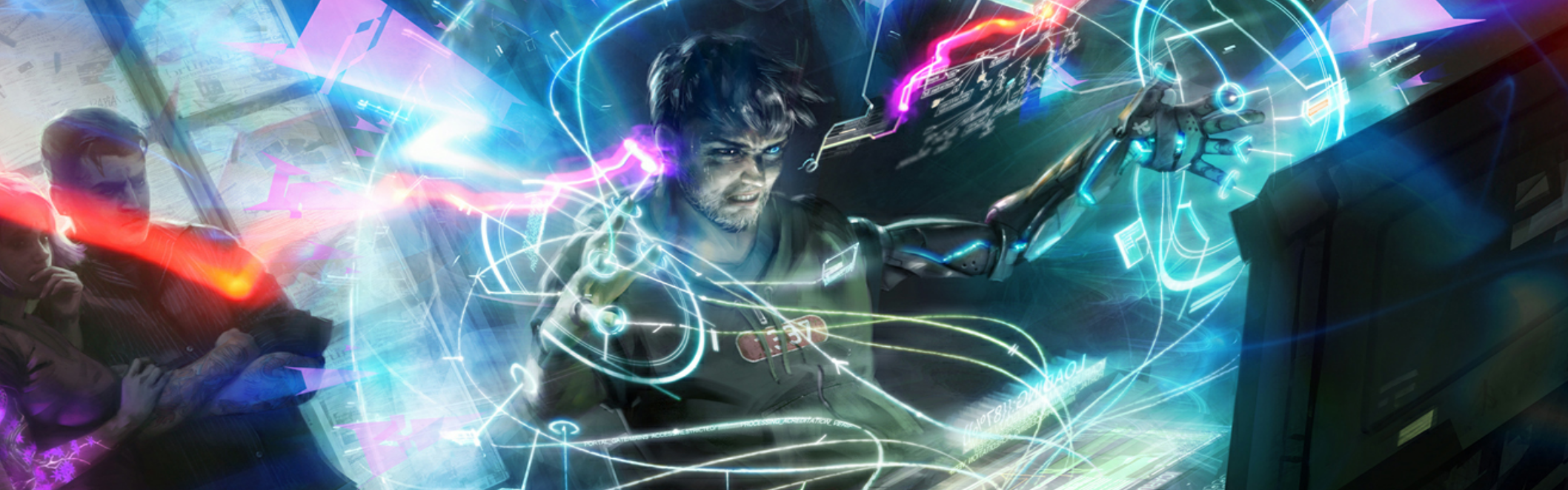
SECTION 4
MATRIX COMBAT
Even the digital world harbors dangers from rival users and deadly artificial intelligences. The following rule modifications apply when running combat in a virtual reality (see “Alternate Connections in Combat” below for adjustments for different connection types). The core rules for resolving combat are found in chapter 9 of the Player's Handbook.
INITIATIVE
To determine Initiative, each avatar makes an Intelligence check and adds their device’s memory. In the case of a tie, the avatar with the highest Intelligence modifier goes first. Optionally, device rating can also be used to break ties, or tied characters can roll a d20 to determine the order.MOVEMENT AND POSITION
An avatar’s speed is the same, regardless of type. Movement types (walking, flying, etc.) are determined by the node’s environment (see “Creating Nodes”). You can move through another avatar’s space but must end your movement in an unoccupied space. Size and Space. As in the real world, an avatar’s size affects the amount of space it controls in virtual reality. An avatar can squeeze through a space up to one size smaller than it. It does not need to spend any additional movement to do so.SIZE AND SPACE
As in the real world, an avatar’s size affects the amount of space it controls in virtual reality. An avatar can squeeze through a space up to one size smaller than it. It does not need to spend any additional movement to do so.ACTION IN COMBAT
Your avatar performs combat actions in the same manner as your character would in the real world, with the following adjustments.- The Attack action requires the use of attack programs (see below).
- An avatar can make an opportunity attack against a hostile avatar or threat that moves out of any space within 10 feet of it.
- Opportunity attacks can be avoided by taking the Disengage action.
- Arcane Powers can be used only under special circumstances (see “Dual Aspect Beings”).
ATTACK PROGRAM
Your avatar has an attack program that is used when attempting to strike or harm a target. Your attack program activates automatically when you take your first Attack action in combat. The program takes on any form you choose so long as it is no larger in size than your avatar. For example, the attack program for a Large size avatar can have the appearance of a Large object or smaller. Common examples include single or dual-wielded weapons, limb attachments, energy beams, glowing limbs or eyes, and floating constructs. You can spend a bonus action to change your attack program’s appearance.MAKING AN ATTACK
When you activate your attack program and take the Attack action, you make an attack roll against the AC of a target you can see within 90 feet of your avatar, or within 300 feet of your avatar at long range. To make an attack roll, roll a d20 then add your device rating + your Intelligence modifier. If you have proficiency in the Computers skill, you can also add your proficiency bonus to the roll.Attack = d20 + device rating + your Intelligence modifier + proficiency bonus (if trained)
On a hit, your target takes virtual damage equal to your device’s combat die + your device rating + your Intelligence modifier.
Damage = device’s combat die + your device rating + your Intelligence modifier
For example, Shari is 8th level and proficient in Computers. She has a 15 Intelligence and a rating 2 device. When making an attack, she has a +7 bonus to her attack roll. On a hit, her target takes 1d8 + 4 virtual damage.
ADDITIONAL ATTACKS
At higher levels, you can attack more than once when you take the Attack action. You can attack twice starting at 5th level. This increases to three attacks at 11th level and four attacks at 17th level or higher.SPECIAL ACTIONS
You can use your attack program to perform one of the following actions in place of your Attack action. Some special attacks require the target make a saving throw against a DC which is calculated as follows. Attack Program DC 8 + device’s memory + your Intelligence modifier These actions can only be taken a limited number of times before requiring rest (see “Damage and Healing” below for rules on avatar resting).FOCUSED ATTACK
You focus your avatar’s offensive power on a single target. Make an attack roll with advantage. On a hit, your target takes virtual damage of a number of combat dice equal to your device’s memory, plus your Intelligence modifier. For example, an avatar with a 16 Intelligence and a rating 3 device would deal 4d10 + 3 virtual damage. You can use this feature a number of times equal to your device rating. Spent uses replenish after your avatar finishes a long rest.LAG SPIKE
You flood a target with viral or corrupted data. You target an avatar or program within 90 feet of your avatar that you can see. If you are proficient in a hacker’s kit, you can target a number of additional avatars or programs equal to your device rating. The target must make an Intelligence saving throw. On a failed save, the target is under the effects of the paralyzer power. You can use this feature a number of times equal to your device rating. Spent uses replenish after your avatar finishes a long rest.RADICAL ATTACK
You use your attack program to unleash an assault in a 20-foot radius from your avatar’s location. Each avatar or program in the area must make a Wisdom saving throw, taking virtual damage of a number of combat dice equal to your device’s memory on a failed save, or half as much on a successful one. You can use this feature a number of times equal to your device rating. Spent uses replenish after your avatar finishes a long rest.VIRTUAL RECOVERY
You repair an avatar’s damaged or corrupted data. When you use this feature, target either your own avatar or another avatar you can see within 10 feet of it. The target regains a number of hit points equal to 1d8 + your Intelligence modifier. The healing amount increases by 1d8 at 5th level (2d8), 11th level (3d8), and 17th level (4d8). Once you use this feature, you can’t use it again until you complete a long rest.DAMAGE & HEALING
Refer to the following adjustments when dealing with damage and healing in a virtual network.CONDITIONS
All avatars and programs are immune to being exhausted, frightened, petrified, and falling unconscious.CRITICAL HITS AND DAMAGE TYPES
Critical hits function as normal in virtual reality. Unless otherwise specified, all damage dealt or taken is virtual damage.DROPPING TO 0 HIT POINTS
When your avatar is reduced to 0 hit points, you suffer a dive crash (see “Leaving the SIM”). In addition, you must succeed on a DC 15 Wisdom saving throw or take psychic damage of a number of d10s equal to your device’s memory.
If you fail your saving throw by 5 or more, you’re also stunned until the end of your next turn.
Threats and objects that are reduced to 0 hit points instantly disappear. Neither avatars nor programs can be knocked out.
RESTING
Avatars can regain hit points by resting (see chapter 8 in the Player's Handbook). In virtual reality, it takes 1 minute to complete a short rest and 1 hour to complete a long rest.ALTERNATE CONNECTIONS IN COMBAT
The rules provided for Matrix Combat assume that the user has a full immersion connection (in a deep dive). For users with a basic or augmented connection, use the following adjustments when resolving combat.BASIC CONNECTION
Users with a basic connection have severe limitations in combat as they are without ability to see the node’s full environment. Avatars in combat with a basic connection...- have disadvantage on Wisdom (Perception) checks.
- can only take the Dash, Dodge, Hide, or Search actions.
- don’t add their Wisdom modifier to their AC.
- don’t add their Intelligence modifier when rolling for initiative.
- can’t add any ability score modifiers to attack rolls, damage rolls, or special actions.
AUGMENTED CONNECTION
In situations where a user and their avatar move or act in the same turn, resolve all movement, actions, and reactions in the virtual network first before resolving those of the user in the physical world. User Actions in Combat. While engaged in either normal or matrix combat, if a user in the physical world takes any actions other than the Dash, Dodge, or Hide actions, their avatar is incapacitated until the end of their next turn.ORDER OF ACTIONS
In situations where a user and their avatar move or act in the same turn, resolve all movement, actions, and reactions in the virtual network first before resolving those of the user in the physical world.VIRTUAL THREATS
Threats in the SSN and other virtual networks can be created using the following methods.STAT BLOCK
You can use stats from an existing creature or NPC, such as those found in the Threats Database. Make the following adjustments to the stat block.SAVING THROWS
If making a saving throw to avoid taking damage, use the creature’s Strength bonus for Intelligence saves and their Dexterity bonus for Wisdom saves.DAMAGE RESISTANCES AND IMMUNITIES
Creatures with resistances against mundane attacks have resistance to virtual damage from avatars using a rating 0 device. Ignore all other damage resistances and immunities.CONDITION IMMUNITIES
Add immunity to being exhausted, frightened, petrified, and falling unconscious. Languages. Creatures that speak at least one language can speak and understand all languages.INNATE POWERS/ARCANE POWERS
Arcane powers have no effect in the Matrix and stat blocks that utilize them should be avoided. If you still choose to convert one, all damage from arcane powers is virtual damage. Conditions and other power effects function at the discretion of the GM.ACTIONS AND REACTIONS
Damage from attacks is virtual damage. If an action calls for a target avatar to make a saving throw, refer to the ability score modifications specified for avatars (see “Creating an avatar”). Reactions that specify melee or ranged attacks instead apply to any type of attack.STAT BLOCK TEMPLATE
Appendix B of the Threats Database contains rules for creating planetary creatures up to CR 3. Any of these options can be used to create a virtual threat with the same Challenge Rating.DUAL ASPECTS
Advanced technology and artificial intelligence often blur the lines between physical and digital realities. Some creatures have a special connection with the SSN, granting them capabilities beyond that of a normal user or program. They could be users who can navigate a virtual landscape just as easily as the physical, or they could be digital beings who extend their own consciousness into the realm of mortals. Creatures that exist as a duality between worlds are called dual-aspect beings. The following are some examples of dual-aspect beings in the Matrix, and the special features they possess.CYBERCRON IN THE MATRIX
Cybercrons are mechanical horrors whose true forms are that of a ruthless order of artificial intelligences. Cybercrons possess the following features in the SSN and other virtual networks. Use Kanasi as a template from Threats Manual.- When a Cybercron enters a node, they automatically gain the rank of member.
- Virtual damage taken from a cybercron attack can only be healed by completing a long rest.
- When an avatar takes virtual damage from a cybercron attack, its user takes psychic damage equal to the amount of virtual damage dealt.
- Cybecron have advantage on Intelligence (Computers) checks made to bypass the security of a node or device.
CYBERUNNERS IN THE MATRIX
A cyberunner view the world in what they call an Interlaced Reality, where any perception of reality can be broken down into lines of code and data. Their physical form and their matrix avatar are one and the same, allowing them to transcend the need to use technology as a bridge between those worlds. Cyberunners possess the following features in the SSN or other virtual networks. A Cyberunner can perform either a shallow dive or a deep dive into a virtual network without the use of a device (appropriate SSN gear is still required). While connected, a 1st level cyberunner can interact with the SNN as if they were using a rating 1 device. Their device rating increases to 2 at 5th level, to 3 at 11th level, and to 4 at 17th level. They gain no benefit from this feature if using a device to connect. A cyberunner controls their avatar as if they were in a deep dive, regardless of which connection type they are using. They suffer no adjustments or penalties for using alternate connections in matrix combat.ARCANE POWERS IN THE MATRIX
At the GM’s discretion, some users can channel their arcane powers to be activated through their avatar. These should be limited to powers that directly affect computer systems or programming, which can also affect a node’s environment. Examples of such powers include analyze device, black hat, data ghost, and virtual display.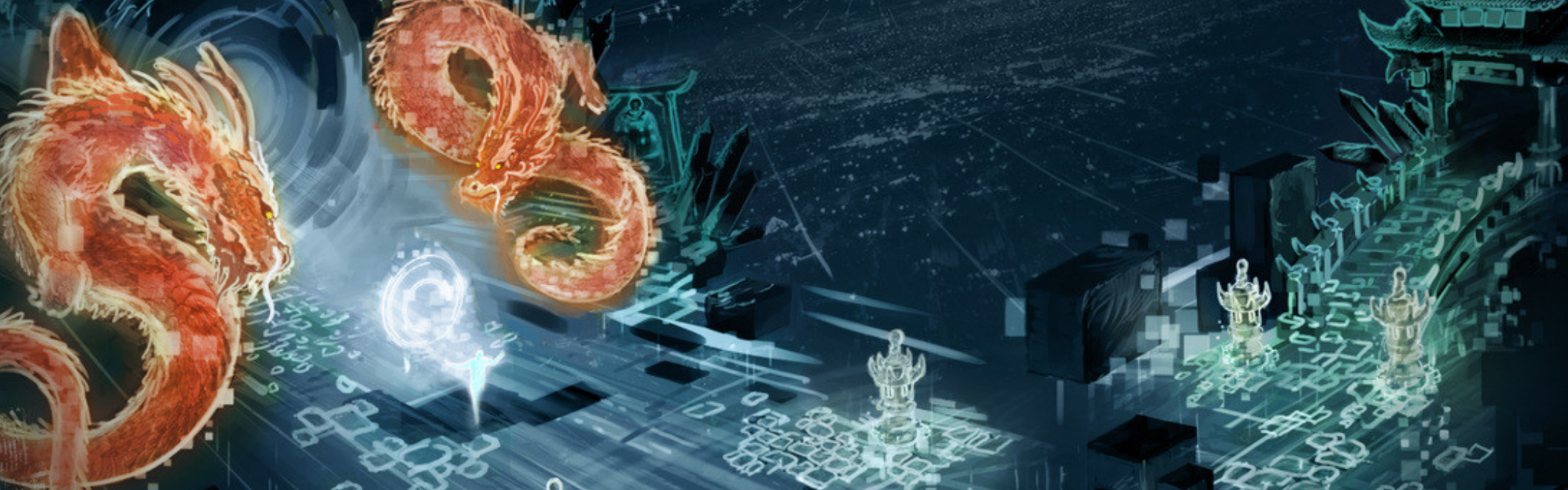
SECTION 5
CREATING NODES
Creating a node is not so different from creating any other form of adventure environment. Refer to the following advice when designing a node.ENVIRONMENT
A node's environment varies in size and can take on any appearance. One could appear as a five-hundred-story business complex, while another could be a sprawling forest landscape, with another taking the form of a massive space platform overlooking a small moon. Regardless of its appearance, each node has a designated space in which avatars can move and interact. Most nodes have an interactive space measuring anywhere from a 5-foot-square space to a few miles in any direction. Some nodes can be even larger than this, but they should be considered rare exceptions. If you need larger dimensions, consider combining multiple nodes to form a cluster.PROGRAMS AND FEATURES[
Establish which objects are interactive (apps, movable objects, etc.) and which are non-interactive (system operators, barriers, backgrounds). As an action, a user can examine a program and determine its nature with a successful Intelligence (Computers) check against the node's security rating (see below) or a DC set by the GM.HIDDEN PROGRAMS
Some objects or features are accessible only to users of an authorized or higher rank (see below). Unless the GM decides otherwise, these programs are invisible to all other users.GATEWAYS
Gateways are passages used to enter and exit a node. They often resemble doors or portals but can take on any other appearance that coincides with the node's environment. A node can have any number of gateways but must have at least one that allows users to enter (called a primary gateway) the node and one that allows them to leave. This can be the same gateway, if desired. When a user enters a node, their avatar appears in an unoccupied space next to a primary gateway. Some gateways can be made to provide passage to another specific node or group of nodes. They can also be made to change their destination depending upon a user's actions or if other conditions in the node are met. Like programs, some gateways can be invisible to users who don’t possess a sufficient rank (see below).MOVEMENT AND VISION
The node's environment also determines how avatars move within and interact with it. Most nodes allow for walking and running. It can also grant other movement types such as flying, swimming, or gliding. In addition, you can establish different rules for gravity, allowing movement along vertical or upside-down surfaces, if desired. Regardless of the type of movement, all users move at their speed as defined by their avatar's traits (see "Creating an Avatar"). Light and Visibility. Unless otherwise specified, avatars can see normally as if the environment were illuminated with bright light. Some environments can be designed to limit vision. Vision can also be limited by specific effects such as static or countermeasures. Static. Several factors can cause static effects (see "Virtuality Fundamentals"). Static can either affect specific avatars or cover an area in a node. Areas affected by static are treated as difficult terrain. Avatars directly affected by static have their movement slowed or hampered as if under the effects of the paralyzer or temporal fault powers. The GM determines the DCs to resist these effects.SECURITY PROTOCOLS
Each node has a security rating, which is a DC chosen by the GM. When a skill check is required to access unauthorized areas, features, or information in the node, the check is made against the node's security rating. Nodes with simple to moderate security have lower ratings (DC 10 to 15), while more secure nodes have higher ratings (DC 20 to 25).USER TAGS AND RANKS
Upon entering a node, each avatar is given a tag the node uses to identify them. These tags often contain a combination of user and device data. Nodes also assign a rank to each user that defines which of the node's functions and features they have access to. The following are the most commonly used user ranks. Each node can have multiples or variations of these, if desired.- Visitor is the most common rank, often assigned to a user upon entering a node for the first time. Visitors have the least number of options and access to a node's features.
- Members are a node's authorized users. They can see and access features and information not intended for the general public.
- Admins can see, access, and make changes to all of the node’s programs. They can also promote a user to a member or any other lesser rank.
- Owner is the highest rank. An owner can change or delete any of the node’s programs, features, gateways, or other aspects of the node’s environment. They can assign any rank they choose to another user. Each node must have at least one owner.
Changing Ranks. Users can be assigned a new rank by a node’s admin or owner. As an action, a user can also attempt to increase their rank by hacking the node. This requires an Intelligence (Computers) check against the node’s security rating. On a successful check, the user is promoted to the next available rank. At the GM’s discretion, the required DC may be higher for increasing a rank to admin or owner.
COUNTERMEASURES
Countermeasures are specialized programs designed to enforce a node’s security and protection against unauthorized users. There are three standard types of countermeasures.ALARM
An alarm is an alert that automatically triggers when certain conditions are met. Common examples are when a user of a certain rank enters the node or when a user fails an attempt to hack into the node’s functions. Alarms can be sensory (flashing lights, sirens, or atmospheric changes) or they can be silent, alerting only users of a certain rank, for example. Triggering an alarm can also set off other types of countermeasures as described below.HAZARDS
Hazards can target avatars directly or affect an area in the node. Some hazards deal damage or conditional effects on avatars. Others can have SSN-related effects such as removing a user’s rank, putting an avatar in lockdown or a lockout, or flooding an area with static. Refer to Hazards for details on creating and using hazards.THREATS
Many nodes harbor threats intended to attack avatars directly. Threats can be programs or AI designed for combat. They can also be other users tasked with protecting the node. Rules for resolving encounters with node threats are detailed in “Matrix Combat”.SAMPLE NODES
The following are examples of popular SSN nodes.BENEATH THE ALIEN WHORE[
This node bears likeness to the entertainment district of the Tortuga space station and is part of that station’s cluster of nodes. Many common forms of digital entertainment and trade are found here. At the center of the node is a digital representation of the famed Alien Whore night club. Lower Markets. Multicolored portals along the floor of the Alien Whore lead to maze-like subterranean levels beneath the building, each one dedicated to a certain form or trade or entertainment. Underworld Market. In the node’s sky is a faint reflection of the district below. This secret area is accessible through hidden portals on the ground. This mirrored area is an underworld market, where most forms of illegal goods can be bought and traded. The levels of the central building here lead up instead of down. With each new level, the prohibited goods increase in both price and rarity.VISUALIZING A VIRTUAL WORLD
There are limitless options for creating a node’s environment since a virtual network is unconstrained by the laws of physics. When designing one, it’s important to always follow one constant—everything is code. Visualize each node as a computer system or internet site. Every object in the node is a program. When a user travels into another room, they may be moving to a different file folder or another page in a submenu. Entering a gateway is no different than following a hyperlink. Designing a node’s framework in this way allows you to change the look and feel to your own design while still being able to distinguish boundaries and set rules for anything you place within them.SHADOWGATE
Nicknamed “the Hub” by those in the know, Shadowgate serves as a port of entry to ShadowNet, a clandestine cluster of nodes accessible only to a chosen few. Underworld traders, smugglers, information brokers, and covert operatives make up the majority of its population. Shadowgate’s security is state-of-the-art, requiring all users to have a unique ID that contains a scanned sample of their genetic coding. The node doesn’t allow visitors and unleashes dangerous countermeasures upon those it marks as intruders. Ring of Doors. A ring of primary gateways leads into the central meeting area, which serves as a transition to other doors and gateways that rotate in an alternating pattern known only to its users. These lead to other, more private areas of the node or they are gateways to other nodes within ShadowNet. Self-Renewal. Every 20-24 hours, the node’s system operators transfer its information into a clone of the node, which then scans for changes and discrepancies in the node’s security. After verification of the new information, the cloned node becomes the new Shadowgate and the old node is deleted.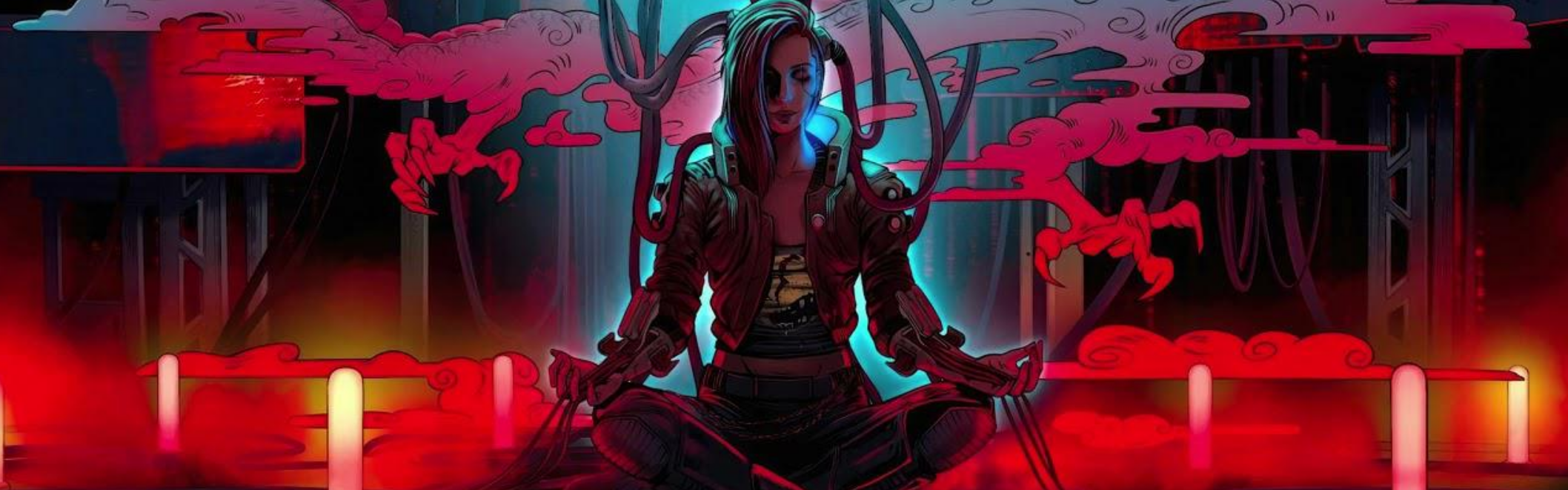
SECTION 6
MATRIX SIMPLE IC
The rules for intrusion countermeasures in the Dungeon Master’s Guide provided the basic information you need to manage Intrusion Countermeasures at the game table. The material here builds on the computers and virtuality rules and provides more guidance on creating Intrusion Countermeasures of your own.
Rather than focus on Intrusion Countermeasures as hazards or threats, these rules separate Intrusion Countermeasures (IC) into two categories: simple and complex.
IC CONSTRAINTS
The number of ICs which can be added to a node is constrained by the following criteria.MEMORY
The ability to have an IC running in memory is limited by the Memory column of the Persona Statistics (from 3-1.Stellar Winds DMG - Galaxy Tech: Computers & Virtualities page 6) table. Each node requires one memory buffer to run its operating system (OS) and one memory buffer to run each dedicated application (DA). Simple ICs require one memory buffer on a node while Complex IC will require two memory buffers. For example: A weapon node of Device Rating (DR) 0 has enough memory to run its operating system and the weapon tracking and firing application it was designed for. An IC could not be added to that node because the two memory buffers are already taken.SIMPLE IC EXAMPLE
A simple IC activates and is then harmless. A hidden databomb planted in files being accessed, a probe that adds a measure of security similar to a security camera, a killer program designed to attack and dive crash the intruding SSN device, and a Trace program that locates the access point where the intruder is anchored.DESCRIBING A SIMPLE IC
Simple IC requires four elements to function: It’s level, a trigger, an effect they have once triggered, and the measures that can defeat them. In addition, an IC is given a level and overall description of the threat it poses. Level and Threat. An IC’s level is expressed as a range of levels to give you an idea of its relative strength (levels 1-4, 5-10, 11-16, and 17-20). The level is then labeled as a moderate, dangerous, or deadly threat. The IC’s label tells you how powerful it is compared to others of its level range. Trigger. A simple IC has a trigger that describes what causes the device to activate. The trigger’s description includes its location in the node and the action causes it to activate. Effect. An IC’s effect describes what happens when its trigger activates. The IC might set off a databomb, unleash static, cause a hidden file to open. The effect specifies who the IC targets, its attack bonus or saving throw DC, and what happens on a hit or failed saving throw.An IC’s effect describes what happens when its trigger activates. The IC might set off a databomb, unleash static, cause a hidden file to open. The effect specifies who the IC targets, its attack bonus or saving throw DC, and what happens on a hit or failed saving throw. Countermeasures. An IC can be defeated in a variety of ways. This section of IC’s description details the checks or talents that can detect and disable it. It also specifies what, if anything, on a failed attempt to avoid or disable it.RUNNING A SIMPLE IC
When managing simple IC in play, start by making note of the character’s passive perception scores. Most IC allow Wisdom (Perception) checks to detect their triggers or other elements that can tip off their presence. If you stop to ask for checks, the player might suspect a hidden danger. While deep diving, this would be 10 + Wisdom + Device Rating. When an IC triggers, apply its effect as specified in its description. Be sure of the players’ intended action based on what the players want to do, rather than a course of action they’re arguing about or merely considering. If the players discover an intrusion countermeasure, be open to adjudicating their ideas for defeating it. The IC’s description is a starting point for countermeasures, rather than a complete definition. The players should be specific in how they want to defeat the IC. Simply stating the desire to make a check isn’t enough. Ask the players where their characters are positioned and what they intend to do to defeat the IC. A player can’t just say, “I use hacking tools to disable it.” That's an unclear action. The player instead should describe something like, “I use my hacker’s tools to examine the encryption algorithm and attempt to spoof the IC into thinking I’m friendly.” The last thing you want is confusion over where the characters are located if an IC activates. As a default, overcoming a simple intrusion countermeasure offers no experience point reward. If the characters uncover the IC and avoid or disable it, their reward is dodging a threatening element of the node. If they stumble into it, they must cope with the consequences of a more dangerous situation.SIMPLE IC TABLE
COMPLEX IC
A complex Intrusion Countermeasure poses multiple dangers to a persona. After a complex IC activates, it remains dangerous round after round until the characters avoid it or disable it. Some complex ICs become more dangerous over time.
Complex ICs are also more difficult to disable than simple ones. A single check is not enough. Instead, a series of checks is required to slowly disengage the IC’s components. The IC’s effect degrades with each successful check until the characters finally deactivate it.
Most complex ICs are designed so they can be disarmed only by someone who is exposed to the IC’s effect. For example, the program’s controller is in a neighboring node full of static on the opposite end from the entrance, or a firewall that bathes the area in psyche energy can be disabled only by someone standing in the affected area.
DESCRIBING A COMPLEX TRAP
Level and Threat. A complex IC uses the same level and severity designation that a simple IC does. Trigger. Just like a simple IC, a complex IC has a trigger. Some complex ICs have multiple triggers. Initiative. A complex IC takes turns as a character does because it functions over a period of time. This part of an IC’s description tells whether the IC is slow (acts on initiative count of 10), fast (acts on initiative count 20), or very fast (acts on initiative count 20 and also initiative count 10). An IC always acts after the personas that have the same initiative count. Active Element. On an IC’s turn, it produces specific effects that are detailed in this part of its description. The IC might have multiple active elements, a table you roll on to determine its effect at random or options for you to choose from. Dynamic Element. A dynamic element is a hazard that arises or evolves while the IC is functioning. Usually, changes involving dramatic elements take effect at the end of each of the IC’s turn or in response to the persona’s actions. Constant Element. A complex IC poses a hazard even when it’s not taking its turn. The constant element describes how these parts of the IC function. Most make an attack or force a saving throw against any persona that ends its turn within a certain area. Countermeasures. An IC can be defeated in a variety of ways. An IC’s description details the check or talent that can detect or disable it. It also specifies what happens, if anything, on a failed attempt to disable it. Disabling a complex IC is like disarming a simple IC, except that a complex IC requires more checks. It typically takes three successful checks to disable on of the complex’s IC elements. Many of these ICs have multiple elements, requiring a lot of work to shut down every part of the IC. Usually, a successful check reduces the IC’s elements effectiveness even if it doesn’t disable the IC.Running a Complex IC
A complex IC functions in play much like a legendary threat. When it is activated, the IC’s active element act according to its initiative. On each of its initiative count, after all persona with the same initiative count have acted, the IC’s features activate. Apply the effects detailed in the IC’s description After resolving the effects of the IC’s activated elements, check its dynamic elements to see if anything changes about the IC.. Many complex ICs have effects that vary during an encounter. A form of static might do more damage the longer it is active, or a swinging virtual blade might change which area of the node it attacks. The IC’s constant element allows it to have an effect when it isn’t the IC’s turn. At the end of each persona’s turn, look at the IC’s constant element to see if any of their effects are triggered.Experience for Complex IC
Overcoming a complex IC merits an experience point award, depending on the danger it poses. Judging when a party has overcome an IC requires some amount of adjudication. As a rule of thumb, if the characters disable a complex IC or are exposed to ti’s effects and survive, award them experience points for the effort according to the table below| IC level | XP |
|---|---|
| 1-4 | 650 |
| 5-10 | 3,850 |
| 11-16 | 11,100 |
| 17-20 | 21,500 |
DESIGNING COMPLEX IC
Creating a complex IC takes more work than building a simple one, but with some practice, you can learn the process and make it move quickly.PURPOSE
Complex ICs are typically designed to protect a node by crashing or disabling intruders. It is worth your time to consider who made the IC , the IC’s purpose, and its desired result. Does the IC protect prized data? Does it target only certain kinds of intruders? Complex IC uses the same level designation and lethality descriptors that simple IC does. Refer to that section for a discussion of how level and lethality help determine saving throw and check DC’s, attack bonuses, and other numerical elements of a complex ICLevel and Lethality
Complex IC uses the same level designation and lethality descriptors that simple IC does. Refer to that section for a discussion of how level and lethality help determine saving throw and check DC’s, attack bonuses, and other numerical elements of a complex ICMAP
A complex IC has multiple parts, and typically relies on the character’s persona position to resolve some of its effects. The IC are called complex for a reason! To begin the design process, consider drawing a map of the node’s area to be affected by the IC on the grid, using 5 feet per square. This level of detail allows you to develop a clear idea of what the IC can do and how each of its parts interact. Your map is the starting point and context for the rest of the design process.ACTIVE ELEMENT
A complex IC’s active element works the same way as a simple IC effect, except that a complex IC activates in every round. Otherwise, the guidelines for picking saving throw DC’s, attack bonus, and damage are the same. To make your IC logically consistent, make sure the element you design can activate each round. For instance, ordinary hazards rigged to trigger at the character persona would need to disable the control program installed to the Node’s registry to prevent it from triggering every round. In terms of lethality, its better to have multiple dangerous effects in an IC than a single deadly one. For example, the Maze of Incursion IC uses two dangerous elements and one moderate element. It’s useful to create multiple active elements, with each affecting a different area. It's also a good idea to use a variety of effects. Some parts of the IC might deal virtual damage, and others might immobilize persona’s with static, or isolate them from the rest of the party. A bashing lever might knock a persona into an area engulfed by static. Think about how the elements can work together.CONSTANT ELEMENT
In addition to the active step a complex trap takes, it should also present a continued hazard. Often, the active and constant effects are the same thing. Imagine a pathway filled with electrical arcs. On the IC’s turn, the arcs attack anyone in the hall. In addition, anyone who lingers in the hallway takes damage at the end of each of their turns accounting for the constant threat that the electrical currents pose. A constant element should apply its effect to any creature that ends its turn in the element’s area. If an active element presents a hazard when it isn’t the IC’s turn, define the hazard it poses as a constant element. As a rule of thumb, keep the saving throw DC or attack bonus the same as for the active element but reduce the damage by half.
Avoid filling the entire encounter area with constant elements. Part of the challenge of a complex IC lies in figuring out which areas are safe. A moment’s respite can help add an element of pacing to an encounter with a complex IC and give the characters the feeling that they aren’t in constant peril. For example, virtual dividers slam together might need to reset between slams, making them harmless when it isn’t their turn to act.
DYNAMIC ELEMENTS
Just as a battle is more interesting if the Threats change their tactics or unveil new abilities in later rounds, so too are complex. It is more fun if their nature changes in some way. The whirling arcs of energy that protect a prized data cache do more damage each round as they power up. The psychic discharge in the node grows thicker as more of it floods the node, dealing more damage to the persona. The psychic field around the pylon produces random effects each time its element is triggered. Static floods into the node causing the persona to struggle with difficult terrain. Since complex ICs remain active over the course of several rounds, it might be possible to predict its future behavior by examining how it function. The information can give its target a much better chance of thwarting it. To minimize this possibility, design your IC so that it presents multiple hazards that can change each round. The changes can include how an IC targets personas (different attacks or saving throws), the damage or effects it produces, the area it covers, and so on. Some IC might have a random effect each round while others follow a carefully programmed sequence of attacks. Dynamic elements usually occur according to a schedule. For a room that floods, you can plan out the rise of static level affects the area each round. The static might be lightly obscuring, at the end of the first round, but be heavily obscured by the next, and so on. Not only does the static bring the risk of blinding a persona, it also makes it harder to move across the area. On the other hand, the rising level of static might be hindrance for other hostile persona’s or threats on the node. Dynamic elements can also come into play in reaction to the character’s persona actions. Disarming one element of the IC might make others deadlier. Disabling a master IC Controller Programing might trigger a Carbonite program on the persona.TRIGGERS
The advice on triggers given for simple IC also applies to complex IC, with one exception. Complex ICs have multiple triggers, or are designed such that avoiding a trigger prevents intruders from reaching the rare IC guards. Other complex ICs use arcane triggers that activate on specific cues, such as when a gateway is open, or a persona enters a node without the appropriate tag. Look at your map and consider when you want the IC to spring into action. It’s best to have a complex IC trigger after the characters have committed to exploring a node with their persona. A simple IC might activate when the characters access a file. A complex IC that triggers so early leaves the characters still outside the protected node, in a place where they could decide to pursue a different path. A simple IC aims to keep intruders out. A complex IC wants to lure them in, so that when it activates the intruders must deal with the IC before they can escape. The trigger for a complex IC should be as foolproof as you can make it. A complex IC represents a serious expenditure of effort and programming power. No one builds such an IC and makes it easy to avoid. Wisdom (Perception) and Intelligence (Investigation) checks might be unable to spot a trigger. Evidence on the node can help clue the characters into some sort of severity they are dealing with. For example background files with mysterious names are currently active on the node.INITIATIVE
A complex IC acts repeatedly, but unlike characters and threats, IC doesn't roll for initiative. As programs on the node, their active element operates in a periodic manner. When designing a complex Ic, you need to decide when and how often its active elements produce their effect. Initiative 10. If a an Ic’s active element takes time to build up its effects, then it acts on Initiative count 10. This option is good for an IC that functions alongside allied threats or other guardians; the delay before it acts can give guards the chance to move out of its area or force persona into the area before the IC triggers. Initiative 20. If an element is designed to surprise intruders and hit them before they can react, then it acts on Initiative count 20. This option is best for a complex IC. Think of it as default. Such an IC acts quickly enough to take advantage of most characters' persona.DEFEATING COMPLEX IC
A complex IC is never defeated with a single check. Instead, each successful check foils some part of it or degrades its performance. Each element of the IC must be overcome individually to defeat the Ic as a whole. As part of determining your IC can be overcome, look at your map and consider where the characters must be located to attempt an action that can foil part of the IC. As a rule, the characters should need to be near or adjacent to an element to have a chance of affecting it. An Element can be designed so that it protects itself. A persona might be able to hack it, but moving close enough to access the file requires the persona risking damage. What methods are effective against your IC? Obvious candidates are activities covered by the same sort of check used to defeat simple IC, but use your knowledge of the IC’s design to identify other options. A back door link from another node that leaks static into a node can be stopped up. A file cluster that emits a psyche aura can be damaged through virtual attacks. Leaving room for improvisation by the characters. Don’t create a few predetermined solutions and wait for players to figure out the right approach. If you understand the mechanics behind how the IC works, that makes it much easier for you to respond to the player’s ideas. IF a character wants to try something you haven’t allowed for, pick an ability, assess the difficulty, and ask for a roll. Shutting down one part of a complex IC requires multiple successes. As default, it takes three checks or actions to disable an element. The first successful check might reduce the elements saving throw DC or attack bonus. The second successful check might halve the element’s damage, and the final successful check shuts it down. For elements that don’t attack, allow each successful check to reduce the element's effectiveness by one-third. A lock’s DC is decreased, or a gateway opens enough to allow a persona through. A driver program may be operating in the system operations director, causing static to bleed into the node or not at all. It takes time to disable a complex IC. Three characters can’t make checks in rapid succession to disarm a complex IC in a matter of seconds. Each would get in another character's way and disrupt the effort. Once a character succeeds on a check, another character can’t attempt the same check against the same IC element until the end of a successful character; 's next turn. Not all of the character's options need to be focused on stopping an IC from operating. Think of what characters can do to mitigate or avoid the Ic’s effects. Making the IC vulnerable to this sort of effort is a way to engage characters who might be ill-suited to confront the IC directly. A successful Intelligence (Investigation) check might provide insight into the imagery displayed by an IC in a corporation data center, giving characters a clue about where to direct their efforts. A character could stand in front of a dart while holding a shield that the darts can target harmlessly, while other characters trigger that element as they work to disable it. Initiative 20 and 10. Some active elements are incredibly fast-acting, laying waste to intruders in a few moments unless countered. They act on Initiatives 20 and 10.COMPLEX IC TABLE
Here are examples of simple IC that you can use to populate your adventures or as models for your own creations.
SECTION 7
VEHICLES
When you’re planetside or on a space station, getting around is crucial for everyone. In some situations, however, just moving faster isn’t enough. The following rules provide expanded options for using vehicles in high-tension or combat scenarios. Many of these rules can be used in place of those provided in the “Vehicle Combat” section of the Player's Handbook.VEHICLE STATISTICS
The Vehicle Statistics table provides expanded stats and properties for vehicles. Several stats previously defined in the Player's Handbook are also listed here. Size. The vehicle’s size determines how much space it controls in combat. Base AC. This is the vehicle’s base armor class. Add the operator’s Dexterity modifier to determine the vehicle’s actual armor class. HP. This is the vehicle’s maximum hit points. Damage Threshold. Most vehicle frames are built to withstand damage that is considered superficial or cosmetic. A vehicle has immunity to all damage unless it takes damage equal to or greater than its damage threshold, in which case it takes the damage as normal. Control Speed. The maximum speed allowed to perform stunts and combat actions. Handling. If the column on the table shows “Disadv.”, the vehicle has poor handling, and its operator has disadvantage on Dexterity checks or saving throws made to avoid losing control or to avoid the effects of a stunt. Hardpoints. The vehicle’s total number of hardpoints available to mount vehicle weapons (see “Vehicle Weapons”) Max Seating. The number of Medium-sized creatures that can ride comfortably in the vehicle. Cargo Capacity. How much cargo the vehicle can carry.MOVEMENT AND POSITION
Controlling a vehicle in combat requires sudden speed changes, sharp turns, and defensive maneuvering. These are all incorporated into a vehicle’s control speed. During their turn while in combat, an operator can move a vehicle a distance up to the vehicle’s control speed (see “Vehicle Stations”). If a vehicle does not move during the operator’s turn, attacks against it have advantage. Unless specified otherwise, vehicle movement does not provoke opportunity attacks. Using a Grid. Vehicle movement is identical to that of creatures. If you’re resolving combat using a grid, refer to the “Playing on a Grid” sidebar in chapter 9 of the Player's Handbook. If you wish to use facing arcs, see “Facing and Firing Arcs” in this section.VEHICLE STATIONS
A vehicle is controlled by one or more creatures occupying and utilizing the vehicle’s assigned stations. The combat options available for each creature depends upon the vehicle station it occupies. Any option listed for a particular vehicle station requires an action to perform. Once a creature uses one of the station’s options, that station can’t be used again until the start of that creature’s next turn. A vehicle station can only be occupied by one creature at a time. A creature can switch to an unoccupied station as a bonus action.OPERATOR
Each vehicle has at least one operator station that controls its movement. A vehicle can’t move or be controlled without an operator. An operator proficient with the vehicle they’re controlling can add their proficiency bonus to ability checks and saving throws made to control the vehicle. The following actions are available to a vehicle’s operator.-
Accelerate. When you take this action, you gain extra movement equal to twice your vehicle’s control speed, after applying any modifiers. For example, if you accelerate with a control speed of 50 feet, you can move up to 150 feet on your turn.
Avoid. When you take this action, you gain the following benefits until the start of your next turn. You lose these benefits if you’re incapaciated or your speed is reduced to 0.
Attack rolls against your vehicle have disadvantage if you can see the attacker.
You have advantage on Dexterity and Wisdom saving throws made to avoid damage or effects from weapon attacks and vehicle stunts.
You have advantage on Dexterity skill checks made to avoid losing control of your vehicle.
Perform Stunt. You use your vehicle handling skills to perform a vehicle stunt. Stunts are detailed later in this section.
VEHICLE WEAPON
Each vehicle-mounted weapon has its own station. A creature occupying a vehicle weapon’s station can take the following actions. Aim. Choose a target within range. Until the end of your next turn, you have advantage on your next attack roll made against that target. If you roll a 19 or 20 on the attack roll, you score a critical hit. You lose this benefit if you attack a different target before the end of your next turn. Use Vehicle Weapon. You make an attack with a vehicle mounted weapon (see “Vehicle Weapons” for each weapon’s stats).PASSENGER
Any creature not assigned to an operator or weapon station is a passenger, whether they’re in a seat or clinging to the outside. Passengers can either take actions as normal, or they can take the following action. Lookout. Make a DC 15 Wisdom (Perception) check. On a successful check, you can grant one of the following effects to the vehicle’s operator, which lasts until the start of your next turn. They have advantage on their next Dexterity check made to avoid collision with obstacles. They have advantage on Wisdom or Dexterity saving throws made to avoid the effects of a stunt. Attacks against the vehicle are treated as if they are made from the vehicle’s front facing arc. This option can only be chosen if you are using the “Facing and Firing Arcs” variant option.
SECTION 8
VEHICLE OPERATIONS
VEHICLES OR SHIPS
When using vehicles in combat, certain factors are to be considered such as terrain, environment, and situational effects upon creatures both inside and outside the vehicle. If your scenario involves combat strictly between larger and more versatile vehicles, consider instead using the expanded starship rules in chapter 14.USING OTHER ACTIONS
In addition to the options provided by their vehicle stations, all vehicle occupants can use other combat actions as normal, as defined in chapter 9 of the Player's Handbook. Refer to the “Vehicle Combat” section in that book for rules on attacking or using esper powers while in a vehicle.LOSING CONTROL
If a vehicle is reduced to 0 hit points or is forcibly moved against the operator’s will, the operator must use their reaction and succeed on a DC 10 Dexterity check with their vehicle proficiency or lose control of their vehicle until the end of their next turn. An operator also loses control if they are incapacitated or leave their station. During their turn in which an operator has lost control, their vehicle moves a distance equal to its control speed in the same direction as it did before the end of the operator’s last turn. If it hits an obstacle big enough to reasonably damage it or stop its movement, it crashes. Abandoning a Vehicle. If you lose control of a vehicle and it is within 10 feet of the ground, you can use your reaction to abandon it by making a DC 10 Dexterity saving throw, landing prone in a space within 5 feet of it on a successful save. If you fail the saving throw, you still abandon the vehicle but take 1d6 bludgeoning damage.VEHICLE STUNTS
You expend an action to perform one of the stunts defined below. Some stunts require your target to make a saving throw against a DC which is calculated as follows.Vehicle Stunt DC = 8 + your proficiency bonus (If applicable) + your Dexterity modifier
You can’t add your proficiency bonus to your Vehicle Stunt DC if you don’t have proficiency in the vehicle you’re operating.
DRIFTING STRIKE
You maneuver your vehicle into a sideways or spinning drift. You can’t perform this stunt if your speed is 0 or you haven’t moved during your turn. Choose between your left or right side arc. Until the end of your turn, your vehicle weapons can be used to attack targets in any direction, regardless of its assigned arc.FORCE POSITION
You maneuver along the path of another vehicle to force it to slow its course. Target a vehicle within 10 feet of your vehicle. The target’s operator makes a Wisdom saving throw against your Vehicle Stunt DC. If your target is two or more sizes larger than your vehicle, its operator makes has advantage on this saving throw. On a failed save, the target vehicle’s control speed is reduced by half until the end of its operator’s next turn.HAIRPIN TURN
You execute a turn at a sharp angle. Make a DC 10 Dexterity check with your vehicles proficiency. On a success, you can move your vehicle to a space in its side arc and immediately change your facing to that direction. You continue to move in that direction if you have any remaining movement. You can also perform this stunt to move and change facing to in the direction of your rear arc. This increases the DC for the stunt to 15 and must be declared before making the check. Regardless of which direction you choose, if you fail your check by 5 or more, you lose control of your vehicle.JUMP
This stunt can only be performed if you are controlling a ground vehicle or watercraft. If your vehicle moves at least 30 feet in a straight line, you can expend an action to clear a distance equal to your vehicle’s control speed when jumping over an area with no ground such as a broken bridge, chasm, or similar gap. You strategically bump into the side of another vehicle to force it off balance. Target a vehicle of your vehicle’s size category or smaller that is within 10 feet of your vehicle. The target’s operator makes a Dexterity saving throw against your Vehicle Stunt DC. On a failed save, the target takes 2d6 bludgeoning damage and its operator is pushed up to 10 feet away from your vehicle, potentially causing them to lose control (see “Controls and Movement”). If the target is pushed into a space occupied by an object of equal or larger size that can cause significant damage to it, it crashes.TOP GEAR
Shifting to high gear or max throttle, you barrel forward in a short burst of speed. Make a DC 10 Dexterity check using your Vehicles proficiency. You move in a straight line a distance equal to four times your control speed, after applying any modifiers. For example, with a control speed of 60 feet, you can move in a straight line up to 240 feet when you perform this stunt. Avoiding Obstacles. When performing this stunt, you can use your reaction to avoid minor obstacles in your path. Make a DC 15 Dexterity check using your Vehicles proficiency. If successful, you can move through the space of any object the size of your vehicle or smaller. You must still end your movement in an unoccupied space. On a failed check, your vehicle crashes (see “Crashing a Vehicle”).DAMAGE AND RESISTANCES
All vehicles have immunity to necrotic, poison and psychic damage. Additionally, all vehicles have immunity to the following conditions: blinded, charmed, deafened, frightened, paralyzed, petrified, poisoned, stunned, unconscious.BEING REDUCED TO 0 HIT POINTS
When a vehicle is reduced to 0 hit points, it crashes (see “Crashing a Vehicle”). If the vehicle is flying at a distance above the ground higher than its control speed, it falls instead (see “Falling”).CRASHING A VEHICLE
Vehicle crashes come in many forms. How a crash occurs depends upon the situation and the GM’s narrative. Some examples of crashes include when a vehicle...- Unintentionally moves into the space of an object, structure, or vehicle of its size or bigger that can reasonably damage it.
- Is damaged to the point of engine failure or structural collapse.
- loses control and veers into a nearby wall or ground.
- flips over or rolls along a hard surface or into water.
Creatures inside or on the vehicle must make a DC 15 Strength saving throw, taking the same crashing damage dealt to the vehicle on a failed save, or half as much on a successful one. Creatures inside or on a vehicle that is struck must also make the same saving throw, taking the same crashing\ damage on a failed save or half as much on a successful one.
BIGGER OR SMALLER OBSTACLES
If a vehicle moves into the space of an object or vehicle at least two size categories smaller than it, instead of crashing, the vehicle can continue moving through that creature’s space if it has any movement left. If a vehicle moves into the space of an object or vehicle at least two size categories bigger than it, the vehicle struck takes only half the damage from crashing. Any creatures inside a vehicle is struck makes a DC 15 Strength saving throw, taking half the amount of crashing damage on a failed save, or no damage on a successful one.RAMMING A VEHICLE
As an action, an operator can crash their vehicle into another on purpose. When crashing into a vehicle in this way, both vehicles take crashing damage as normal. If the ramming vehicle is the same size or bigger than the vehicle it struck, creatures inside or on the ramming vehicle have advantage on Strength saving throws made to avoid taking damage from crashing. Meanwhile, creatures inside or on the struck vehicle have disadvantage to Strength saving throws made to avoid taking crashing damage.CRASHING INTO CREATURES
If a vehicle enters the space of a creature, the creature can use its reaction to attempt to get out of the vehicle’s way by making a DC 10 Dexterity saving throw. On a failed save, the creature takes bludgeoning damage equal to 1d6 for every 10 feet the vehicle moved since its operator’s last turn (maximum of 20d6). This damage is treated like falling damage for the purpouse of vairent wounds rule.FALLING
If the creature is one or more size categories bigger than the vehicle, the vehicle and its occupants take crashing damage as normal.Malfunctions
Roll on the Malfunctions table when one of the following occurs:- The vehicle suffers a critical hit that deals at least 10 damage.
- The vehicle takes damage from a single source equal to or greater than half its hit points.
- The vehicle’s operator fails an ability check using their Vehicle proficiency by more than 5.
- The operator fails a saving throw to avoid the effects of a stunt by more than 5.
- Some malfunction effects are instant. Others can be ended by making repairs to the vehicle (see “Repairing a Vehicle”).
| d20 | Effects |
|---|---|
| 1 | Crash. The vehicle’s engines and controls fail, and it crashes (or falls). |
| 2 | Control Mishap. The vehicle’s operator must make a DC 15 Dexterity saving throw or lose control of the vehicle. |
| 3 | Fire. An engine flare or surge causes a fire to erupt. Until this malfunction is repaired, any creature that starts its turn inside or on the vehicle takes 3d6 fire damage. If this option is rolled again before the malfunction ends, no malfunction occurs. |
| 4 | Damaged Propulsion. An axle, rotor, or other form of propulsion is damaged, causing the vehicle to move erratically. Until this malfunction is repaired, the vehicle’s control speed decreases by 20 and all attack rolls and ability checks made by the vehicle’s occupants have disadvantage. |
| 5 | Unstable Controls. Until this malfunction is repaired, the operator can’t perform any stunts and has disadvantage on ability checks made to control the vehicle. |
| 6 | Minor Engine Failure. Until this malfunction is repaired, the vehicle’s control speed decreases by half. |
| 7 | The vehicle is venting fuel or has a propulsion system failure. Roll 2d6 to determine the number of rounds the vehicle has fuel remaining. At the start of the round following the result of the die roll, the vehicle’s speed is reduced to 0 until the malfunction is repaired. |
| 8 | Structural Damage. Part of the vehicle’s frame is severely damaged or falls off. Until this malfunction is repaired, the vehicle’s AC is reduced by 2. |
| 9 | Power Surge. The vehicle suffers an electrical surge. Each of the vehicle’s occupants must make a DC 15 Constitution saving throw, taking 3d10 lightning damage on a failed save, or half as much on a successful one. |
| 10 | Weapon Failure. One of the vehicle’s weapons (GM’s choice) can’t be used until this malfunction is repaired. If the vehicle has no functioning weapons, no malfunction occurs. |
| 11-20 | No malfunction occurs. |
REPAIRING A VEHICLE
Damage and malfunctions on a vehicle can be repaired using the following methods.PATCH REPAIR
A creature within reach of a vehicle can make a patch repair. Attempting a patch repair takes 1 minute and requires the following.- The vehicle can’t move while repairs are being made.
- The repairing creature can’t occupy an operator or weapon station while making repairs.
- The vehicle being repaired must have at least one hit point remaining.
- To perform the repair, the creature makes a DC 15 Wisdom (Mechanics) check. If successful, the vehicle regains hit points equal to 1d6 plus the creature’s Wisdom modifier. The creature can also choose to end one malfunction.
FULL REPAIR
A creature with a basic set of tools and the necessary parts and materials can spend 1 hour or more performing repairs on the vehicle. The vehicle can’t move or be operated while repairs are being performed. After 1 hour, the creature makes a DC 15 Wisdom (Mechanics) check. If successful, the vehicle regains hit points equal to 1d8 plus the creature’s Wisdom modifier. The creature also removes one malfunction. If the check fails, the vehicle regains no hit points. The material cost to perform these repairs is equal to 50 cu per hit point restored. Shop Repair. A full repair can also be performed by a repair shop or other location that performs vehicle repairs. The repair takes 2d6 hours and the cost in parts and labor is equal to 100 cu for each hit point restored.USING ITEMS AND POWERS
A vehicle can also be repaired using enhanced items such as the hypertool or esper powers such as field repair or quick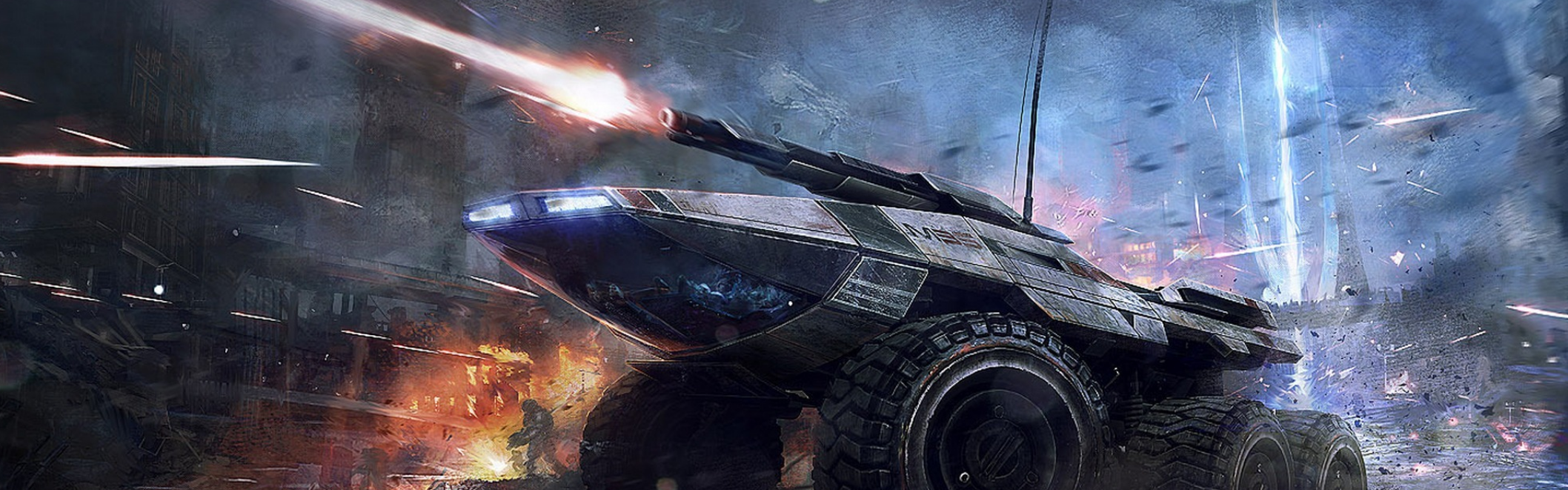
SECTION 9
VEHICLE WEAPONS
| Weapon | Cost | Damage | Range | Hardpoint Value | Properties |
|---|---|---|---|---|---|
| Blade launcher | 750 cu | 1d6 slashing | 50/150 | 1 | Ammunition (15 bladed projectiles) |
| Dual autogun | 1,200 cu | 2d6 piercing | 90 / 180 | 2 | |
| Flame launcher | 900 cu | 3d6 fire | Special | 2 | Special |
| Grapple launcher | 500 cu | 1d8 piercing | 30/— | 1 | Special |
| Heavy autogun | 600 cu | 1d8 piercing | 90/180 | 1 | |
| Heavy mortar | 4,000 cu | 3d8 piercing | 300/900 | 3 | |
| Heavy repeating cannon | 2,000 cu | 2d8 piercing | 150/450 | 2 | |
| Micro-rocket launcher | 1,200 cu | 1d10 force | 100 / 400 | 1 | Ammunition (6 rockets), special |
| Multi-missile launcher | 1,500 cu | 3d8 force | 120 / 360 | 2 | Ammunition (6 missile volleys), special |
| Proximity mine launcher | 2,000 cu | 3d6 force | Special | 2 | Ammunition (4 mines), special |
| Repeating cannon | 800 cu | 1d10 piercing | 100 / 300 | 1 |
The Vehicle Weapons table provides stats for each available vehicle-mounted weapon. A vehicle’s hardpoints are spent to mount weapons on it. Each vehicle weapon has a hardpoint value associated with it. A vehicle’s total hardpoint value in weapons can’t exceed its total number of hardpoints.
WEAPON STATIONS
Each vehicle-mounted weapon has a vehicle station assigned to it. A creature must occupy the weapon’s station to use it (see “Vehicle Stations”)USING VEHICLE WEAPONS
Each vehicle weapon can be used only once during a combat round regardless of which creature occupies the station. Unless specified otherwise, when using a vehicle weapon, a creature makes an attack roll against the target’s armor class. If the attacking creature has proficiency in martial weapons, they can add their proficiency bonus to the attack roll. If the attack hits, the target takes the weapon’s damage. If the attacker is proficient with martial weapons, they add their Dexterity modifier to the weapon’s damage. Damage from vehicle weapons ignore protections provided by PSDs and resistances to mundane weapon attacks.WEAPON PROPERTIES
Refer to chapter 5 of the Player's Handbook for definitions of weapon properties. At the GM’s discretion, additional properties or alternate damage types can be applied to vehicle weapons using the rules referenced in chapter 2. Vehicle weapons with special rules are described as follow Flame Launcher. This device shoots a flame from the vehicle in a 20-foot cone. Each creature or the operator of each vehicle in the area must make a DC 14 Dexterity saving throw, taking the weapon’s damage on a failed save, or half as much on a successful one. After three uses, the tank is depleted, and the weapon can’t be used again until refueled at the cost of 500 cu. If using the variant rules for facing arcs, this weapon can’t be assigned to a vehicle’s front arc. Grapple Launcher. A target hit with this weapon is grappled by the attacking vehicle. During their turn, the operator of a grappled vehicle can use an action to escape by succeeding on a Dexterity check using their vehicle proficiency contested by the same ability check made by your vehicle’s operator.The grappling cable has an AC 15 and 20 hp. Destroying it also ends the grapple. When you move, you can drag the grappled vehicle, but your control speed is halved. If the grappled vehicle is bigger than your vehicle and its operator succeeds on their ability check by 5 or more, it can instead drag your vehicle when it moves. Either the operator or the creature who fired the launcher can release the hook as an action, which also ends the grapple. Micro-rocket Launcher. This weapon scores a critical hit on a 19 or 20. A target hit with this weapon automatically rolls on the Malfunctions table. Rockets can be replenished at the cost of 200 cu each, up to a maximum of 6. Multi-missile Launcher. This weapon has a targeting device that allows you to choose one target or up to 3 separate targets. If multiple targets are chosen, attack rolls are made for each target. On a hit, a target takes 1d8 force damage. Missile packs can be replenished at the cost of 250 cu each, up to a maximum of 6. Proximity Mine Launcher. These mines can be fired directly at a target by making an attack roll on a target you can see within 40 feet of your vehicle, dealing damage as normal on a hit. They can also be launched to an unoccupied space you can see within 40 feet of your vehicle. The mines can’t move from this position but can hover. They can be spotted with a DC 14 Wisdom (Perception) check. When used in this way, a mine detonates when a creature or vehicle comes within 10 feet of it. When a mine detonates or hits a target, the target takes the mine’s damage and each creature or vehicle within 20 feet of the mine’s location must make a DC 15 Dexterity saving throw, taking the mine’s damage on a failed save, or half as much on a successful one. Mines can be replenished at the cost of 500 cu each, up to a maximum of 4.Variant: Mounting Handheld Weapons
With this variant, ranged weapons that are normally carried can instead be mounted onto a vehicle’s weapon station. Mounted versions of these weapons have the following changes made to their stats.- Cost. These weapons cost double their base cost listed.
- Properties. Remove any weapon properties other than ammunition and any special properties the weapon may have.
- Hardpoint Value. One-handed weapons have a hardpoint value of 1. Two-handed and heavy weapons have a hardpoint value of 2 or equal to their recoil value, whichever is greater.
VARIANT: FACING AND FIRING ARCS
This variant rule provides more detail and a greater level of realism for vehicle movement. Using this rule requires use of a grid when resolving vehicle combat.
Each vehicle has four arcs — a front arc (the direction it faces), two side arcs (left and right), and a rear arc, as shown on the illustration below. A vehicle operator can see clearly from the vehicle’s front or side arcs but can’t easily see things in the vehicle’s rear arc. This means the operator has disadvantage on Wisdom (Perception) checks made to spot creatures or objects in a vehicle’s rear arc. In addition, attackers in a vehicle’s rear arc make attack rolls against it with advantage.
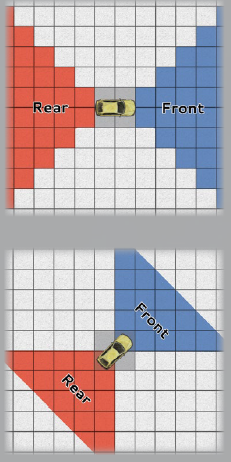
MOVEMENT AND POSITION
Vehicle movement functions differently when using facing arcs. A vehicle moves in a straight line in the direction of its front facing arc. When moving diagonally, every second square costs two squares of movement. For example, on a standard grid, a vehicle can move diagonally one square at the normal cost of 5 feet, then the next diagonal square at the cost of 10 feet, the third at 5 feet, the fourth at 10 feet, etc. A vehicle can only move diagonally in the direction of its front arc. If the vehicle ends its movement with a diagonal move, its facing also changes to that diagonal direction, as shown on the illustration below.VEHICLE WEAPONS
Each vehicle weapon must have a designated arc assigned to it. Creatures occupying that weapon’s station can only use that weapon to attack targets within the weapon’s assigned arc.VEHICLE CUSTOMIZATIONS LIST
Several customizations can be installed onto a vehicle to improve its defense and capabilities. The cost and description of each customization is defined below. A vehicle can have up to five customizations installed onto it. Some customizations can be purchased more than once. These are noted in the customization’s description and don’t count toward the vehicle’s maximum number of installed customizations. Installing or replacing a customization takes 1d6 days.
SECTION 10
DRONE OPTIONS
Drones and other robotic entities are a staple of many sci-fi genres. This section provides expanded rules for creating and modifying drones.
CHOOSING A BASE MODEL
Some drones come prebuilt, while others start out as a base frame that can be upgraded and customized to suit the needs of its function. This depends on whether you’re using an existing stat block or creating stats from scratch.USING AN EXISTING STAT BLOCK
The most common types of drones are the armored can be found in the Threats Database. These You can customize these or use them as guidelines for building your own.CREATING YOUR OWN STAT BLOCK
Chapter 5 provides rules for customizing existing stat blocks or building one from scratch. If you choose to customize a stat block, your drone’s challenge rating should be a construct CR 1/4 or less. Appearance. By default, all drones are constructs. You decide your drone’s appearance so long as it maintains its size. A drone’s appearance is often influenced by its primary function, movement capabilities, and manufacturing origin. Special Traits. Unless you decide otherwise, drones don’t require air, food, drink, or sleep. In addition, all drones have the following traits.- Size. Your choice between Tiny, Small, or Medium
- Ability Scores: Intelligence and Charisma scores are both 1 (a -5 modifier)
- Armored Frame: Base AC is equal to 11 plus its Dexterity modifier
- Damage Immunites: poison
- Condition Immunities: charmed, frightened, exhaustion, poisoned
PURCHASING A DRONE
Standard drone models can be purchased at a base cost of 2,000 cu. This cost can vary based on availability and can even be restricted in some locations. For custom stat blocks, use your best judgment when determining a cost for construction. You can also use the customization rules below as a guideline.CUSTOMIZING A DRONE
Once you have the base stats for a drone, it can be customized with various upgrade packages and addons listed below. Unless specified, each package can be installed only once .However, add-ons or upgrades can be purchased per the package’s description. As with base models, drone packages can be limited in cost and availability depending on location. Packages that grant a drone profciency in a skill or tool allows them to add their proficiency bonus of (+2 unless stated otherwise) to their checks.VARIANT: SELF-INSTALLATION
The cost for a customization is lower if a character attempts to install a package themselves. To do this, the character purchases resources at a cost equal to half the base cost of the package they wish to install. They then make a DC 15 Wisdom check using Digital Technician’s Tools. The process takes 1d6 hours and can be performed during a long rest. If the check is successful, the package is installed. The installation is unsuccessful on a failed check, but the character can make the attempt again if they purchase additional resources equal to 10 percent of the package’s base cost.CUSTOMIZATION LIMITS
You may wish to set a limit on how many packages can be installed onto a drone. A suggested limit is three to five packages while still allowing the purchase of any add-ons or upgrades listed within packages that have already been installed.DRONE CUSTOMIZATION PACKAGES TABLE
Customization packages are listed in alphabetical order followed by its base cost and description.DRONE AND SENTIENCE
Regardless of how a sentient drone interacts with the characters, they are always treated as an NPC. Most drones end up as contacts or hirelings (see chapter 7) who perform tasks for their administrators in exchange for care and maintenance. Others that have a greater role in the story can become party members or even villains. Much like sentient items (see chapter 2), they never consider themselves as property.ROLEPLAYING DRONE
Regardless of its Intelligence score and language capabilities, a drone’s programming is limited compared to true artificial intelligence. It can’t learn on its own and has a minimal social protocol. The few drones that possess advanced communication skills still bear little to no personality or emotion unless programmed to imitate those traits. Drones often have one or more assigned administrators. The drone follows the administrator’s commands, and it attempts to perform any services or activities the administrator asks of it to the best of its ability. The drone is also friendly to an administrator’s allies. Most drones, however, have a survival protocol and do not follow certain impractical commands (like self-harm outside of combat, for example) without understanding the command’s purpose. Depending on your campaign, you can decide that a drone is programmed to act as if they are charmed by their administrator (ignoring its immunity). This effect is optional. You can also introduce ways to override this effect using special items or Arcane powers.SENTIENT DRONES
In some campaign settings, drones (or their robotic equivalents) possess an evolving artificial intelligence and are self-aware. These drones are considered to have sentience, capable of making their own decisions. How drones have or gain sentience is at the GM’s discretion, and should be relevant to the campaign’s setting or story. Make the following modifications when granting sentience to a drone.- Change the drone’s creature type from construct to automaton.
- The drone automatically has the standard version of an advanced processing unit installed (see “Drone Customizations).
- The drone is no longer immune to being charmed or frightened.
VARIANT: SENTIENT COMPANIONS
At your discretion, you may wish to grant sentience to a class-based companion, such as drone hunter’s companion. Unless all drones are sentient in your campaign, such drones would be extremely rare and normally reserved for higher-level characters. Sentient companions should still have their own personality quirks and traits, similar to that of sentient items (see chapter 2). Depending on their intelligence and personality, some drones may view the hunter as more of a partner or perhaps even their companion. When not issued a command from the hunter, the drone can act on its own with whatever actions it has available. Statless Drones. Drone companions with no defined stats (for example, a machinist engineer’s combat drone) have functions specific only to class features. These drones can’t be customized nor would they be able to gain sentience.
SECTION 11
MUTATIONS
While a mutation can assume many forms, it typically signifies an abnormal trait or ability not common to the species. Mutations can be pronounced or unnoticeable. They may grant extraordinary abilities or effect subtle to grotesque changes in a creature's physiology.
Mutations may appear only at birth or manifest as consequences of exposure to chaos or some form of genetic engineering.
Scientists are continuously making the effort to improve, explore, or even unlock genetic mysteries. The Mora Elves have rejected their innate connection to arcane power by modifying their bodies with genetic enhancements designed to protect and challenge demonic creatures. A charm is typically the work of a powerful protean, a location of an ancient arcane, or a creature that has legendary actions. Unlike an arcane item, a modification isn’t an object and doesn’t require attunement. It gives the character an extraordinary ability, which can be used one or more times.
A character might receive a genetic modification through a dangerous medical procedure, or secret helix programs that seek to make super soldiers.
A genetic modification is appropriately awarded for one of the following accomplishments:
- An Organization with a Legendary Renown for Genetic Engineering.
- A powerful netherant creature offering a gift of chaos. Usually accompanied by a flaw of madness.
- An ancient dragon who knows secrets of arcane power like none other.
MUTATION POINTS
Mutation Points (MP) provide a simple method of selecting mutations while preserving game balance. All creatures (including heroes) begin play with 0 MP. A creature gains MP by selecting one or more drawbacks-physical deformities and disabilities that make the creature less effective in play. A creature can then "spend" the MP on one or more beneficial mutations. The total MP spent on beneficial mutations cannot exceed the total MP the creature gains from drawbacks. A creature may still have unspent MP after choosing beneficial mutations, however. These unspent MP can be spent on new mutations at a later time.MUTATION TABLE
| d100 | Mutation Type | MP Cost |
|---|---|---|
| 01-02 | Extra Digits Cosmetic | 0 |
| 03-04 | Fins Cosmetic | 0 |
| 05-06 | Forked Tongue Cosmetic | 0 |
| 07-08 | Horns Cosmetic | 0 |
| 09-10 | Scaly Skin Cosmetic | 0 |
| 11-12 | Thin Fur Coat Cosmetic | 0 |
| 13-14 | Unnatural Eyes Cosmetic | 0 |
| 15-16 | Unnatural Hair Cosmetic | 0 |
| 17-18 | Unnatural Skin Cosmetic | 0 |
| 19-20 | Unnatural Voice Cosmetic | 0 |
| 21-22 | Acidic Saliva Minor | 1 |
| 23-24 | Adrenaline Jolt Minor | 3 |
| 25-26 | Claws Minor | 1 |
| 27-28 | Darkvision Minor | 3 |
| 29-30 | Energy Diffusion Minor | 2 |
| 31-32 | Fangs Minor | 1 |
| 33-34 | Force Barrier Minor | 3 |
| 35-36 | Gills Minor | 2 |
| 37-38 | Great Horns Minor | 1 |
| 39-40 | Hypersensitivity Minor | 3 |
| 41-42 | Leaper Minor | 1 |
| 43-44 | Scaly Armor Minor | 3 |
| 45-46 | Scent Minor | 2 |
| 47-48 | Second Wind Minor | 2 |
MUTATION TABLE CONTINUED
| d100 | Mutation Type | MP Cost |
|---|---|---|
| 49-50 | Smokescreen Minor | 1 |
| 51-52 | Tail Minor | 1 |
| 53-54 | Thick Fur Coat Minor | 1 |
| 55-56 | Ultra Immune System Minor | 2 |
| 57-58 | Wall Crawler Minor | 2 |
| 59-60 | Webbed Digits Minor | 1 |
| 61-62 | Echolocator Major | 5 |
| 63-64 | Elasticity Major | 5 |
| 65-66 | Energy Absorption Major | 4 |
| 67-68 | Enlarged Form Major | 6 |
| 69-70 | Exoskeleton Major | 5 |
| 71-72 | Extra Arms Major | 6 |
| 73-74 | Gazing Eye Major | 4 |
| 75-76 | Pheromone Attraction Major | 6 |
| 77-78 | Prehensile Tail Major | 4 |
| 79-80 | Prickly Pear Major | 4 |
| 81-82 | Radioactive Major | 5 |
| 83-84 | Skeletal Reinforcement Major | 5 |
| 85-86 | Stinger Major | 4 |
| 87-88 | Telekinetic Mind Major | 5 |
| 89-90 | Telepathy Major | 5 |
| 91-92 | Tentacle Major | 6 |
| 93-94 | Venomous Bite Major | 4 |
| 95-96 | Vexing Voice Major | 4 |
| 97-98 | Wings Major | 6 |
| 99-100 | X-Ray Vision Major | 6 |
DRAWBACK TABLE
| D100 | Drawback | MP Value |
|---|---|---|
| 01-05 | Ability Decay 1 | 4 |
| 06-10 | Blood Hunger | 1 |
| 11-15 | Brittle Bones | 4 |
DRAWBACK TABLE CONTINUED
| D100 | Drawback | MP Value |
|---|---|---|
| 16-20 | Combat Fear | 4 |
| 21-25 | Cybernetic Dependency | 6 |
| 26-30 | Festering Sores | 2 |
| 31-35 | Frailty | 3 |
| 36-40 | Heat/Cold Susceptibility | 1 |
| 41-42 | Indefinite Madness | 1 |
| 43-45 | Lethargy | 2 |
| 46-50 | Light Sensitivity | 1 |
| 51-55 | Lost Arm | 3 |
| 56-60 | Mindslave | 2 |
| 61-65 | Neutrad Dependency | 5 |
| 66-70 | Pheromone Repulsion | 1 |
| 71-75 | Poisonous Blood | 6 |
| 76-80 | Rapid Aging | 2 |
| 81-85 | Reduced Speed 1 | 3 |
| 86-90 | Thin Skin | 5 |
| 91-95 | Ultraviolet Allergy | 3 |
| 96-100 | Weak Immune System | 1 |
Mutation Descriptions
Cosmetic Mutations. The simplest and least mechanically complicated mutation is a cosmetic mutation. A cosmetic mutation has no game effect other than to change a creature's appearance in some fashion. Cosmetic mutations cost 0 MP. Minor Mutations. A minor mutation not only changes a creature's appearance in some fashion but also grants it a beneficial (if minor) special ability or useful feature, such as darkvision or gills. A minor mutation costs 1-3 MP and can usually be offset by a single drawback. Major Mutations. A major mutation fundamentally changes the genetics and physiology of a particular creature. Moreover, it grants the creature a beneficial special ability or feature it couldn't otherwise possess, such as telekinesis or the ability to fly. A major mutation costs 4 or more MP and must be offset by one or more drawbacks. Drawbacks. A creature with minor or major mutations also has drawbacks to offset them. Drawbacks are special disabilities or vulnerabilities that negatively affect a creature. Each drawback has an MP value, and a creature can spend these MP on minor and major mutations to offset the negative effects of the drawback.Remove these ads. Join the Worldbuilders Guild




