The menu that appears when you click the three dots to view editing options for an article is cut off
The menu that appears when you click the three dots to view editing options for an article is cut off
The menu that displays editing options (go to old version of the editor, view in world, move to) when you click on the ... at the top right of the article gets cut off by the new side menu.
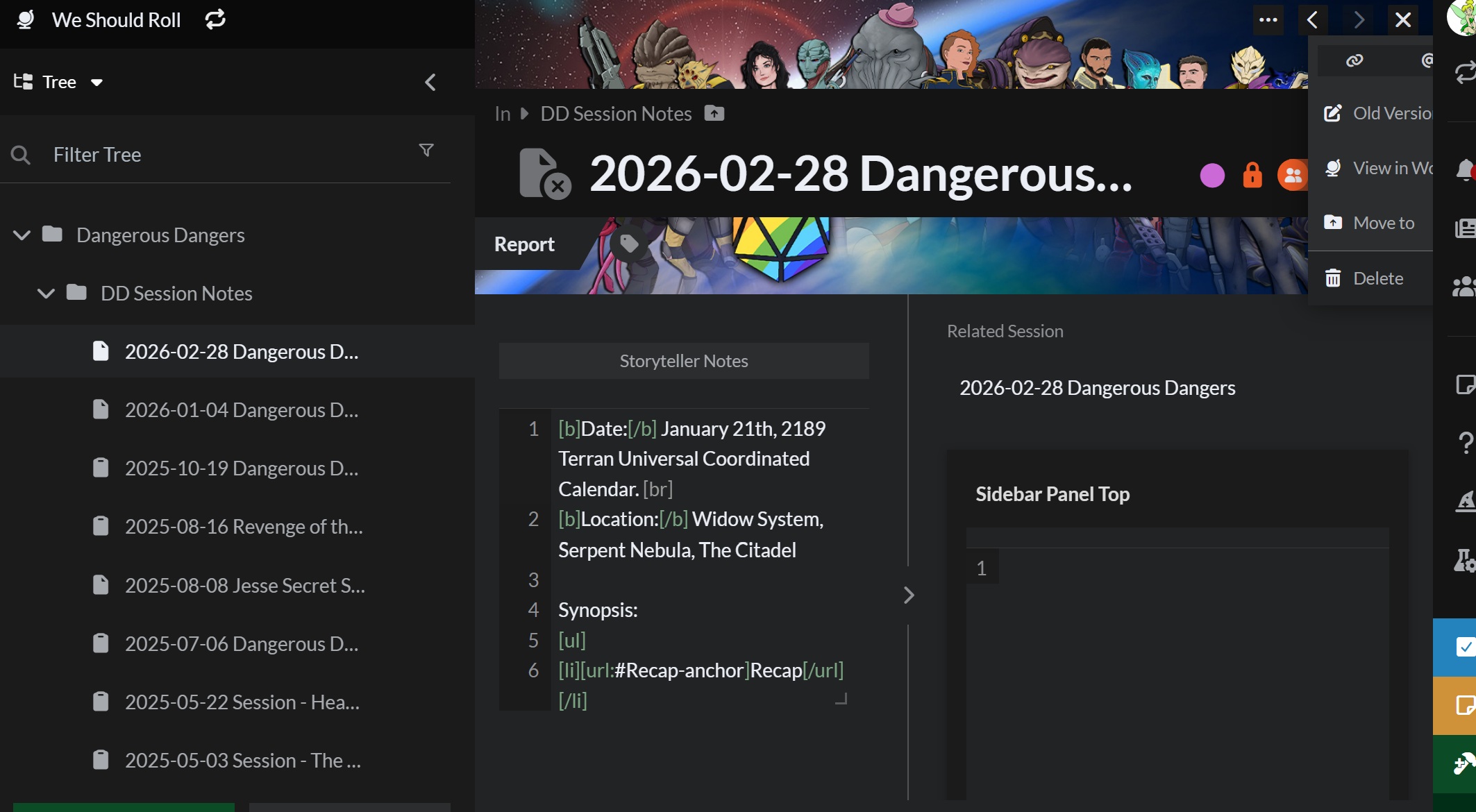
Steps to Reproduce
Click on articles & world click the article you want to view/edit click the ... in the uper right corner
Operating System
WindowsBrowser
Google ChromeRelated Entity
Viewing/editing articlesHistory
Hello tinkerb333, thanks for reporting! Can you do a hard refresh and clear your cache? If you're not sure how to do this, right click on any part of the page and click inspect, then click and hold the reload button, and choose hard refresh and clear cache. let me know if after this the issue still persists, and what browser you are using. Cheers!
Thank you so much! That indeed fixed it. It looks correct now. :)
And, despite it working this afternoon, it's back.
I'm using Chrome on Windows 11.
Find your way!
Resources
WHO WE ARE
LEGAL
Listen to our Podcast



