Spacing Inconsistent Between Editors
Spacing Inconsistent Between Editors
When using the new editor in Athena, an empty line in the BBCode in the sidebar does not render the same spacing on the presentation side as the same code in the old version edit does. The new editor puts more space between elements than the old version edit. I can go into the old version edit, save the article, and the spacing reverts back to what it has always been. If the article is then opened in the new editor and saved, the increased spacing reappears, changing the formatting of the sidebar. If this is an intended change, I would like to know so I can change my CSS, as this additional spacing will greatly alter the formatting of every one of my previous articles.
Steps to Reproduce
- Enter container BBCode in sidebar
- Save article and view in presention
- See differences between old and new edit in terms of spacing
Operating System
WindowsBrowser
Google ChromeRelated Entity
This spacing change occurs in every article, so I do not have a link showcasing the issue, but I do have a number of screenshots, as I have fixed the affected articles, so the formatting is what I want.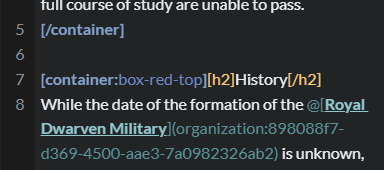
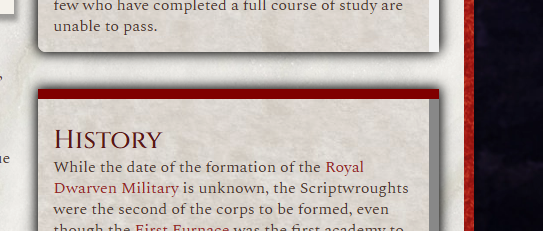
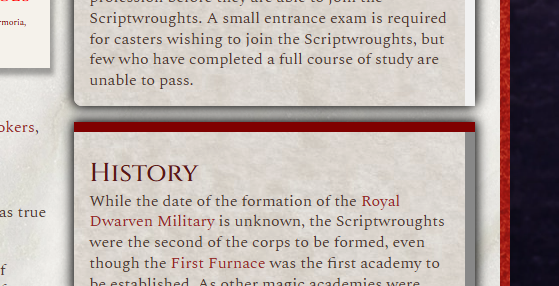
History
The new editor will always put an empty paragraph as space - this is an architectural decision that was made to unify the bbcode formating somewhat -hope that helps in making sure your view mode stays consistent :)
Is there any way to change this? I have thousands of articles that will have to be reformatted due to this space as soon as the old editor is not an option.
Euclid will always be available - powerusers would storm our HQ if we only allowed wysiwyg as an option :)
I'll be closing this one since there's no way for us to not put
Find your way!
Resources
WHO WE ARE
LEGAL
Listen to our Podcast



