Be careful: deleting a world is irreversible and will permanently delete everything contained in the world—once it’s done, there’s no way to get it back.
Follow these steps to delete your world and everything in it:
- Open the Articles & World Manager from the left sidebar, and click your world name at the top of the left panel.
- In the bottom toolbar, click on the gear button to access world settings.
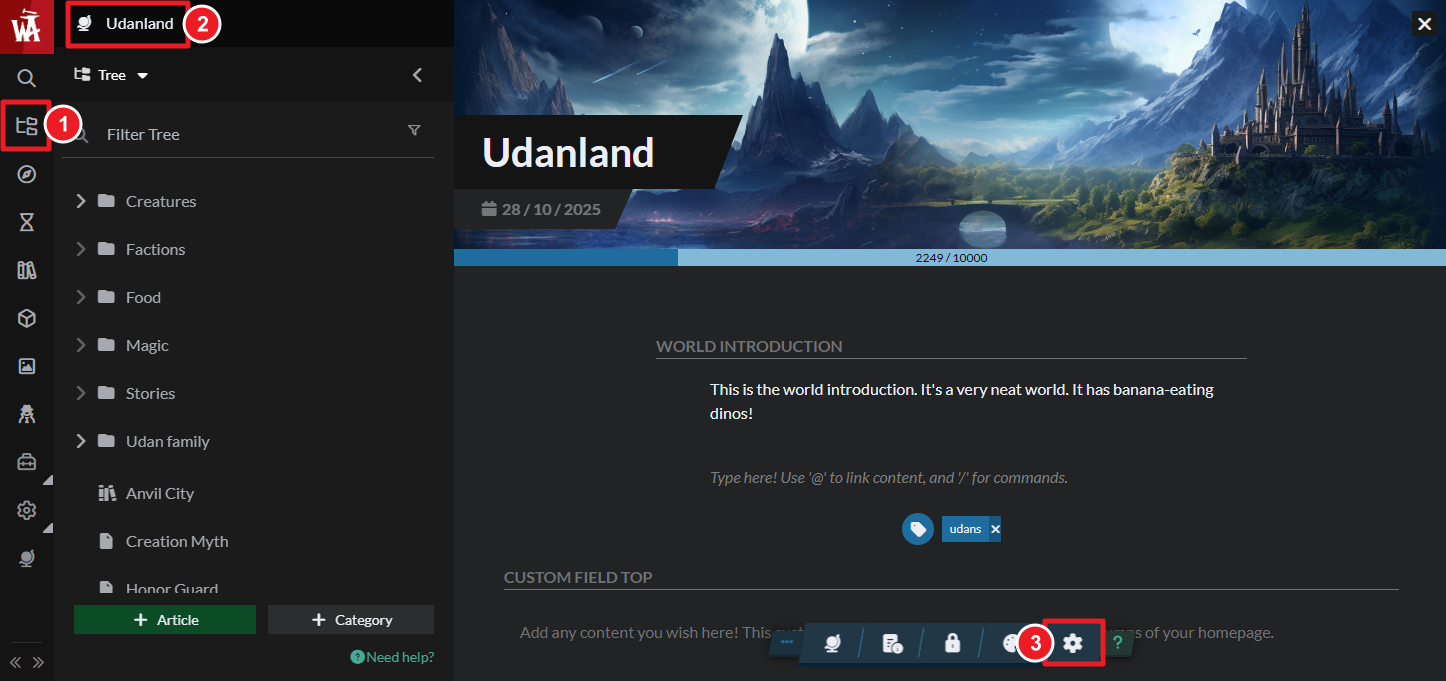
- The delete world option is at the bottom right of the settings screen. You'll have to type your world name to see the delete button.
- Click the delete button and confirm the deletion. Once confirmed, the world deletion is irreversible.
Note that, in order to delete a world, you must first delete:
- All RPG campaigns associated to the world.
- All Manuscripts associated to the world.
- All RPG characters under the world (you can also expel them without deleting them).
- All subscribers and co-authors.
- All subscriber groups.
If you don't delete these elements first, the deletion will fail.



