D&D Beyond lets you create, share, and play D&D characters, and you can import them into World Anvil! Here's how:
- Make sure the character sheet on D&D Beyond is public. Otherwise, World Anvil can’t see it!
- Get the character ID number: look at the character’s URL on D&D Beyond—the number at the end is the ID. For example, if the URL is https://www.dndbeyond.com/profile/username/characters/11111111, the ID would be 11111111.
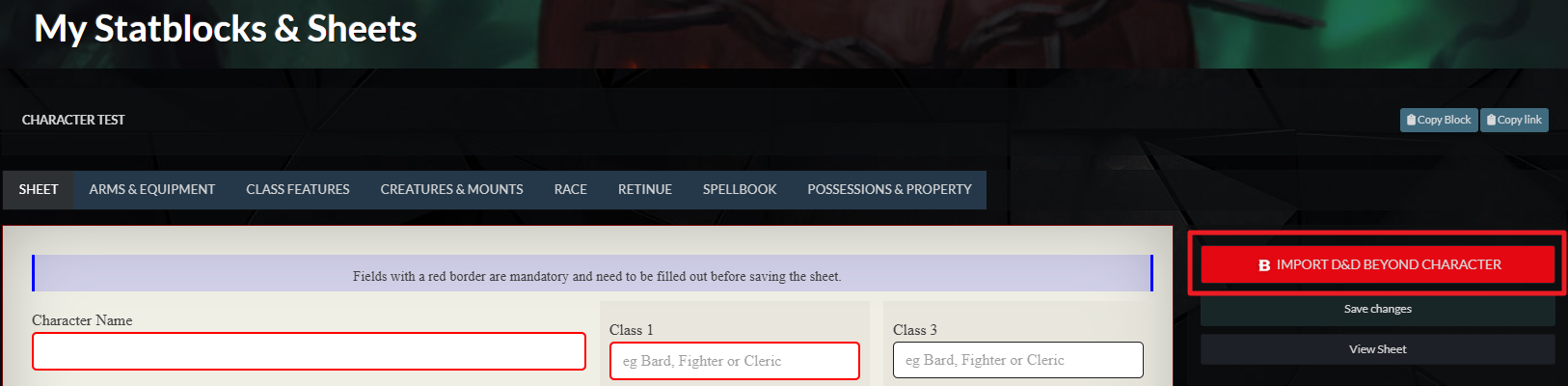
- On World Anvil, open the character sheet and click the red “Import D&D Beyond Character” button on the right:
- In the pop-up, paste in the ID of the D&D Beyond character you got in step 2.
Important: This will replace the contents of the sheet, so only do this for new characters or when leveling up!
Note that currently the importer only works with the 2014 rules of D&D 5e. The 2024 character sheet doesn't include the importer.



