Available to the Master subscription tier and above. Upgrade here.
Adding audio to a Manuscript is a great way to enhance the book's experience with music or ambience, or even to have a voiceover narration of each chapter! Here's how to add audio to your Manuscript chapters:
- Open your Manuscript for editing.
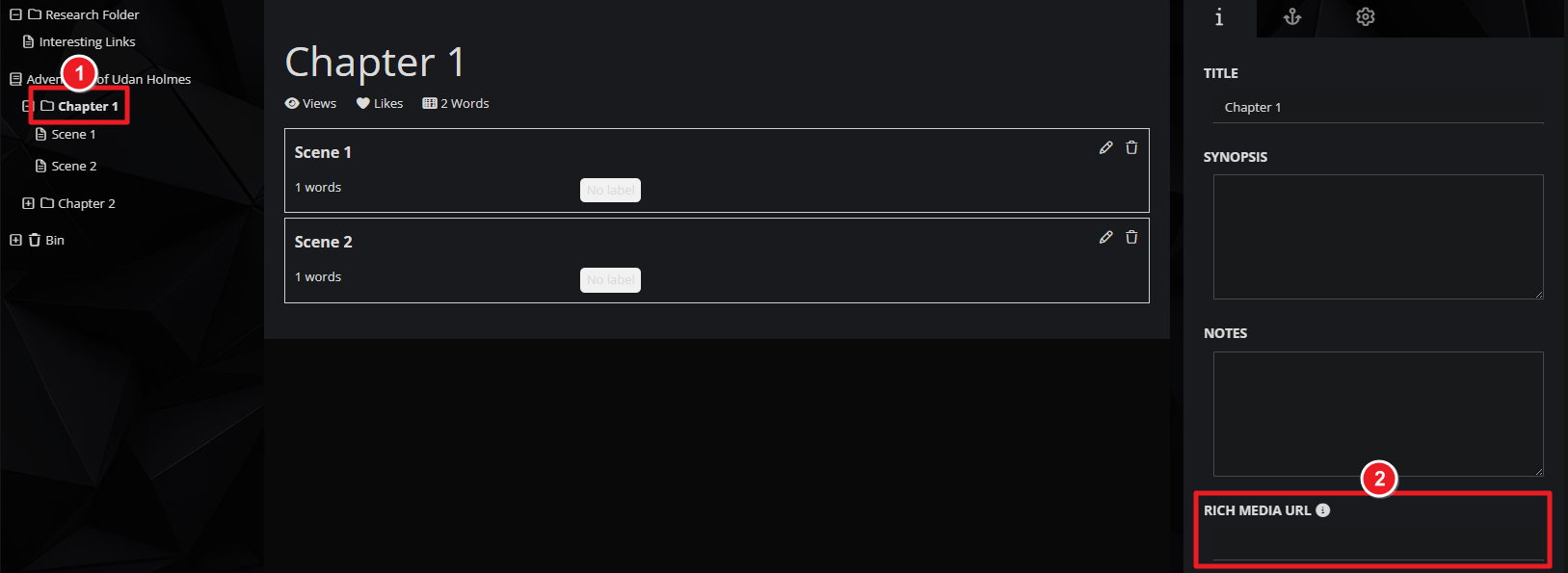
- On the left panel, click on a chapter.
- On the right panel, find the Rich Media URL file under the default information tab.
- Paste your audio's URL there.
This text field accepts the following types of audio links:
- Soundcloud direct URL
- Spotify direct URL
- YouTube video direct URL
- Basic mp3 direct URL (i.e. any URL on the internet that ends with .mp3 and contains just the audio file).
- Anchor.fm embed URL
The embedded audio player will be displayed at the top of the chapter when viewing the Manuscript. Check the Guide to Manuscripts for more information on Manuscripts.



