Available to the Master subscription tier and above. Upgrade here.
Diplomacy webs are a great way to display the relationships between your organizations and factions interactively. Here's how you can embed a diplomacy web into your articles!
With the Visual Editor
- Open the slash menu and look for Diplomacy Web (i.e. type "/diplomacy web").
- In the search field, look for the organization whose diplomacy web you want to embed.
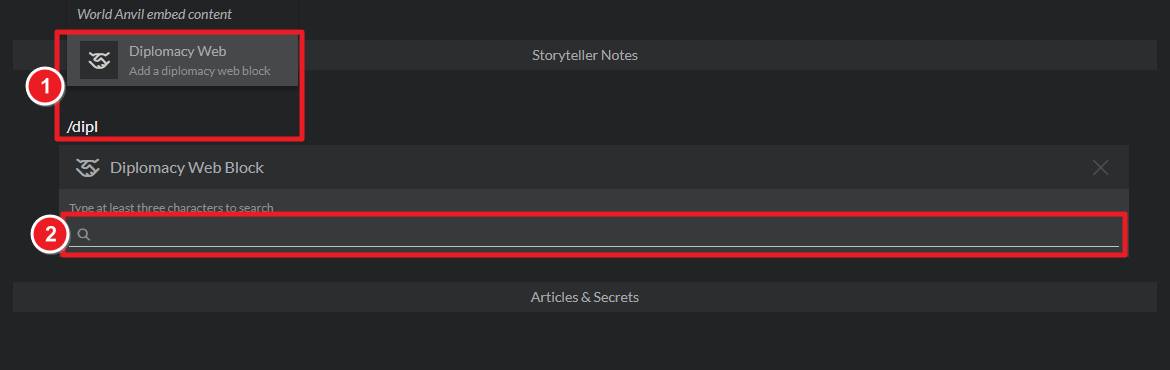
In the Visual Editor, clicking on a Diplomacy Web will open a preview of the web.
With the Advanced BBCode Editor
- In the Diplomacy web preview, click the clipboard button:
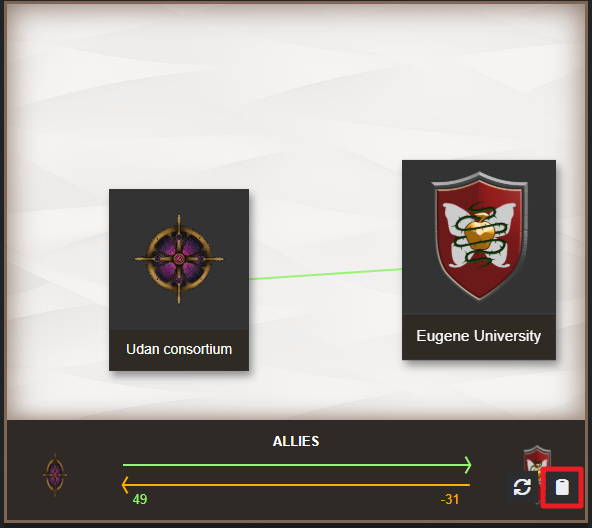
- Paste it in any field that supports BBCode.
Tag-based webs
Additionally, you can also display a diplomacy web with all organizations that share a specific tag. For example, if you have tagged several organization articles as evil-factions, the tag [diplomacy:evil-factions] will generate a diplomacy web with all of them.
For more details about diplomacy webs, check out the feature guide.



